0ALJ-071
Specifying with Numeric Keys (E-mail)
Use the numeric keys on the operation panel to specify destinations.
IMPORTANT
When <Restrict New Destinations> is set to <On>, you cannot use the numeric keys to specify destinations.
Limiting Available Destinations
NOTE
You can use the numeric keys only when specifying the first destination. If you want to specify any additional destinations, use
the Address Book or an LDAP server. To specify destinations as Cc or Bcc addresses, you need to use the Address Book.
Specifying from Address Book
Specifying Destinations in an LDAP Server (E-mail)
Press .
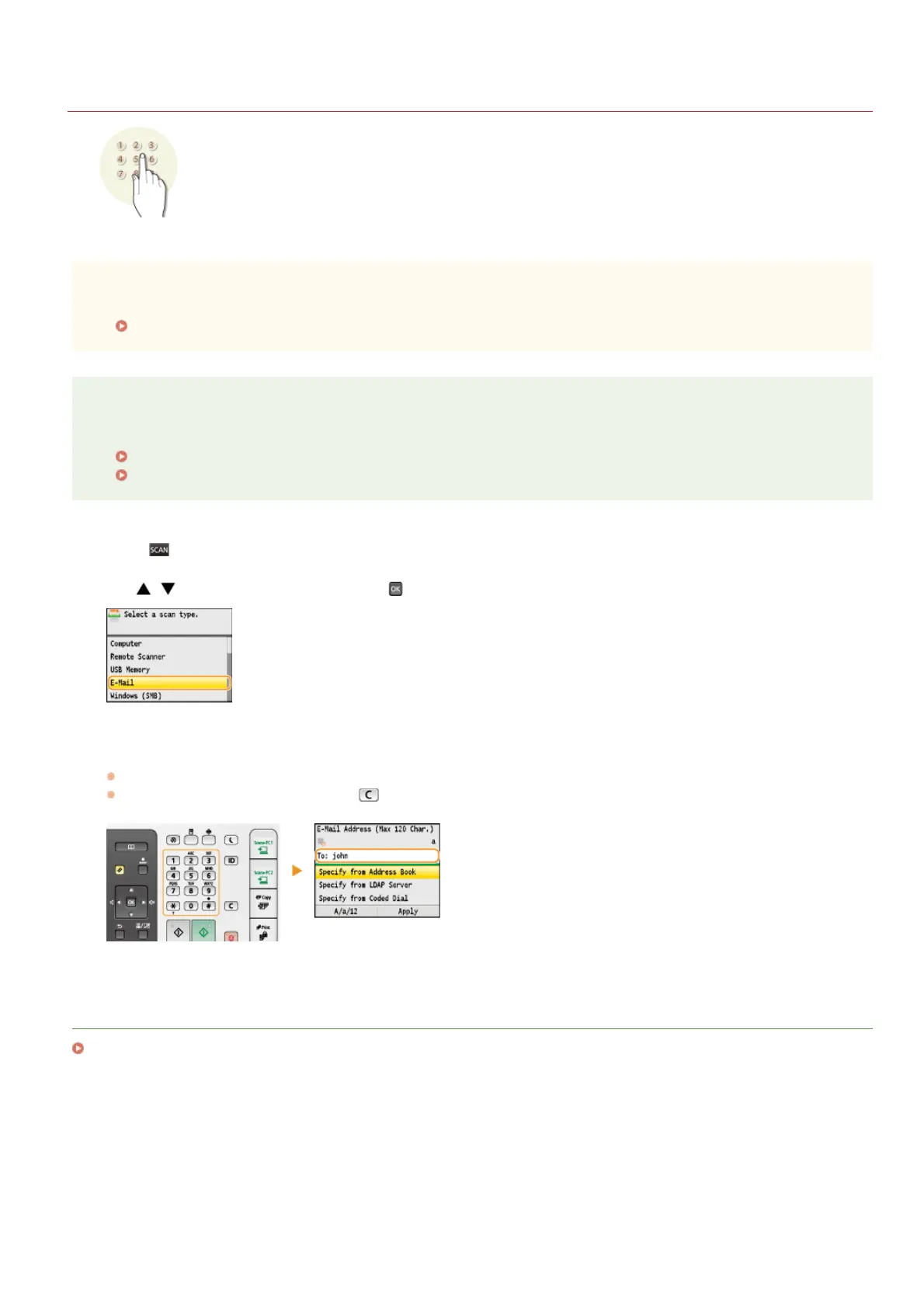
Use / to select <E-Mail>, and press .
Enter the destination using the numeric keys, and press <Apply>.
Pressing <A/a/12> toggles the input modes.
If you enter the wrong characters, press
. (Press to delete each character one by one; press and hold to delete all the input
characters at once.)
LINKS
Sending Documents as E-mails Directly from the Machine (MF8580Cdw / MF8550Cdn / MF8540Cdn Only)
1
2
3
㻟㻜㻣㻌㻛㻌㻢㻣㻢











 To Next Page