0ALJ-06F
Canceling Sending Documents (E-mail/Shared Folder) (MF8580Cdw /
MF8550Cdn / MF8540Cdn Only)
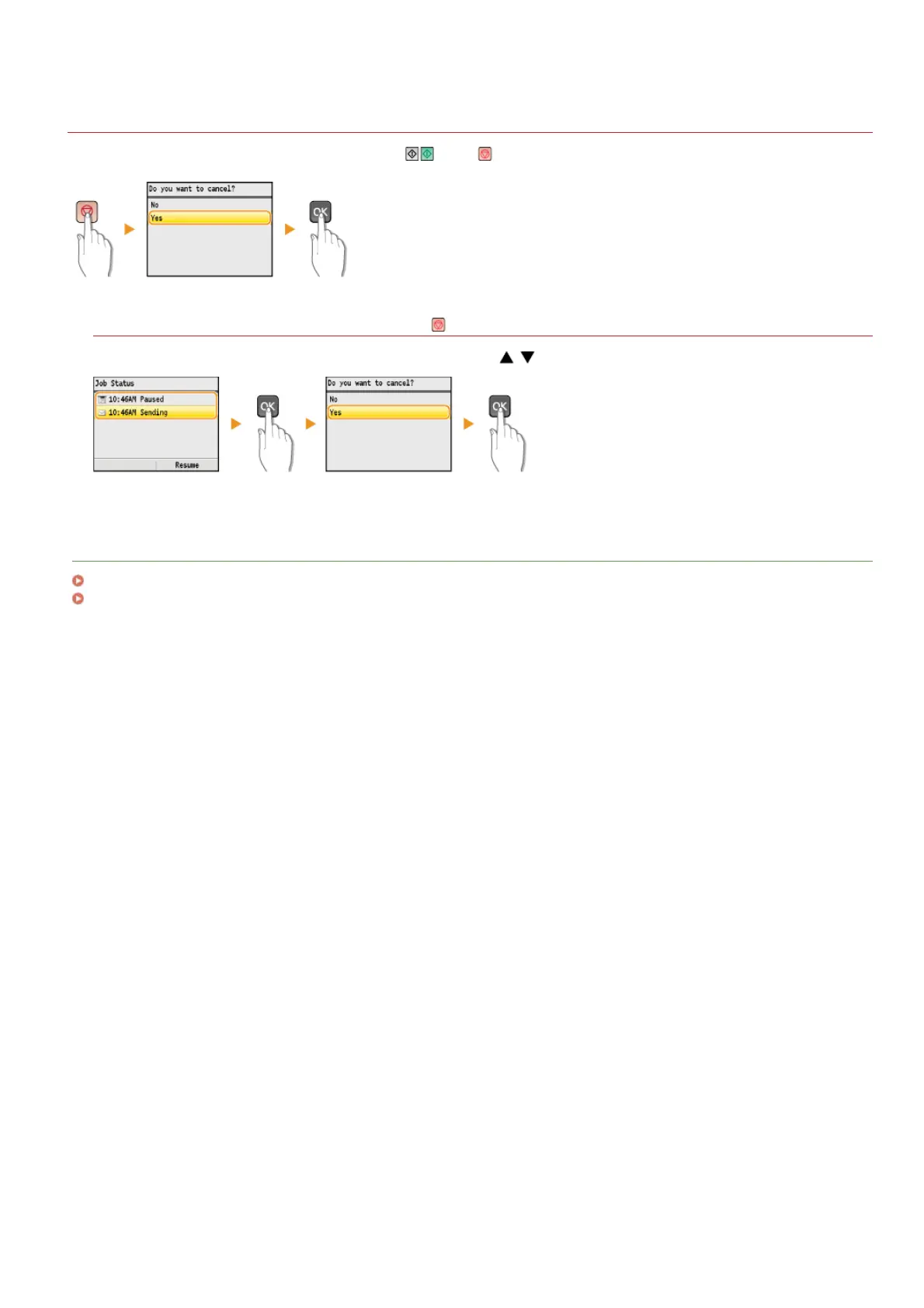
If you want to cancel sending immediately after pressing , press on the operation panel.
If the screen displays a list of documents when is pressed
Documents have been scanned and are waiting to be processed. Use / to select the document to cancel.
LINKS
Sending Documents as E-mails Directly from the Machine (MF8580Cdw / MF8550Cdn / MF8540Cdn Only)
Saving Documents Directly to a Shared Folder (MF8580Cdw / MF8550Cdn / MF8540Cdn Only)
㻞㻥㻠㻌㻛㻌㻢㻣㻢











 To Next Page