0ALJ-052
Selecting Document Type
You can specify the document type to ensure optimal image quality. There are different settings for photo
documents, documents that have charts or graphs, and documents that have design drawings with fine lines.
[Quality] tab
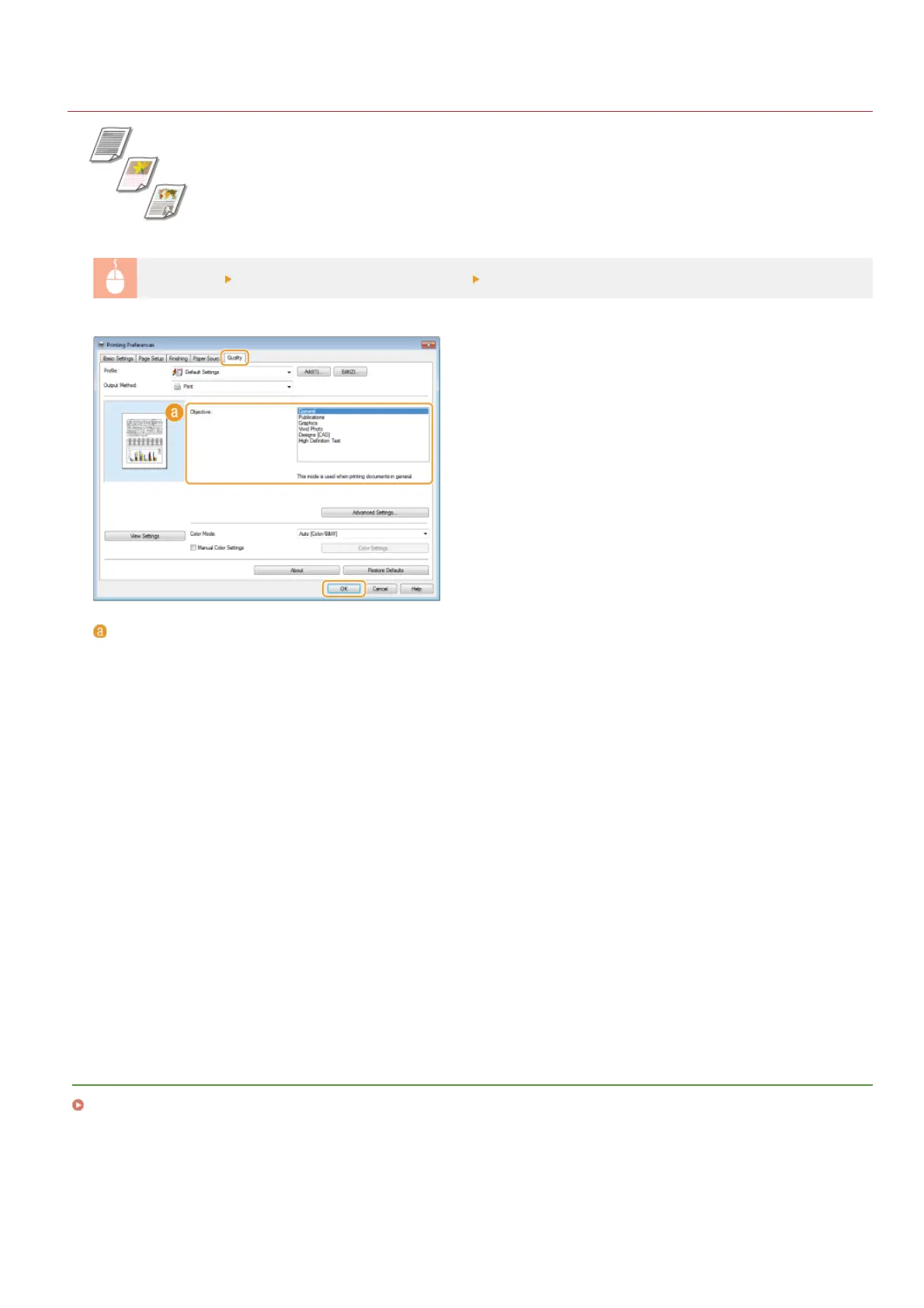
Select the document type in [Objective] [OK]
[Objective]
Select an option that suits the document type or purpose of printing. For example, select [General] for general use, or select
[Vivid Photo] when you want to print photo images in optimal print quality.
[General]
A versatile option that is suitable when printing most documents.
[Publications]
Suitable when printing documents that have a mix of photo images, charts, and graphs.
[Graphics]
Suitable when printing documents that have charts or graphs.
[Vivid Photo]
Suitable when printing photo images.
[Designs [CAD]]
Suitable when printing design drawings that have many fine lines.
[High Definition Text]
Suitable when printing documents that have small characters.
NOTE:
To specify detailed settings for each item selected on [Objective], click [Advanced Settings]. For more information, click [Help] on
the printer driver screen.
LINKS
Printing a Document
㻞㻝㻡㻌㻛㻌㻢㻣㻢











 To Next Page