0ALJ-023
Adjusting the Volume
The machine produces sounds in a variety of situations, such as when fax sending is complete or when a paper jam or error occurs. You
can set the volume of each of these sounds individually.
Press .
Use / to select <Preferences>, and press .
Select <Sound Volume Control>, and press .
Select a setting, and press .
Setting Description Procedure
<Fax Tone> Sound produced during a fax transmission
<On> (Sound is produced)
Go
to step 5
<Off> (No sound is produced)
Go to step 6
<Ring Tone> Sound produced when an incoming fax is received
<TX Done
Tone>
Sound produced when fax sending is complete
<On> (Sound is produced)
Go
to step 5
<Off> (No sound is produced)
Go to step 6
<Only When Error Occurs>
Go
to step 5
<RX Done
Tone>
Sound produced when fax receiving is complete
<Scanning Done
Tone>
Sound produced when fax document scanning is complete
<Entry Tone>
Sound produced each time a key on the operation panel is
pressed
<On> (Sound is produced) or <Off>
(No sound is produced)
Go to
step 6
<Invalid Entry
Tone>
Sound produced when an invalid key operation is performed,
such as when you enter a number outside the valid setting
range
<Restock
Supplies Tone>
Sound produced when a toner cartridge is almost empty
<Warning
Tone>
Sound produced when a paper jam or other error occurs
<Job Done
Tone>
Sound produced when an operation such as copying or
scanning is complete
<Energy Saver
Alert>
Sound produced when the machine enters or exits sleep mode
Only available for the MF8580Cdw / MF8550Cdn / MF8280Cw.
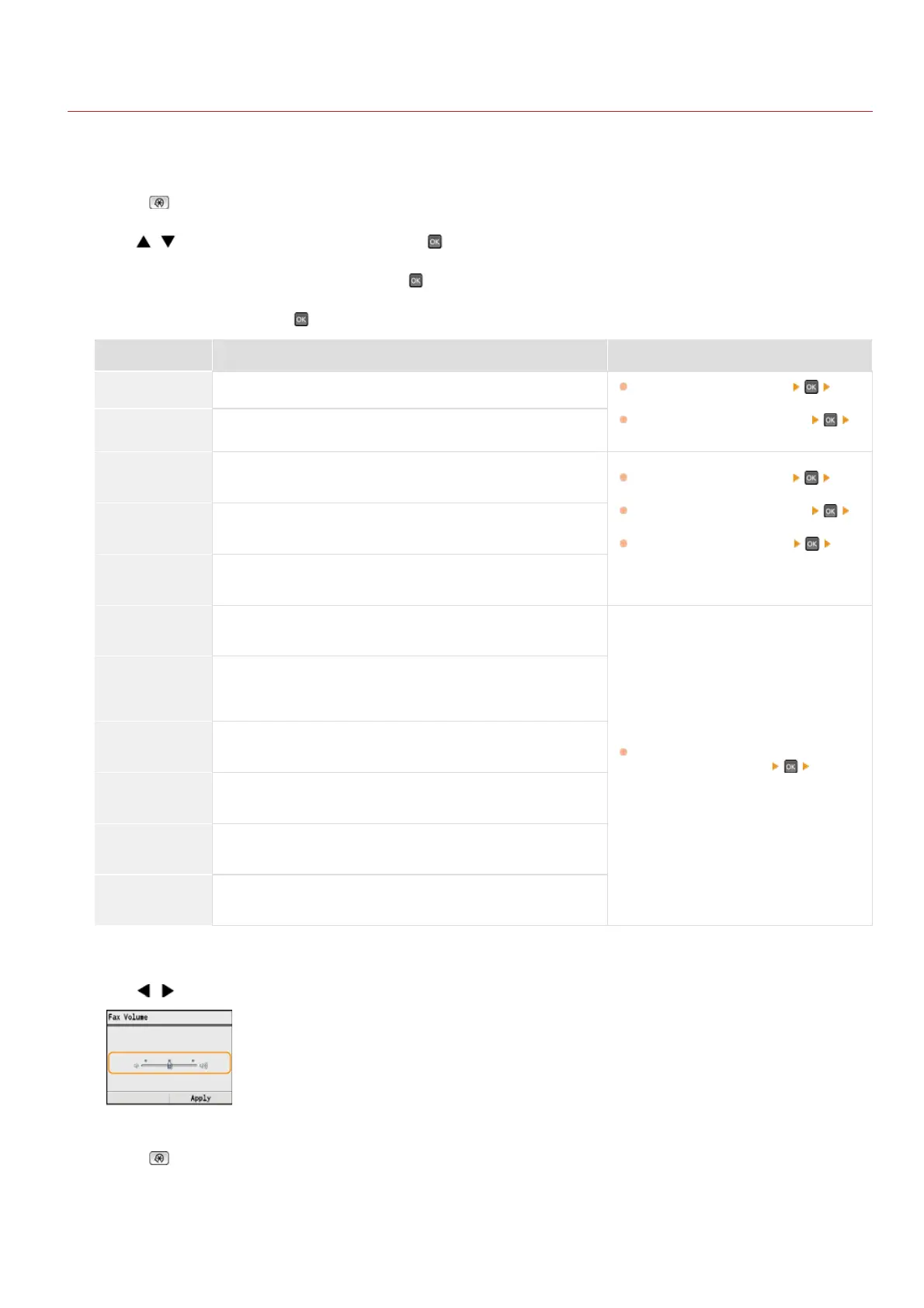
Use / to adjust the volume, and press <Apply>.
Press to close the menu screen.
*
*
*
*
*
*
1
2
3
4
5
6
㻝㻜㻠㻌㻛㻌㻢㻣㻢











 To Next Page