0ALJ-0H8
Uninstalling e-Manual
You can remove the e-Manual from the computer to restore the computer to the same state it was in before the e-Manual was installed.
The label of the CD-ROM that contains manuals may vary depending on the country/region or the model of the machine.
Using the Multi-lingual User Manual CD
Open the Windows Explorer.
Windows XP/Vista/7/Server 2003/Server 2008
From the [Start] menu, select [All Programs] (or [Programs])
[Accessories] [Windows Explorer].
Windows 8/Server 2012
Right-click the lower-left corner of the screen and select [File Explorer].
Enter either of the following paths in the address field, and press the [ENTER] key:
C:\Documents and Settings\(the user name)\My Documents\Canon\MFP\Manuals
Delete the [MF8500C_MF8200C Series e-Manual] folder.
Delete the [MF8500C_MF8200C Series e-Manual] shortcut icon on the desktop.
Using the User Software CD-ROM
Insert the User Software CD-ROM into the drive on the computer.
Select a language and click [OK] if you are prompted to do so.
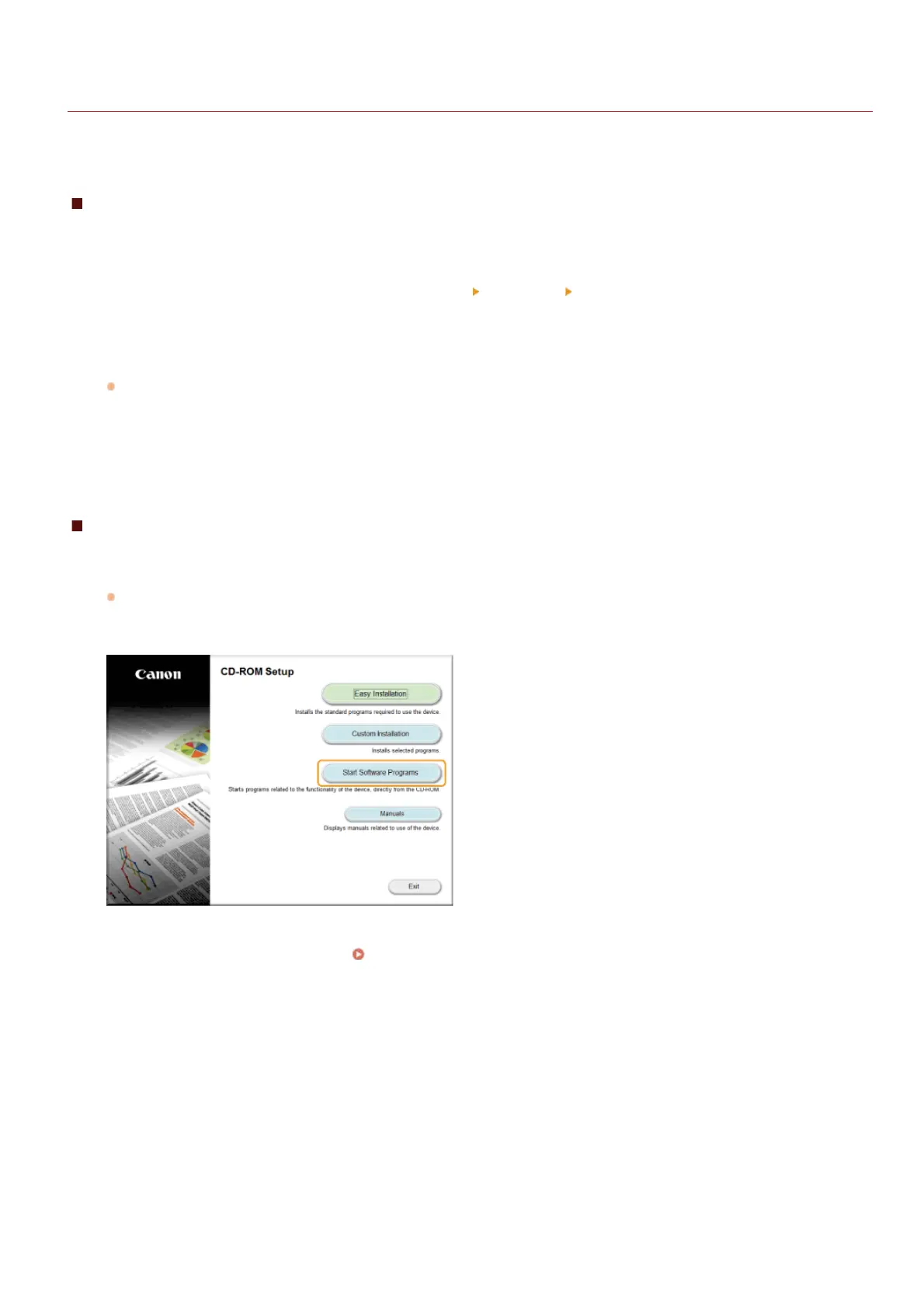
Click [Start Software Programs].
NOTE:
If the above screen is not displayed, see
Displaying the [CD-ROM Setup] or [Select language] Screen.
Click [Start] for [Manual Uninstaller].
1
2
3
4
1
2
3
㻢㻡㻠㻌㻛㻌㻢㻣㻢











 To Next Page