0ALJ-028
Selecting Copy Paper
Specify the paper source that contains the paper to use for printing out copies.
NOTE
You must first specify the size and type of paper that is loaded in the paper source.
Specifying Paper Size and Type
Loading Paper
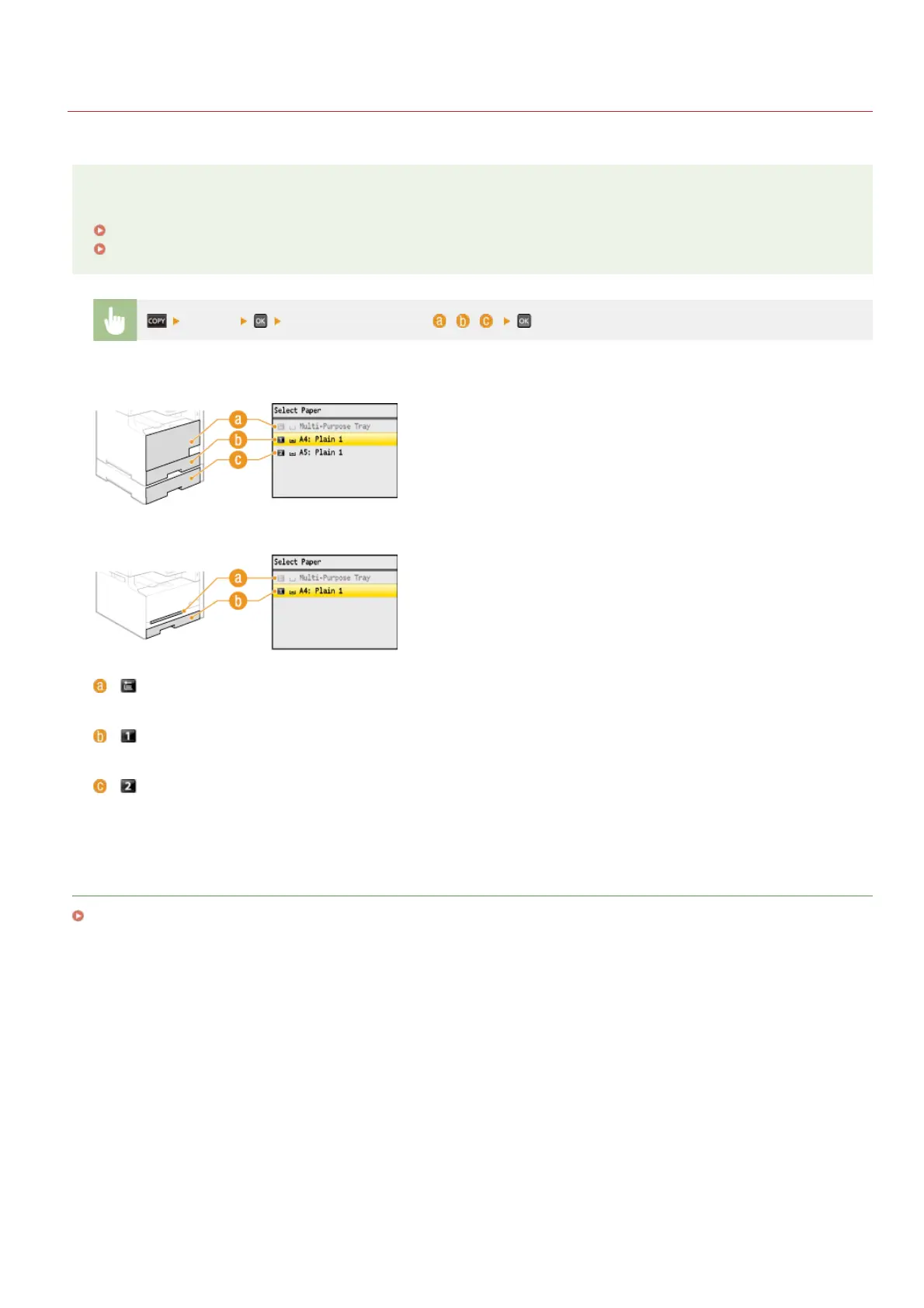
<Paper> Select the paper source ( , , )
MF8580Cdw / MF8550Cdn / MF8540Cdn
MF8280Cw / MF8230Cn
< >
Selects the paper loaded in the manual feed slot.
< >
Selects the paper loaded in the drawer.
< > (MF8580Cdw / MF8550Cdn / MF8540Cdn only)
Selects the paper loaded in the optional drawer.
LINKS
Basic Copy Operations
㻝㻝㻝㻌㻛㻌㻢㻣㻢











 To Next Page