0AWU-007
1
Insert the User Software CD-ROM into the slot on your computer.
2
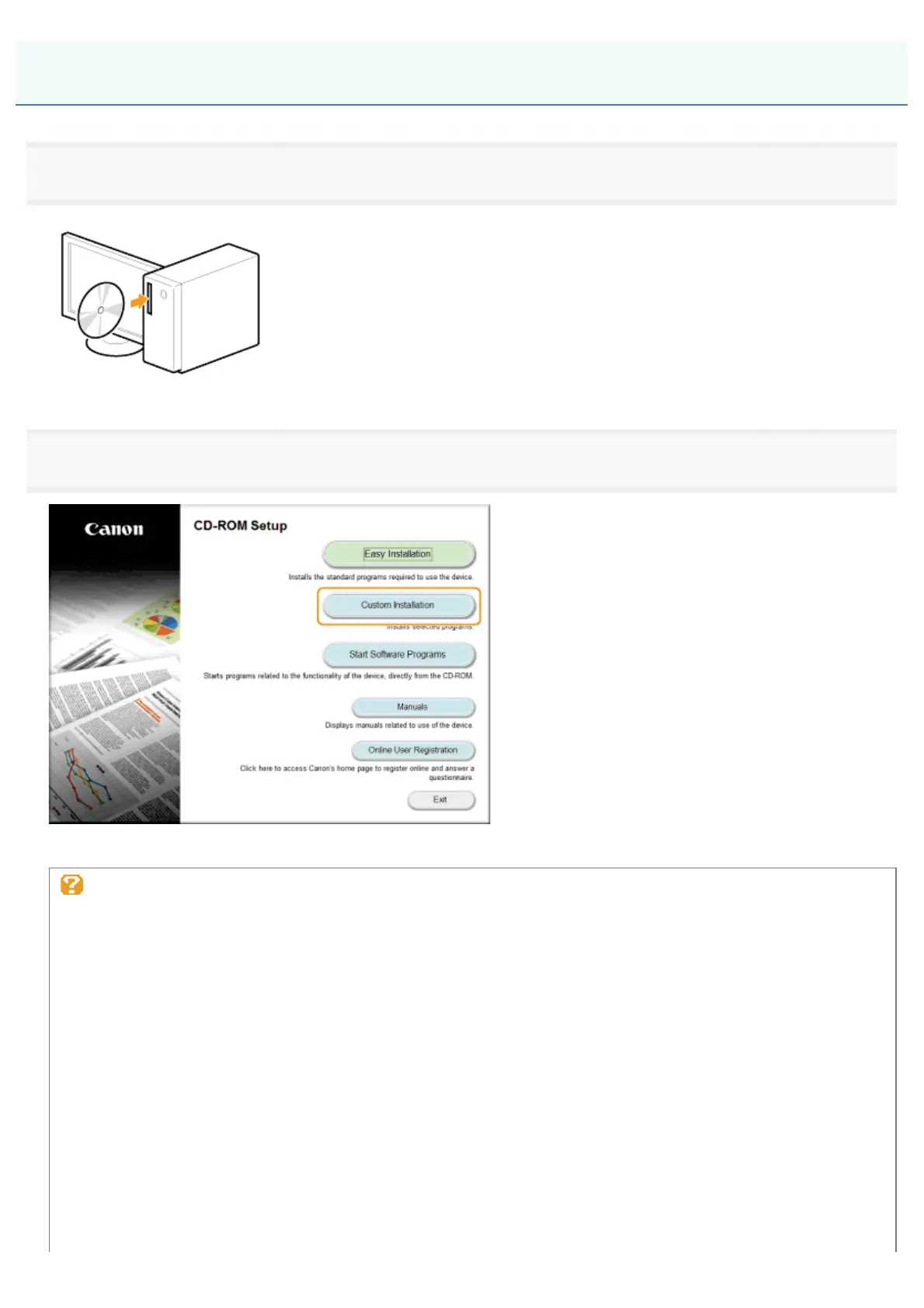
Click [Custom Installation].
The options to be displayed differ depending on your country or region.
If the above CD-ROM Setup screen does not appear:
Windows XP and Server 2003
1. From the [Start] menu, select [Run].
2. Enter "D:\MInst.exe", and then click [OK].
Windows Vista, 7, and Server 2008
1. Enter "D:\MInst.exe" in [Start Search] or [Search programs and files] under the [Start] menu.
2. Press the [ENTER] key on the keyboard.
Windows 8 and Server 2012
1. Right-click the lower-left corner of the screen and select [Run].
2. Enter "D:\MInst.exe", and then click [OK].
* The CD-ROM drive name is indicated as "D:" in this manual. The CD-ROM drive name may differ depending on
the computer you are using.
Installing Using [Custom Installation] (For Windows)
㻝㻣㻌㻛㻌㻣㻠











 To Next Page