0ALJ-01U
Registering a Custom Paper Size
You can register up to three frequently used custom paper sizes.
Press (Select Paper/Settings).
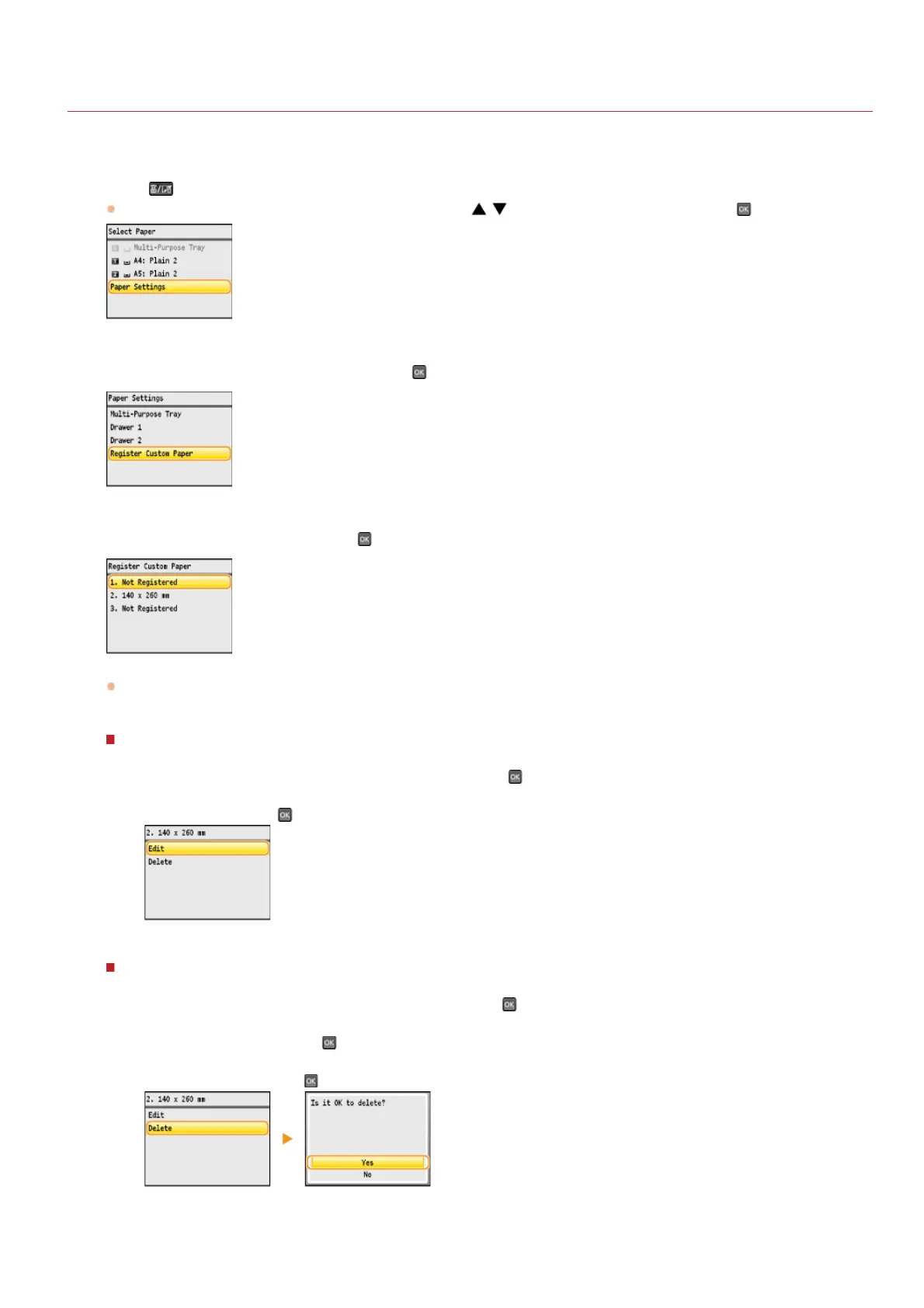
If the <Select Paper> screen shown below is displayed, use / to select <Paper Settings>, and press .
Select <Register Custom Paper>, and press .
Select <Not Registered>, and press .
If paper sizes <1> to <3> have already been registered, either change or delete the setting to continue. The procedures for
changing and deleting these settings are described below.
Changing a setting
1
Select the registered size you want to change, and press .
2
Select <Edit>, press , and proceed to step 4.
Deleting a setting
1
Select the registered size you want to delete, and press .
2
Select <Delete>, and press .
3
Select <Yes>, and press .
Specify the paper size.
1
2
3
㻥㻜㻌㻛㻌㻢㻣㻢











 To Next Page