0ALJ-00E
Connecting the Power Cord
Connect the power cord to the machine. Read the precautions in Power Supply before connecting the power cord.
NOTE
Do not connect the USB cable yet. Wait until you install the software to connect the USB cable.
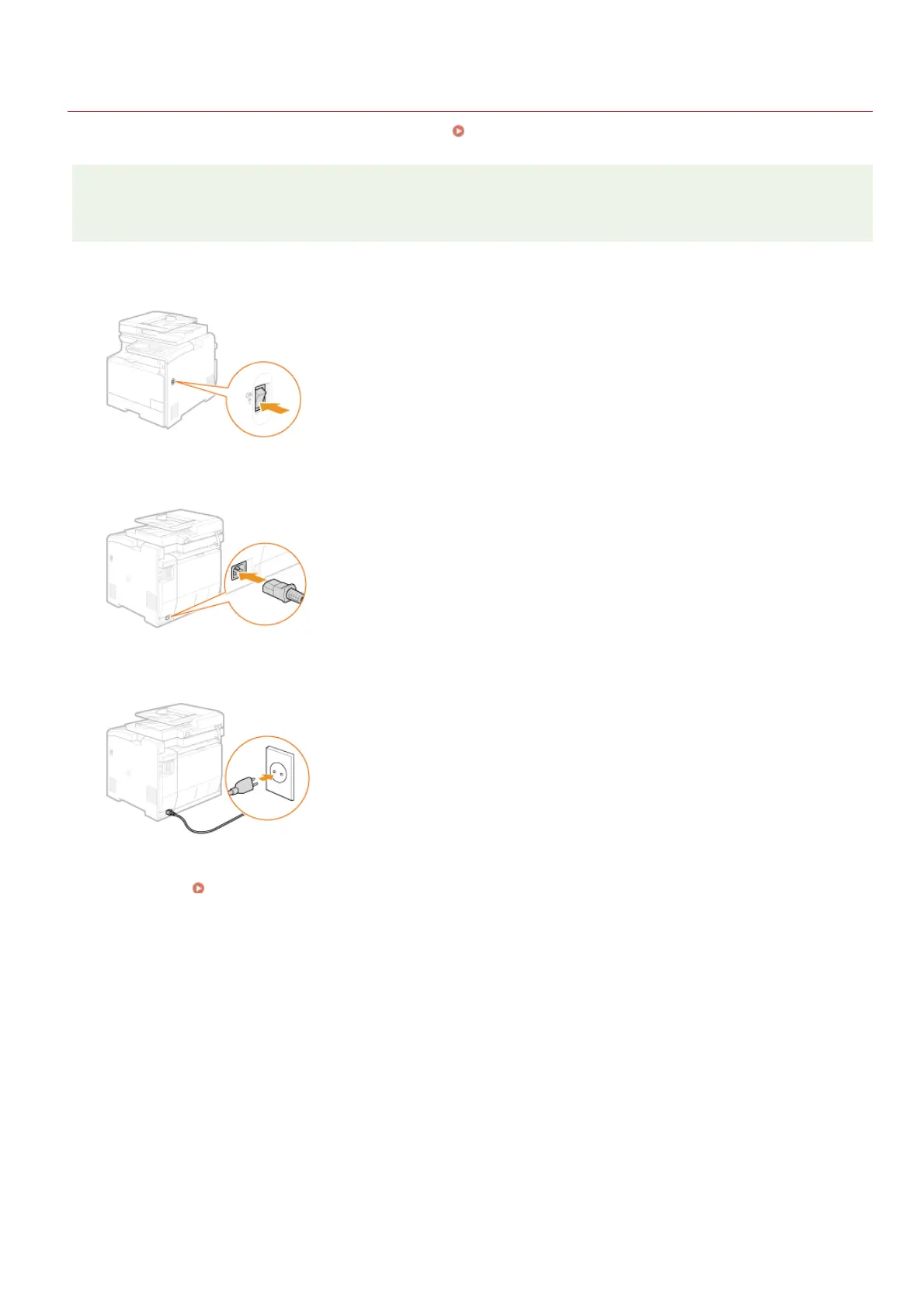
Make sure that the machine is turned OFF.
Plug the female end of the power cord into the power socket on the back of the machine.
Plug the male end of the power cord into an AC power outlet.
Continue to Turning ON the Power and Configuring Initial Settings
1
2
3
»
㻟㻞㻌㻛㻌㻢㻣㻢











 To Next Page