0AWU-00E
1
Open the network folder.
For Windows Vista/Server 2008:
Select [Network] from the [Start] menu.
For Windows 7/Server 2008 R2:
Select [Computer] from the [Start] menu and click [Network].
For Windows 8/Server 2012
Right-click the lower-left corner of the screen, select [File Explore], and then click [Network].
2
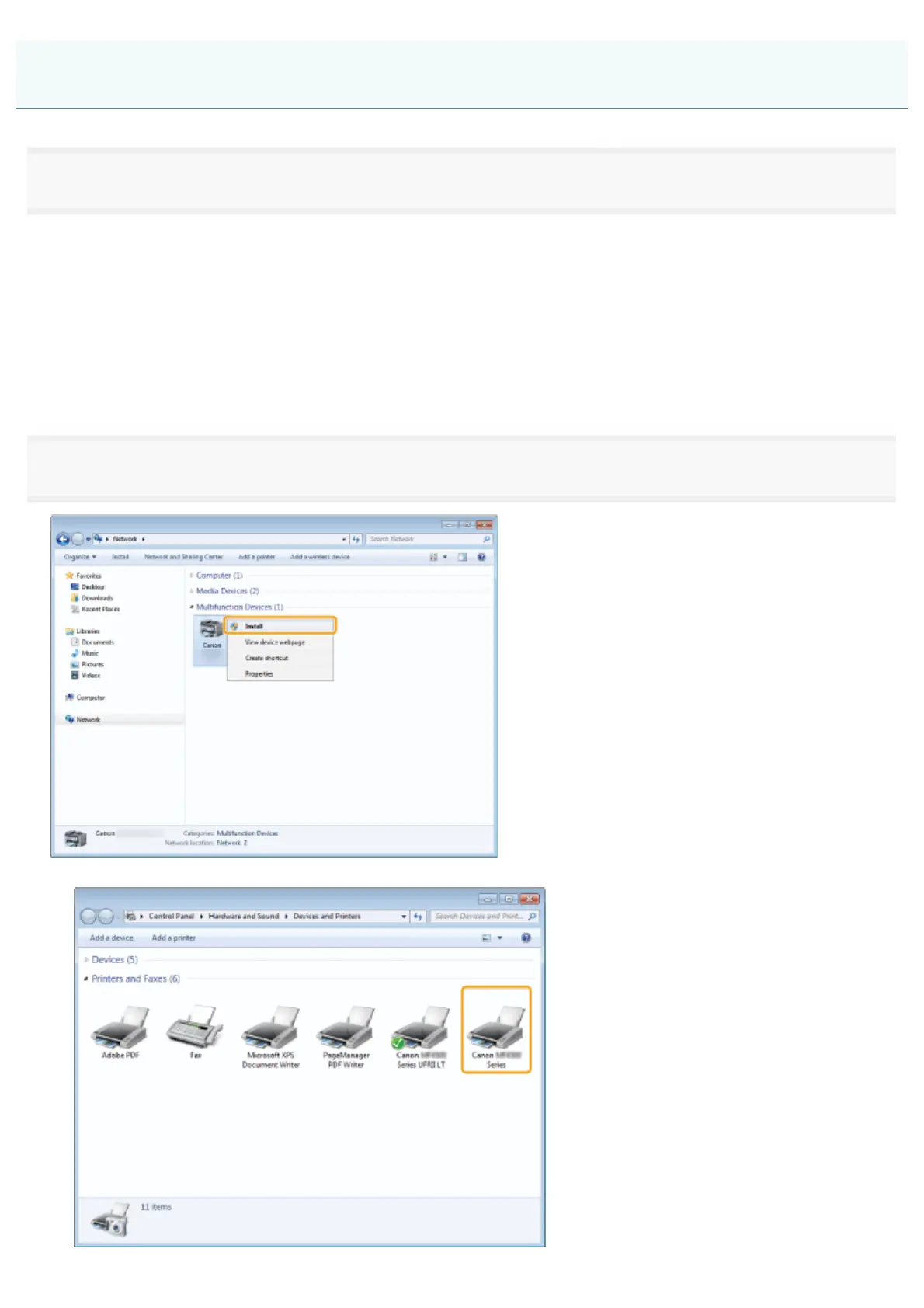
Right-click the machine icon and select [Install] from the pop-up menu.
The icon is add to the printer folder. Installation is complete.
Setting WSD
㻡㻝㻌㻛㻌㻣㻠











 To Next Page