0ALJ-08H
Configuring Advanced E-mail Settings
Use the Remote UI to configure detailed e-mail settings, such as POP before SMTP authentication and SSL encryption. For more
information about the required settings, contact your Internet service provider or Network Administrator.
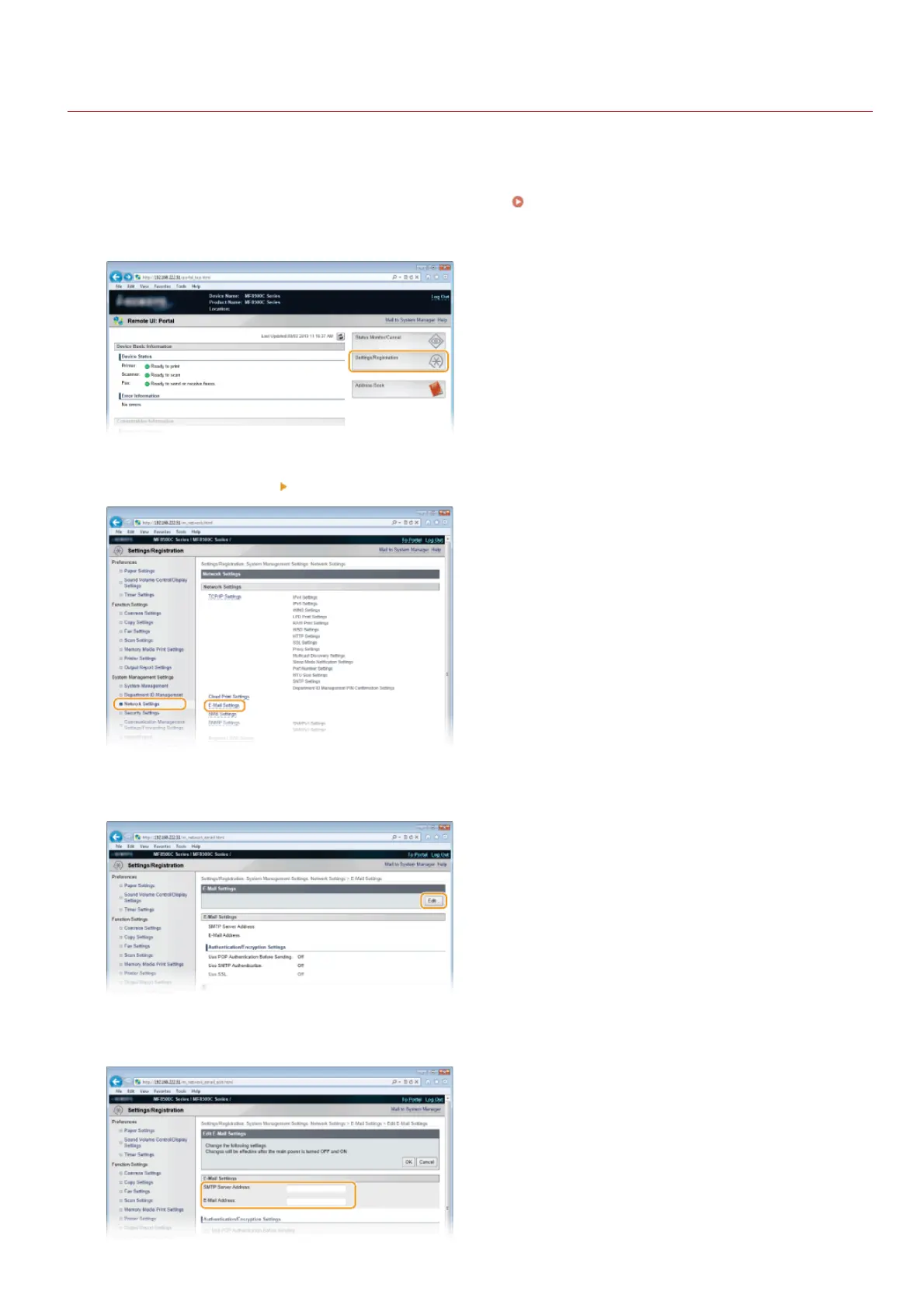
Start the Remote UI and log on in System Manager Mode. Starting Remote UI
Click [Settings/Registration].
Click [Network Settings] [E-Mail Settings].
Click [Edit...].
Specify the required settings.
1
2
3
4
5
㻟㻢㻞㻌㻛㻌㻢㻣㻢











 To Next Page