0ALJ-00U
Registering the Fax Number and Unit Name
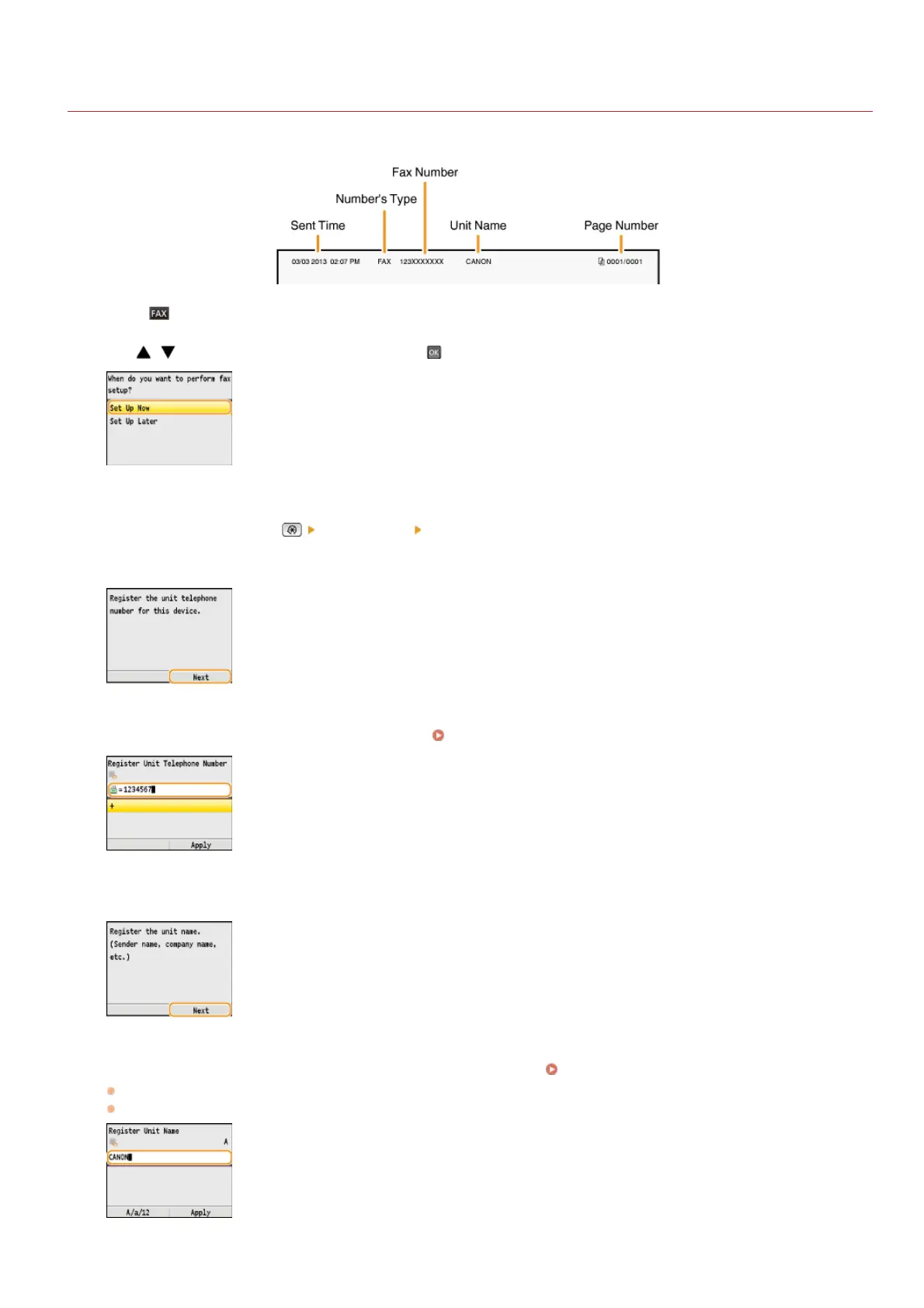
Register the fax number and unit name of your machine. This information is printed at the top of each page sent from the machine.
Press .
Use / to select <Set Up Now>, and press .
NOTE:
If you select <Set Up Later>, the receive mode is set to <Auto>. Later, when you want to configure the fax settings, display the
fax setup screen by pressing
<Fax Settings> <Fax Setup Guide>.
Press <Next>.
Enter the fax number using the numeric keys ( Entering Text ), and press <Apply>.
Press <Next>.
Enter the unit name (such as a user name or company name) ( Entering Text ), and press <Apply>.
Enter up to 24 alphanumeric characters.
Pressing <A/a/12> toggles the input modes.
1
2
3
4
5
6
㻠㻡㻌㻛㻌㻢㻣㻢











 To Next Page