0AWU-00K
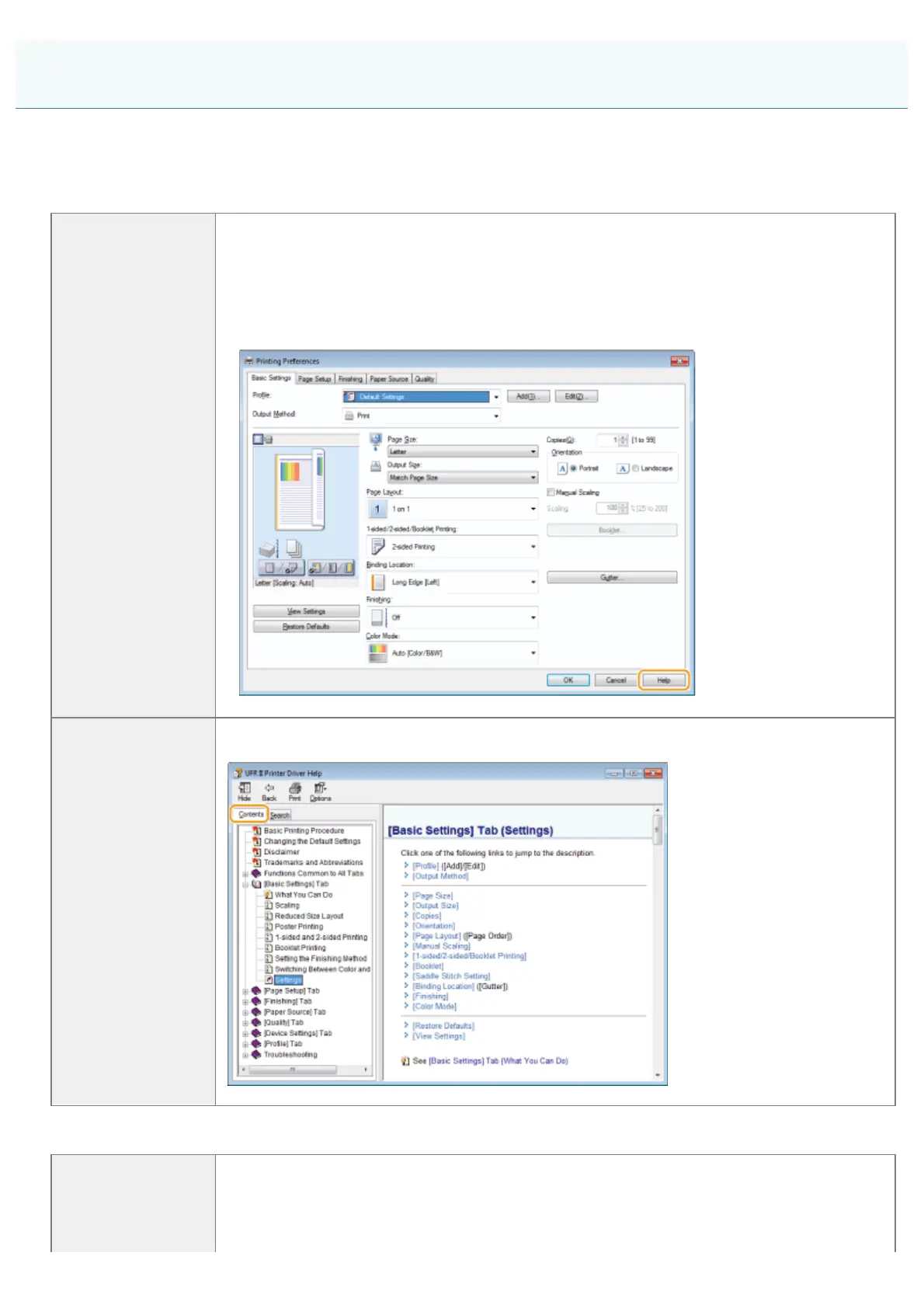
In the Online Help, all the functions of the driver software and information about options are included. If you want to know
descriptions of the functions and settings immediately when using the driver software, make use of the Online Help.
For Windows:
How to display the
Help screen
(1) Select [File] -> [Print] from the menu bar in the application.
(2) Select the printer in [Select Printer] or [Name] in the [Print] dialog box.
(3) Click [Preferences] or [Properties].
(4) Click [Help].
Searching from
Contents
Click [Contents] in the Help screen, and then double-click the desired title to display the
information.
For Macintosh:
(1) Select [File] -> [Print] from the menu bar in the application.
(2) Select the printer in [Printer].
(3) Change the content displayed in lower pane of the dialog to [Finishing], [Quality],
How to Use the Online Help
㻢㻢㻌㻛㻌㻣㻠











 To Next Page