0ALJ-03W
Selecting a Document to Forward
The machine forwards the document that you select from among all the documents received in memory. To use this feature, first activate
the Memory Reception feature.
Storing Received Faxes into Memory (Memory Reception)
NOTE
As long as the Memory Reception feature is not deactivated, the documents in memory are not deleted even after they are
forwarded; the same documents can be forwarded multiple times.
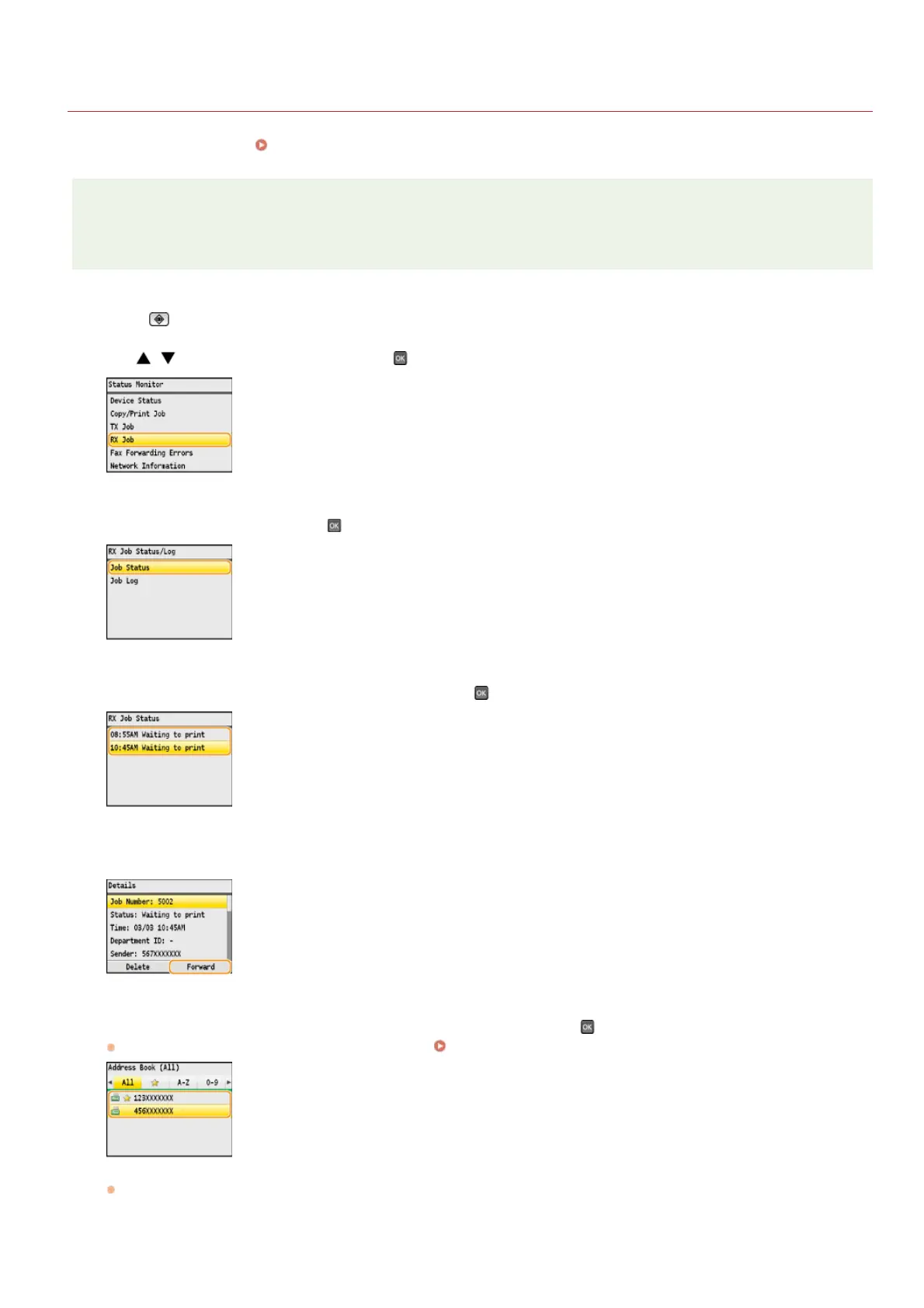
Press (Status Monitor).
Use / to select <RX Job>, and press .
Select <Job Status>, and press .
Select the document you want to forward, and press .
Press <Forward>.
Select the forwarding destination from the Address Book, and press .
For instructions on how to use the Address Book, see Specifying from Address Book (Fax).
The document is forwarded to the specified destination.
1
2
3
4
5
6
㻝㻢㻠㻌㻛㻌㻢㻣㻢











 To Next Page