0ALJ-01L
Specifying Paper Size and Type in the Paper Drawer
Press (Select Paper/Settings).
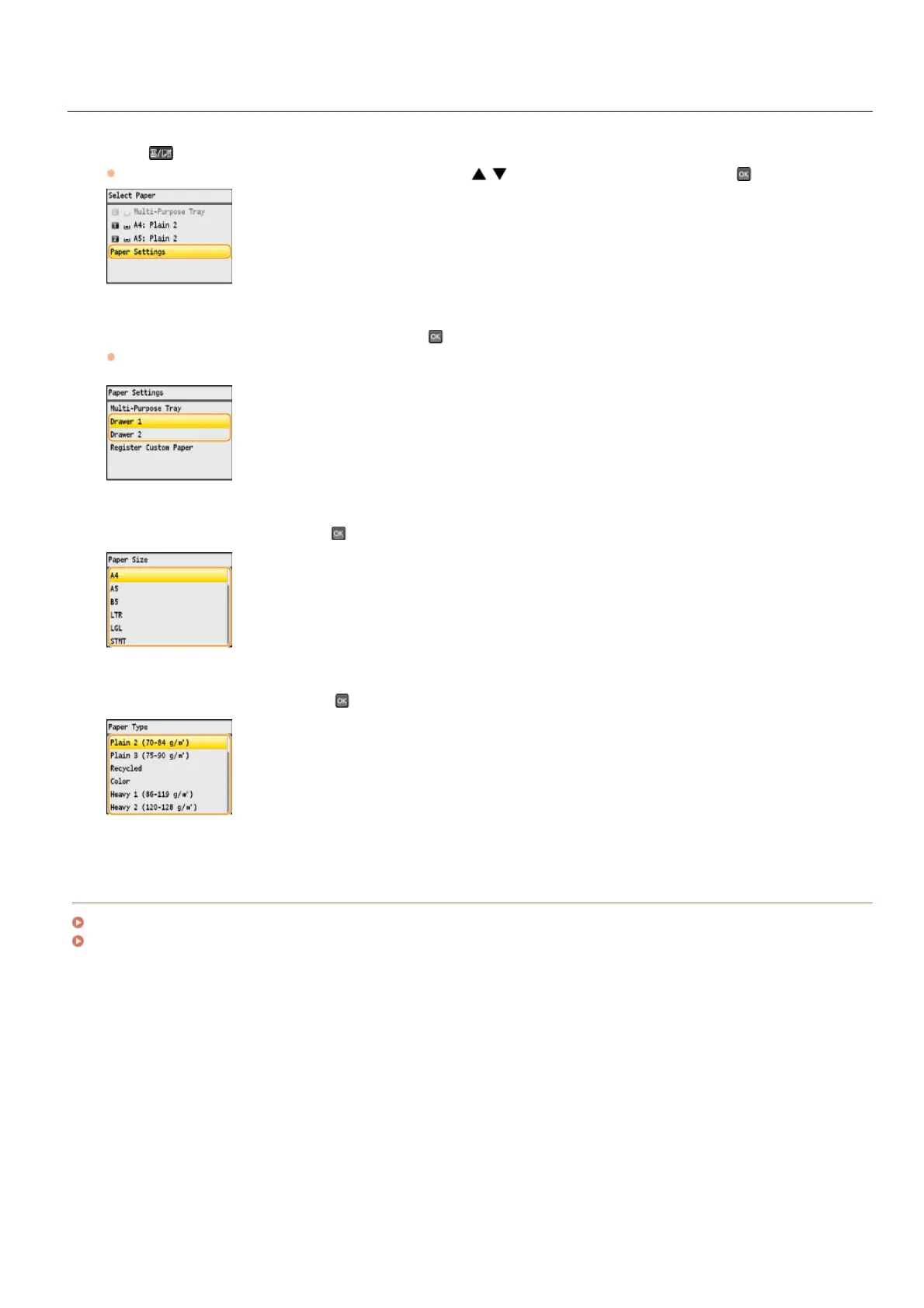
If the <Select Paper> screen shown below is displayed, use / to select <Paper Settings>, and press .
Select <Drawer 1> or <Drawer 2>, and press .
<Drawer 2> is displayed only when the optional paper drawer (drawer 2) is installed (MF8580Cdw / MF8550Cdn / MF8540Cdn
only).
Select the paper size, and press .
Select the paper type, and press .
LINKS
Loading Paper in the Paper Drawer
Paper
1
2
3
4
㻤㻡㻌㻛㻌㻢㻣㻢











 To Next Page