0ALJ-090
Configuring WINS
Windows Internet Name Service (WINS) is a name resolution service that associates a NetBIOS name (a computer or printer name in an
SMB network) with an IP address. To enable WINS, the WINS server must be specified.
IMPORTANT
In order to specify WINS server settings, NetBIOS name and workgroup name are required to be set. Configuring SMB
The function is not available in an IPv6 network.
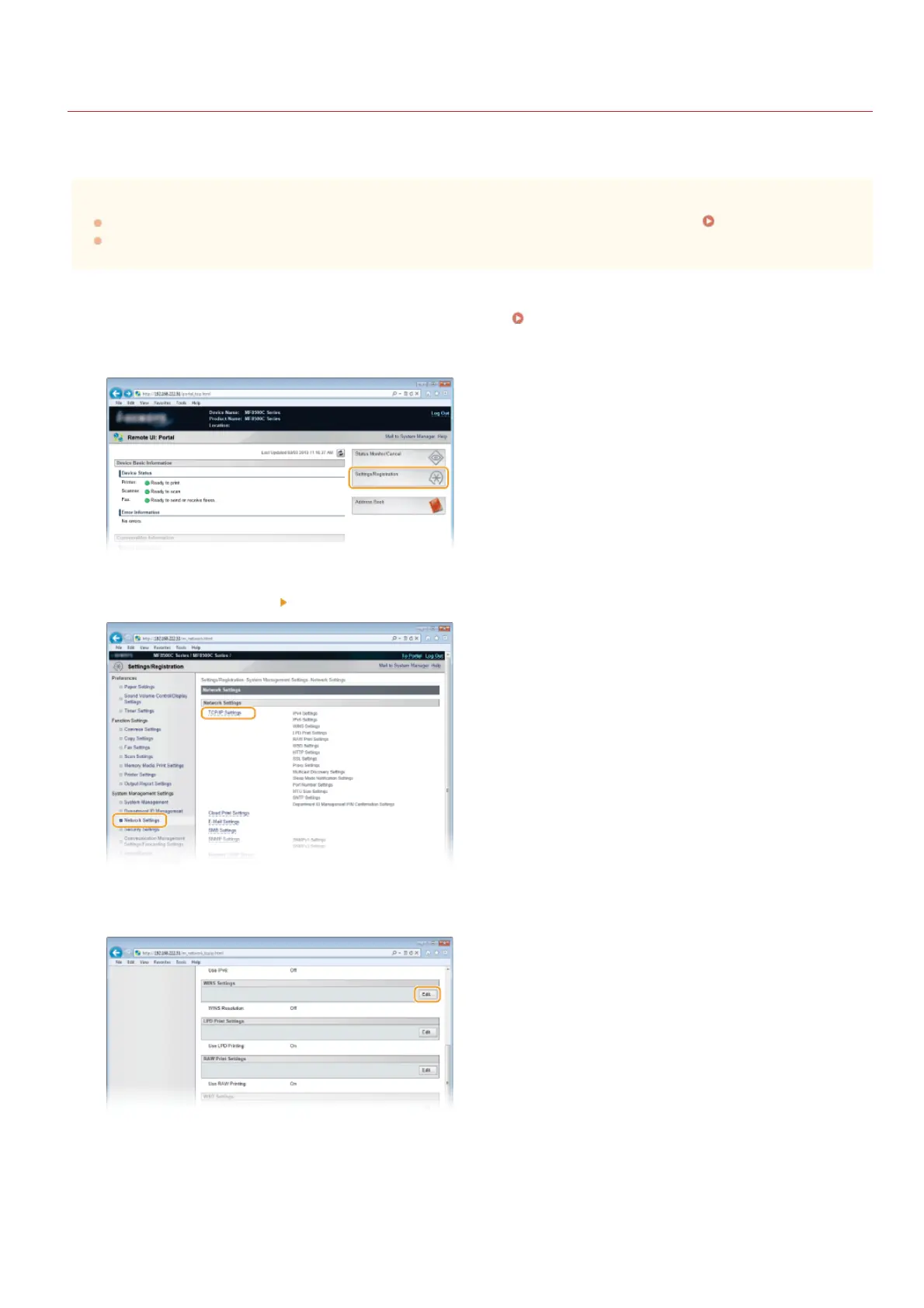
Start the Remote UI and log on in System Manager Mode. Starting Remote UI
Click [Settings/Registration].
Click [Network Settings] [TCP/IP Settings].
Click [Edit...] in [WINS Settings].
Select the [WINS Resolution] check box, specify the required settings, and click [OK].
1
2
3
4
5
㻟㻤㻝㻌㻛㻌㻢㻣㻢











 To Next Page