0ALJ-08F
Configuring Basic E-mail Settings
The Send Function Setting Tool helps you configure the e-mail settings. With this tool, you can also register e-mail addresses to the
Address Book.
NOTE
More detailed settings can be specified by using the Remote UI instead of the Send Function Setting Tool ( Configuring
Advanced E-mail Settings). The Send Function Setting Tool is helpful for users who want to complete the setup easily.
Start the Send Function Setting Tool.
Using a Web browser
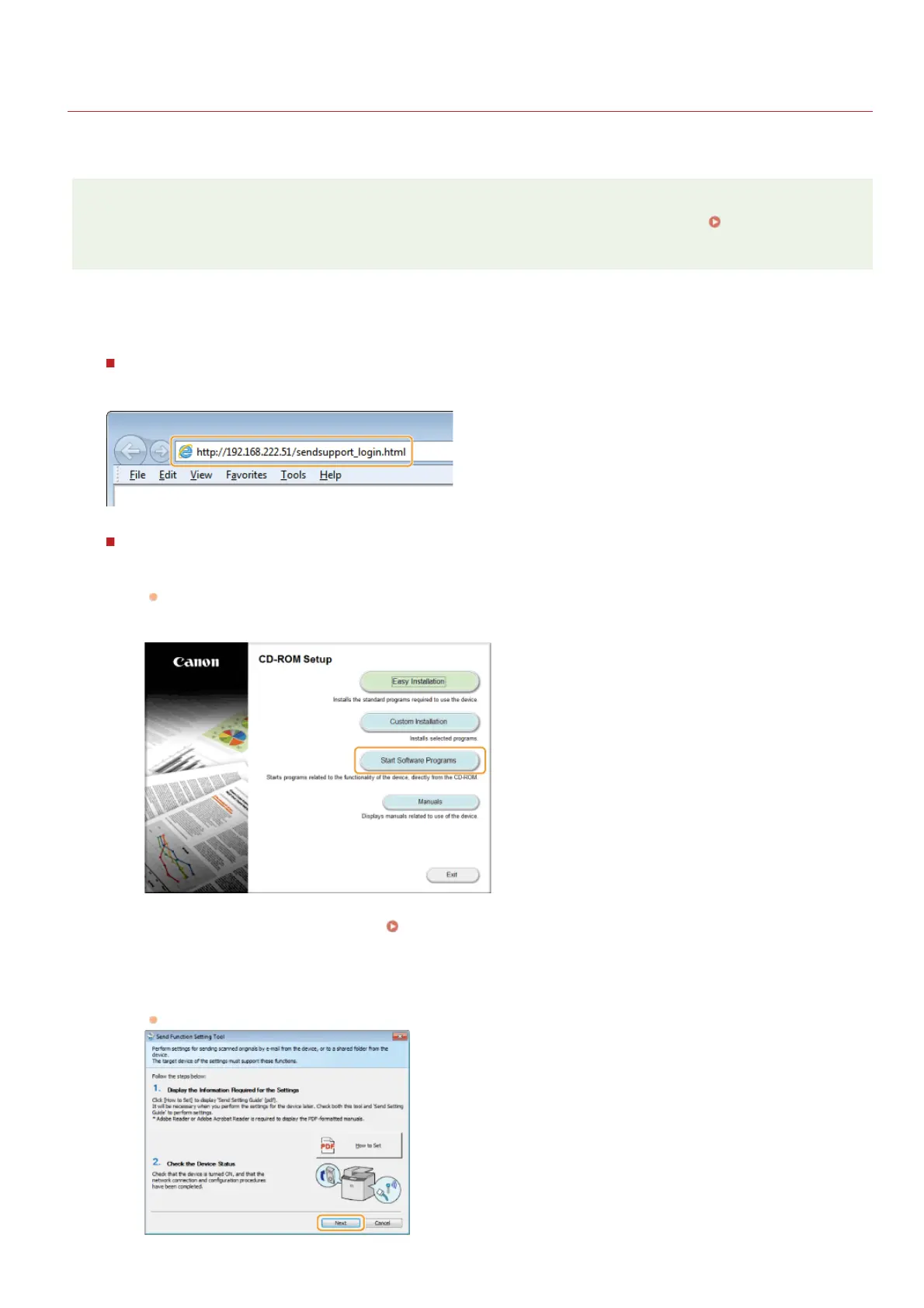
Enter "http://(the IP address of the machine)/sendsupport_login.html" in the address field of a Web browser, and press the
[ENTER] key.
Using the User Software CD-ROM
1
Insert the User Software CD-ROM into the drive on the computer.
Select a language and click [OK] if you are prompted to do so.
2
Click [Start Software Programs].
NOTE:
If the above screen is not displayed, see
Displaying the [CD-ROM Setup] or [Select language] Screen.
3
Click [Start] for [Send Function Setting Tool].
4
Click [Next].
If you want to view Send Setting Guide, click [How to Set].
1
㻟㻡㻥㻌㻛㻌㻢㻣㻢











 To Next Page