0ALJ-033
Canceling Sending Faxes
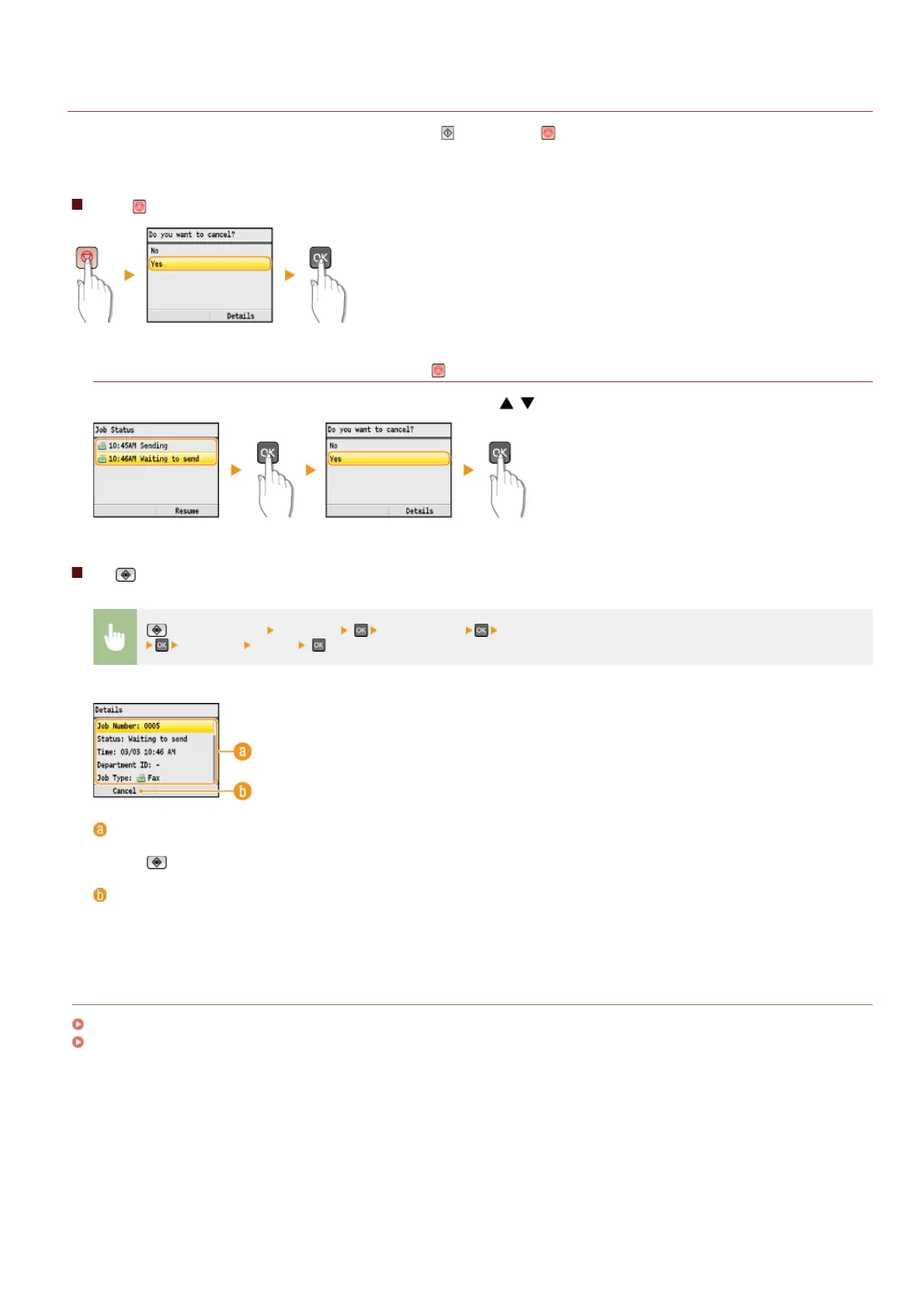
If you want to cancel sending faxes immediately after pressing (B&W), press on the operation panel. You can also cancel sending
faxes after checking the fax status.
Press to cancel
If the screen displays a list of documents when is pressed
Documents have been scanned and are waiting to be processed. Use / to select the document to cancel.
Use (Status Monitor) to cancel
(Status Monitor) <TX Job> <Job Status> Select the fax document on the <TX Job Status/Log> screen
<Cancel> <Yes> .
Fax details
The number of sending document, settings, and other details are displayed. If you only want to check the details without sending,
press
(Status Monitor) to return to the fax main screen.
<Cancel>
Cancels sending.
LINKS
Sending Faxes
Checking Status and Log for Sent and Received Documents
㻝㻟㻢㻌㻛㻌㻢㻣㻢











 To Next Page