0ALJ-061
Scanning Using the [Scan > PC] Key
Place a document on the machine, and press or , and scanning starts immediately. The type of
scan (color or black and white), the save destination for the document, and other settings can be registered
to a key, and documents can be scanned using those settings. This section describes how to register settings
in a key and scan with it.
Registering Your Settings in the [Scan > PC] Key
Using the [Scan > PC] Key
Register the save destination computer and type of scan in
or .
Press .
Use / to select <Scan Settings>, and press .
Select <Shortcut Key Settings> <Register>.
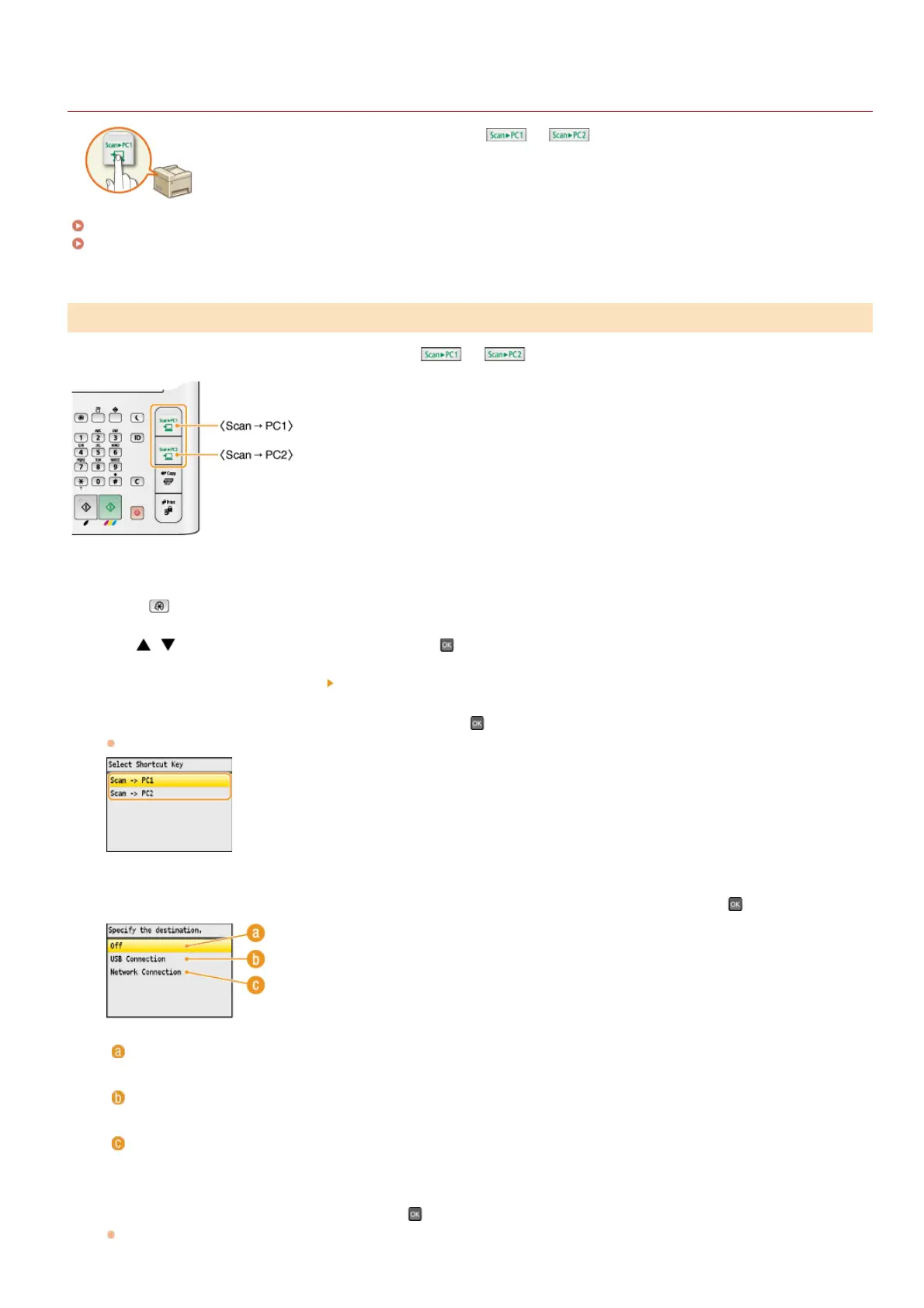
Select <Scan -> PC1> or <Scan -> PC2>, and press .
Select the key to which you want to register settings.
Select the type of connection that is used between the machine and computer, and press .
<Off>
Select this setting to erase registered settings.
<USB Connection>
Select this setting if the machine and computer are connected via USB.
<Network Connection>
Select this setting if the machine and computer are connected via a network.
Select the destination computer, and press .
This screen is not displayed if you select <USB Connection> in step 5.
Registering Your Settings in the [Scan > PC] Key
1
2
3
4
5
6
㻞㻡㻠㻌㻛㻌㻢㻣㻢











 To Next Page