0ALJ-076
Checking Log for Sent Documents (E-mail/Shared Folder) (MF8580Cdw /
MF8550Cdn / MF8540Cdn Only)
The logs for sent e-mails or documents scanned to shared folders can be checked in a list.
IMPORTANT
When <Display Job Log> is set to <Off>, you cannot check the logs for sent documents.
Display Job Log
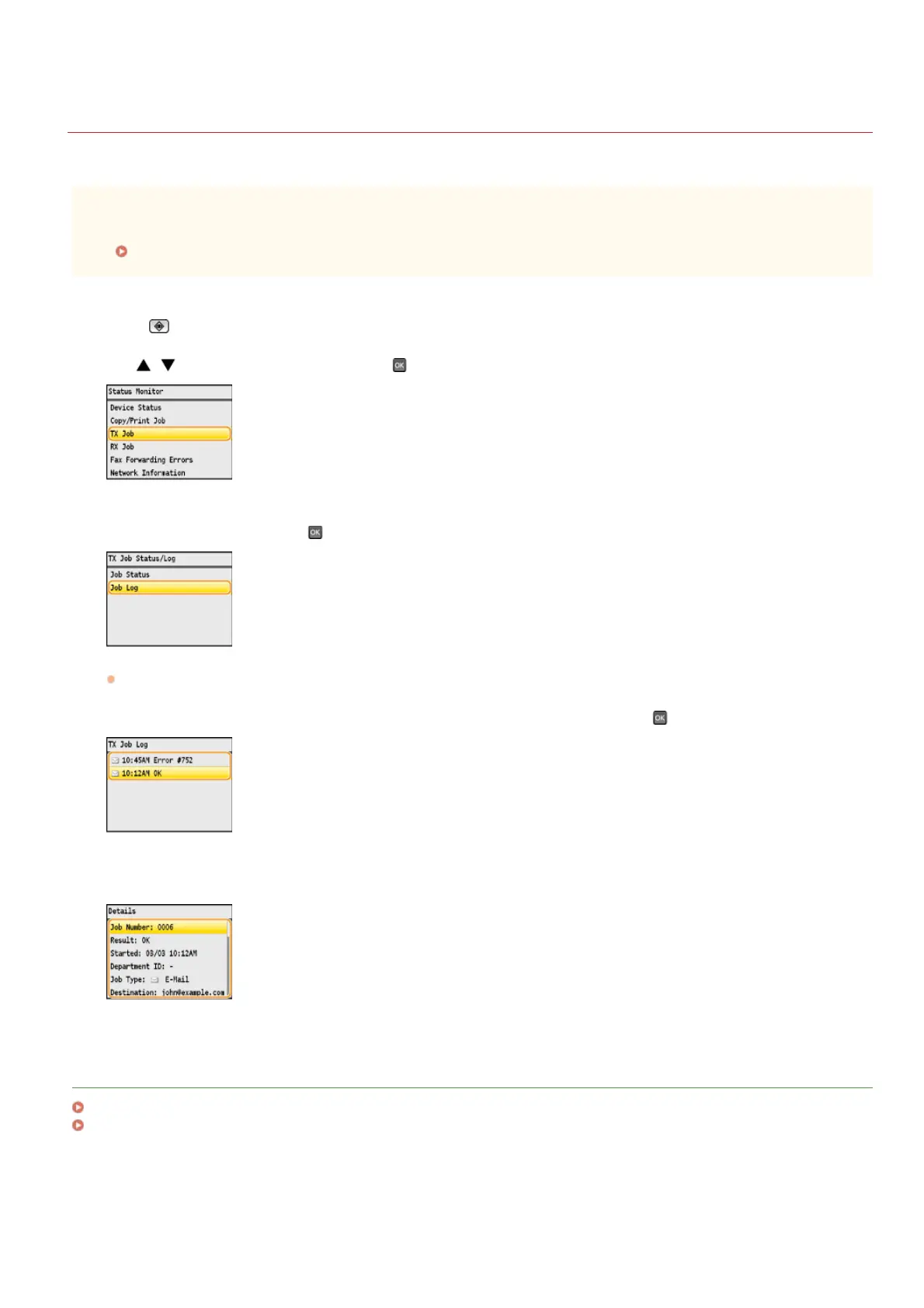
Press (Status Monitor).
Use / to select <TX Job>, and press .
Select <Job Log>, and press .
A list of the documents that were sent is displayed.
Select the document whose detailed information you want to check, and press .
Check the detailed information about the selected document.
LINKS
TX Result Report (MF8580Cdw / MF8550Cdn / MF8540Cdn / MF8280Cw Only)
Communication Management Report (MF8580Cdw / MF8550Cdn / MF8540Cdn / MF8280Cw Only)
1
2
3
4
5
㻟㻝㻤㻌㻛㻌㻢㻣㻢





 To Next Page