0AWU-011
1
If the machine is connected to a computer with a USB cable, disconnect the USB cable.
If you want to delete the scanner driver or MF Toolbox, proceed to Step 4.
2
Open [System Preferences], and click [Printer & Fax] or [Print & Scan].
3
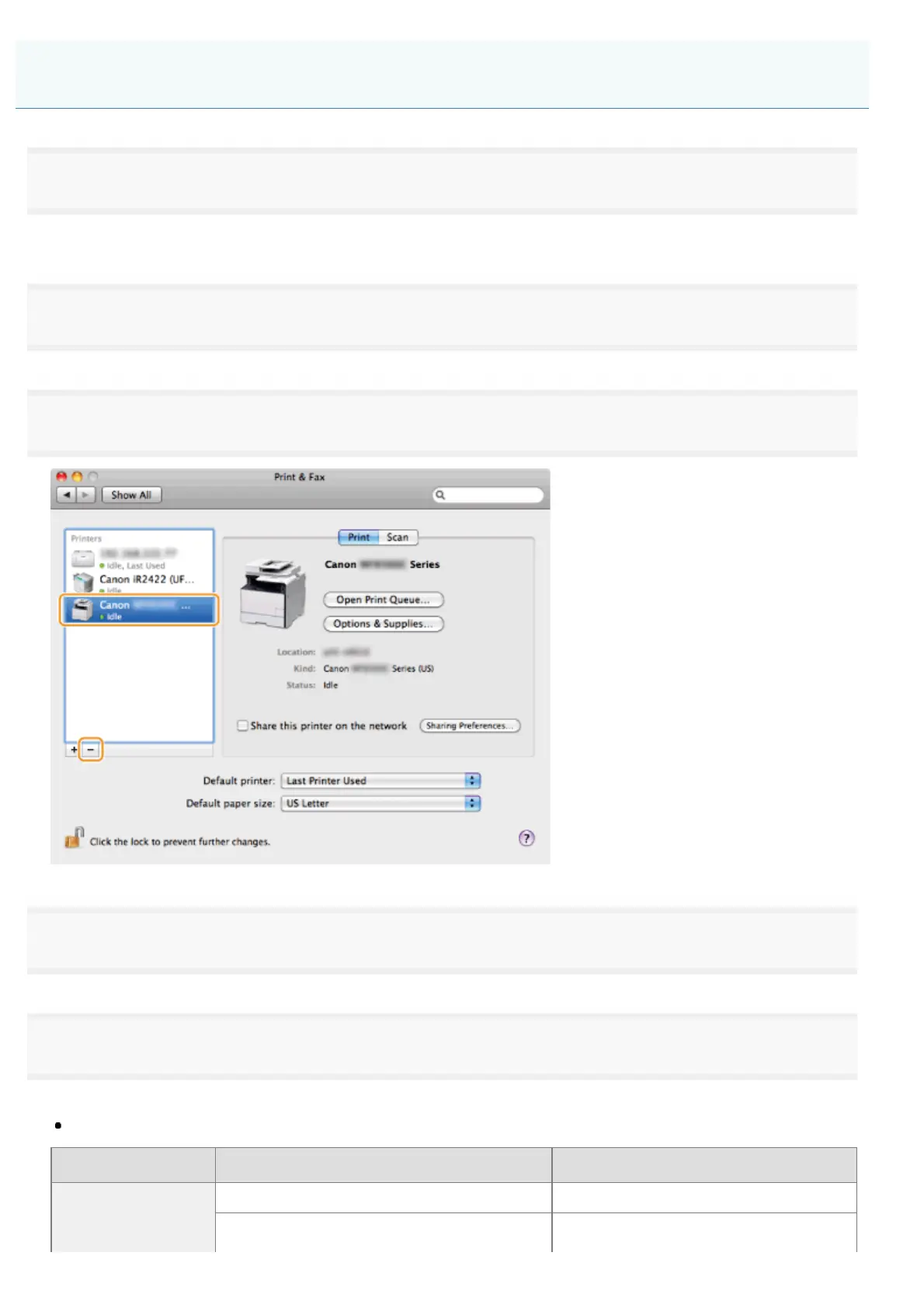
Select the machine, and click the [-] icon.
4
From the menu bar, click [Go] -> [Go to Folder].
5
Delete the files or folders below that correspond to the driver you want to uninstall.
Drag files or folders to [Trash] icon on the Dock to delete.
If [Authenticate] dialog box appears, enter the administrator’s name and password, and then click [OK].
Software Location of the folder to enter Name of the file or folder to delete
Printer driver
/Library/Printers/Canon/ CUPS_MF_Printer
/Library/Printers/PPDs/Contents/Resources/
CNPZBxxxZB.ppd.gz
Uninstalling the Software (For Macintosh)
㻢㻞㻌㻛㻌㻣㻠











 To Next Page