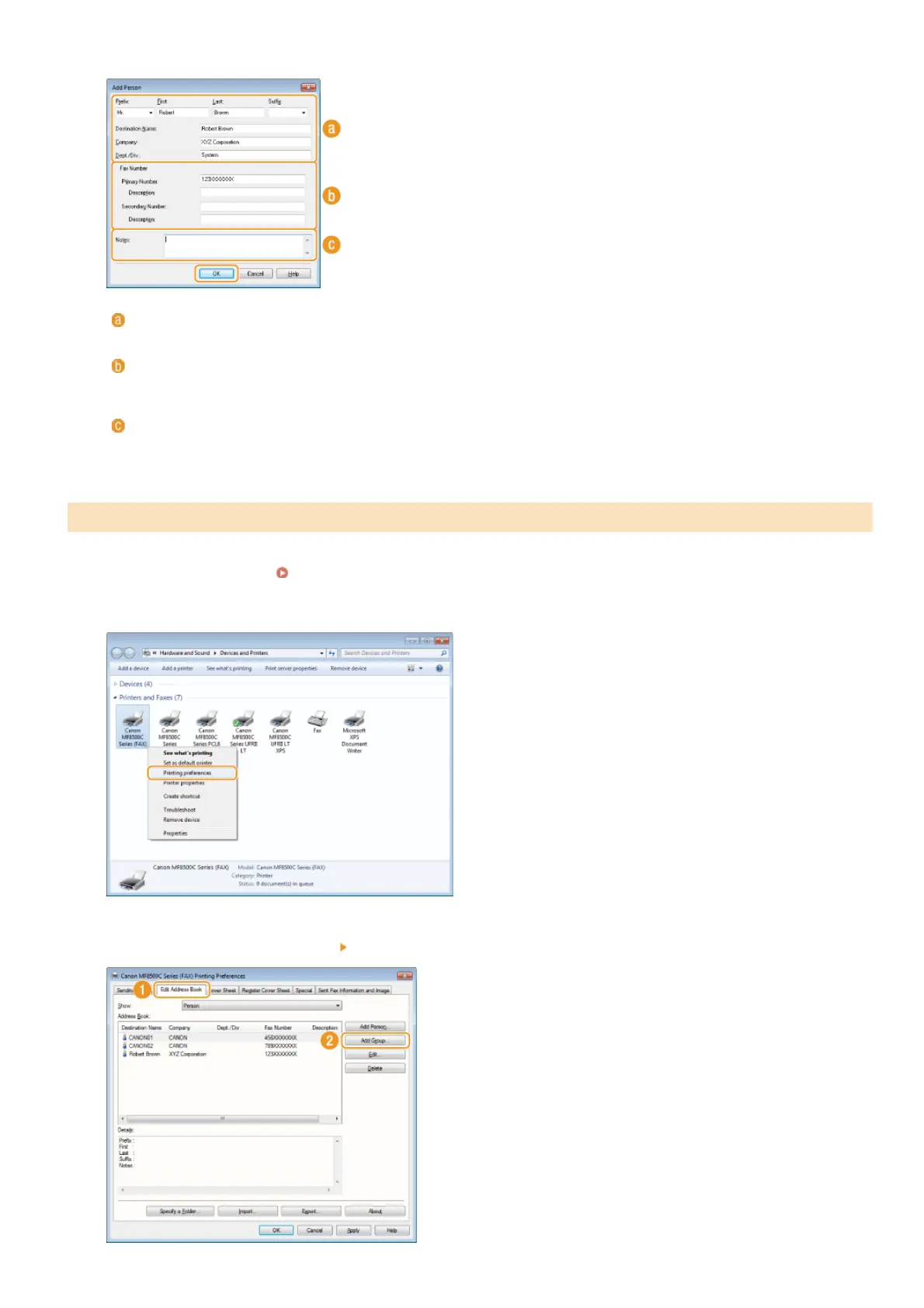
Specify each setting and click [OK].
Address
Enter the recipient name, company name, and department name.
[Fax Number]
Enter the fax number(s). Hyphens can be inserted between numbers as necessary. If you want to add explanations of the uses
for the fax numbers, such as "Home" or "Office", enter them in [Description].
[Notes]
Enter comments as necessary.
Open the printer folder. Displaying the Printer Folder
Right-click your fax icon and click [Printing preferences].
Click the [Edit Address Book] tab [Add Group].
Registering Multiple Destinations as One Destination (Group Dial)
4
1
2
3
㻝㻤㻜㻌㻛㻌㻢㻣㻢











 To Next Page