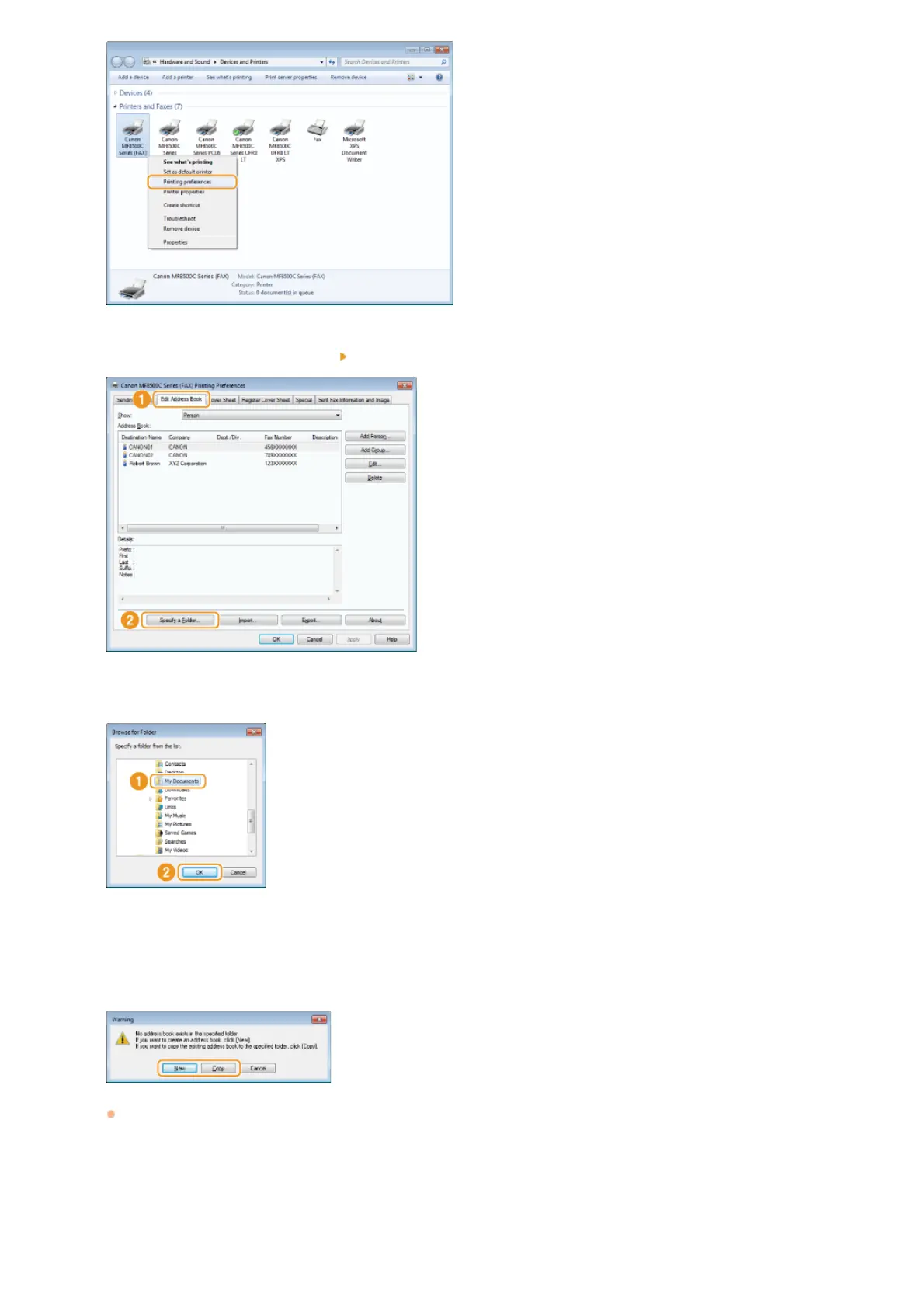
Click the [Edit Address Book] tab [Specify a Folder].
Specify the location to save the Address Book data, and click [OK].
NOTE:
Save the Address Book data in a folder, such as the [My Documents] folder, where you have write permission.
If you want to create an Address Book, click [New], or if you want to copy the existing Address Book to the
specified folder, click [Copy].
The Address Book is created or copied.
NOTE:
If an Address Book already exists in the folder selected in step 4, the following message is displayed. If you want to use the
existing Address Book, click [Use as-is], and if you want to use the Address Book of the fax driver, click [Overwrite].
3
4
5
㻝㻤㻣㻌㻛㻌㻢㻣㻢











 To Next Page