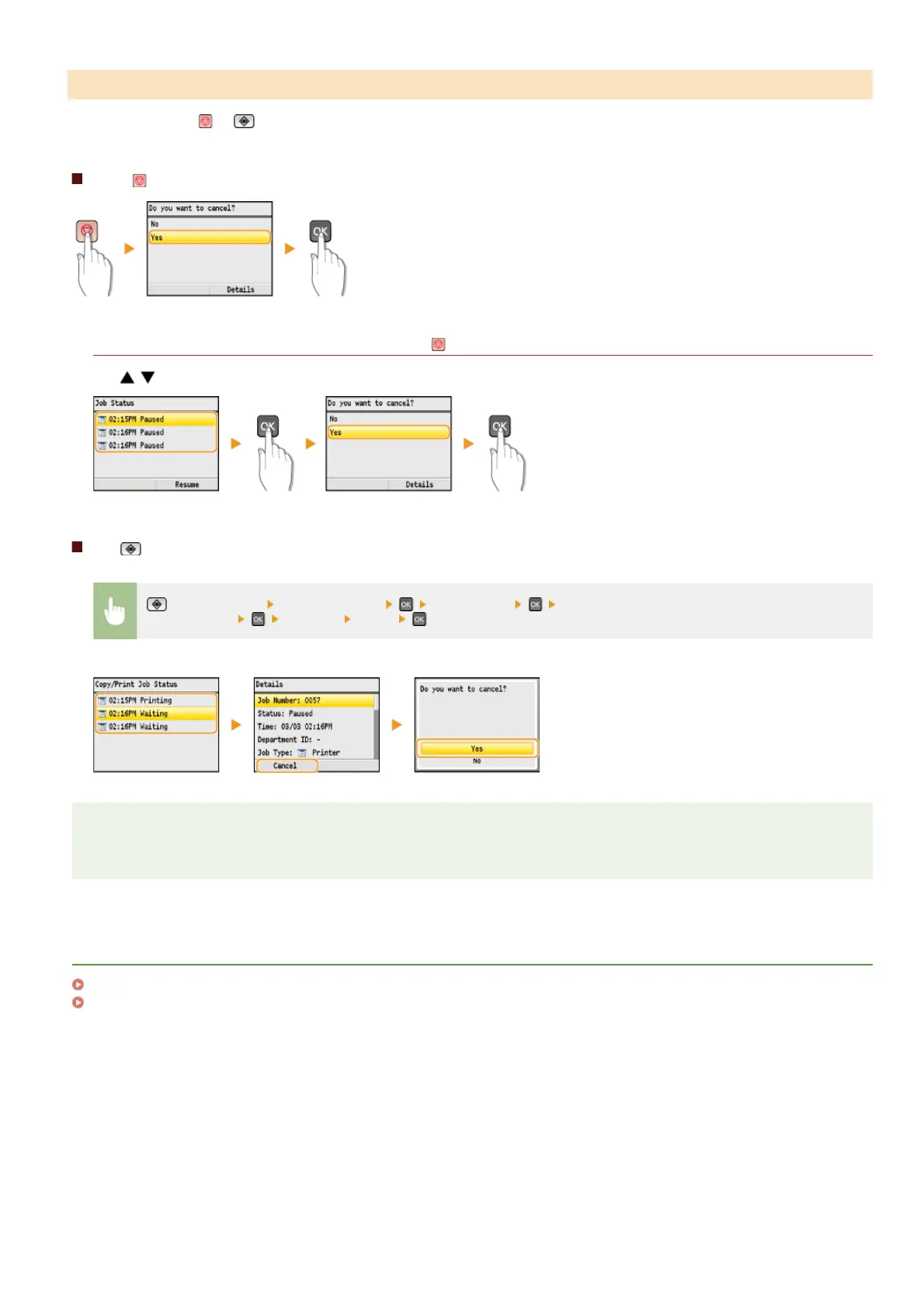
Cancel printing using or (Status Monitor).
Press to cancel
If the screen displays a list of documents when is pressed
Use / to select the document to cancel.
Use (Status Monitor) to cancel
(Status Monitor) <Copy/Print Job> <Job Status> Select the document on the <Copy/Print Job
Status> screen
<Cancel> <Yes>
NOTE
Several pages may be output after you cancel printing.
LINKS
Printing a Document
Checking the Printing Status and Log
From the Operation Panel
㻝㻥㻠㻌㻛㻌㻢㻣㻢











 To Next Page