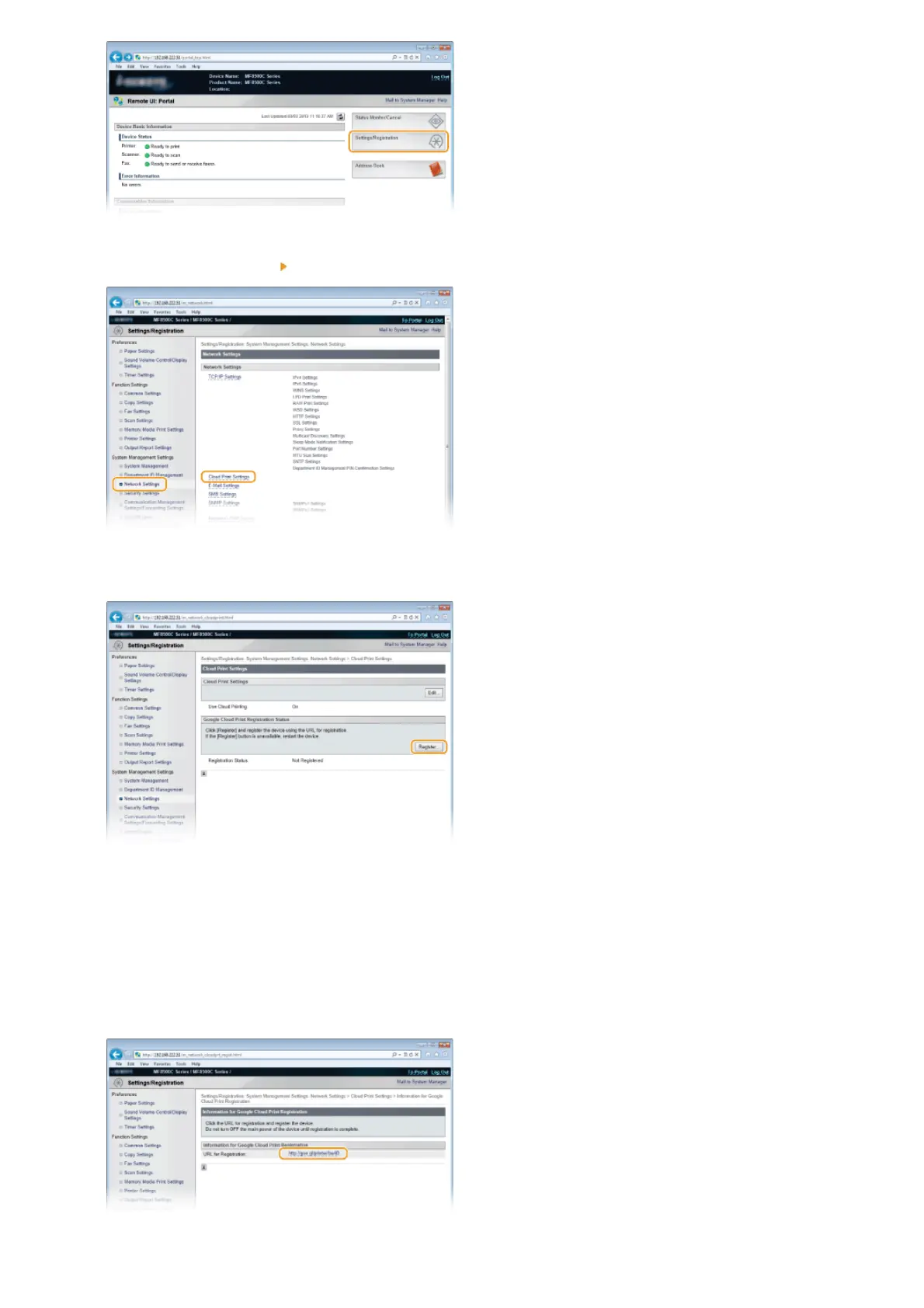
Click [Network Settings] [Cloud Print Settings].
Click [Register...] in [Google Cloud Print Registration Status].
NOTE:
If [Register...] is unavailable
You need to enable Google Cloud Print. Click [Edit...], select the [Use Cloud Printing] check box, click [OK], and then restart the
machine.
To reregister the machine
To reregister the machine if the owner of the machine has changed or for other reasons, unregister the machine and register it
again.
Click the link of the URL displayed for [URL for Registration].
3
4
5
㻞㻠㻝㻌㻛㻌㻢㻣㻢











 To Next Page