entire image is adjusted so that it comes closer to natural colors. Click different parts little by little while checking
the preview image to produce the optimum color tone.
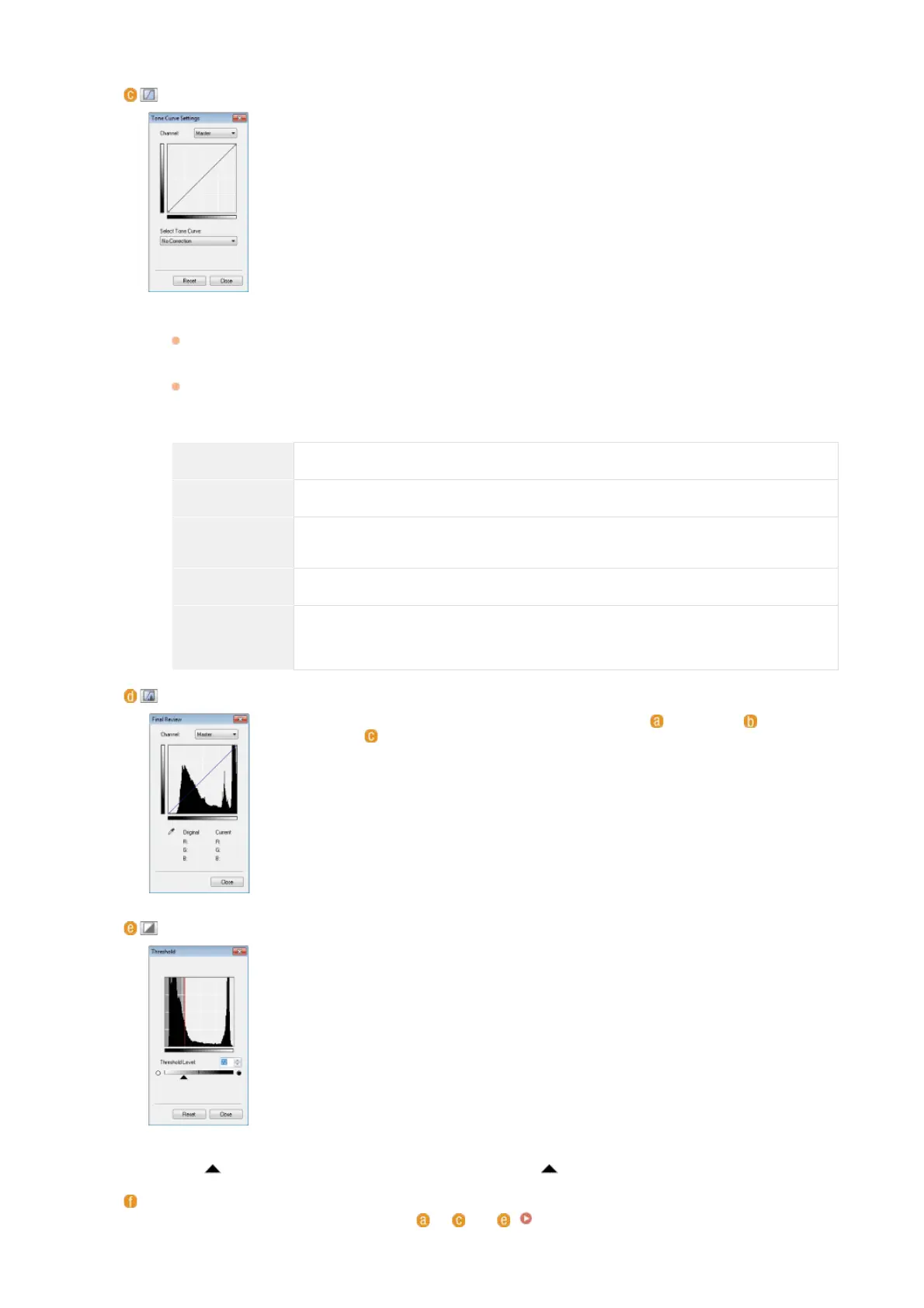
(Tone Curve Settings)
The tone curve is a curved line that indicates the brightness and contrast levels of the image
before and after adjustment. Select a registered tone curve to adjust the brightness and
contrast levels of the image.
[Channel]
If you select [Color] for [Color Mode], you can adjust the [Red], [Green] and [Blue] color channels separately.
To adjust all three colors at the same time, select [Master]. You can combine the adjustments made in [Master]
and those made in the individual color channels.
If you select [Grayscale] for [Color Mode], only [Grayscale] is displayed.
[Select Tone Curve]
Select from the items listed below.
[No Correction] Performs no correction.
[Over Exposure] Lightens the entire image.
[Under
Exposure]
Darkens the entire image.
[High Contrast] Emphasizes the difference between the light and dark parts of the image.
[Invert the
Negative/Positive
Image]
Inverts the light and dark parts of the image.
(Final Review)
The results of all adjustments made to the brightness, contrast ( ), histogram ( ), and tone
curve settings (
) are displayed in a tone curve and as numerical values. Perform a final
check of the color settings.
(Threshold)
Adjust the threshold value for black and white images. You can enhance the appearance of
text or reduce the visibility of text or images printed on the reverse side of a semi-transparent
document, such as a newspaper. The setting is available if you select [Black and White] for
[Color Mode].
The threshold value is the boundary that separates whether a color is rendered as black or white. Colors
below a certain density level are rendered as white, and colors above a certain density level are rendered as
black.
[Threshold Level]
Slide
or enter a value. To render more parts as black, slide to the right or enter a larger value.
Registering or Calling Settings
Call registered brightness or color settings for
to and . Registering Frequently Used Settings
*
*
㻞㻣㻤㻌㻛㻌㻢㻣㻢











 To Next Page