Press .
Use / to select <Network Settings>, and press .
If the logon screen appears, enter the correct ID and PIN using the numeric keys, and then press . Logging on to the
Machine
Select <Wireless LAN Settings>, and press .
If the <Do you want to enable the wireless LAN?> message is displayed, select <Yes>, and press .
Read the message that is displayed, and press .
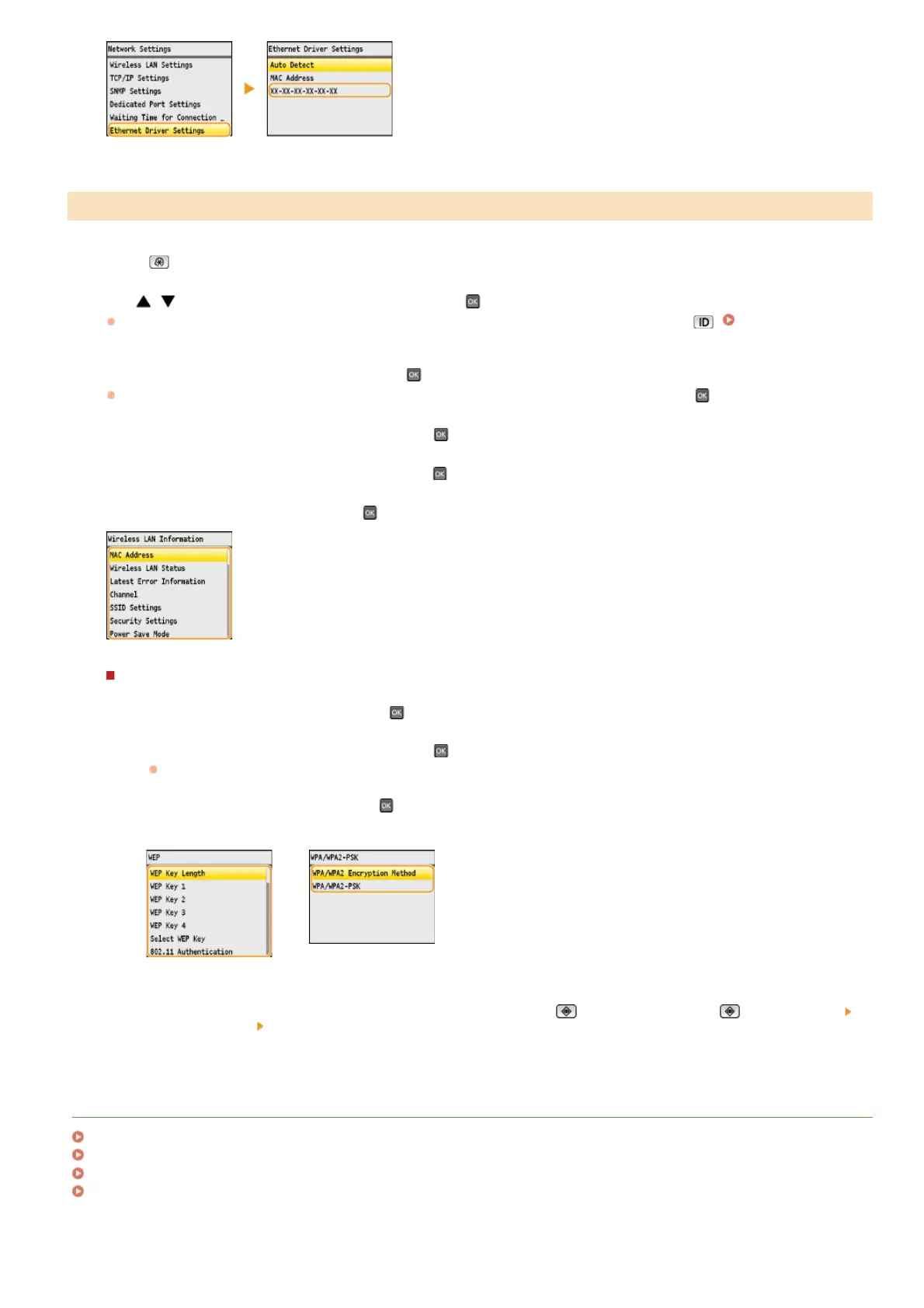
Select <Wireless LAN Information>, and press .
Select the setting to view, and press .
Viewing WEP and WPA/WPA2-PSK information
1
Select <Security Settings>, and press .
2
View the current security settings, and press .
If the security settings are not configured, <None> is displayed.
3
Select the setting to view, and press .
WEP
WPA/WPA2-PSK
NOTE:
<Wireless LAN Status> and <Latest Error Information> can be viewed from
(Status Monitor). Press (Status Monitor)
<Network Information> <Wireless LAN Information> and select the setting to view.
LINKS
Connecting to a Wireless LAN (MF8580Cdw / MF8280Cw Only)
Setting IPv4 Address
Setting IPv6 Addresses
Configuring DNS
Viewing Wireless LAN Settings and Information (MF8580Cdw / MF8280Cw Only)
1
2
3
4
5
6
㻟㻠㻢㻌㻛㻌㻢㻣㻢











 To Next Page