2
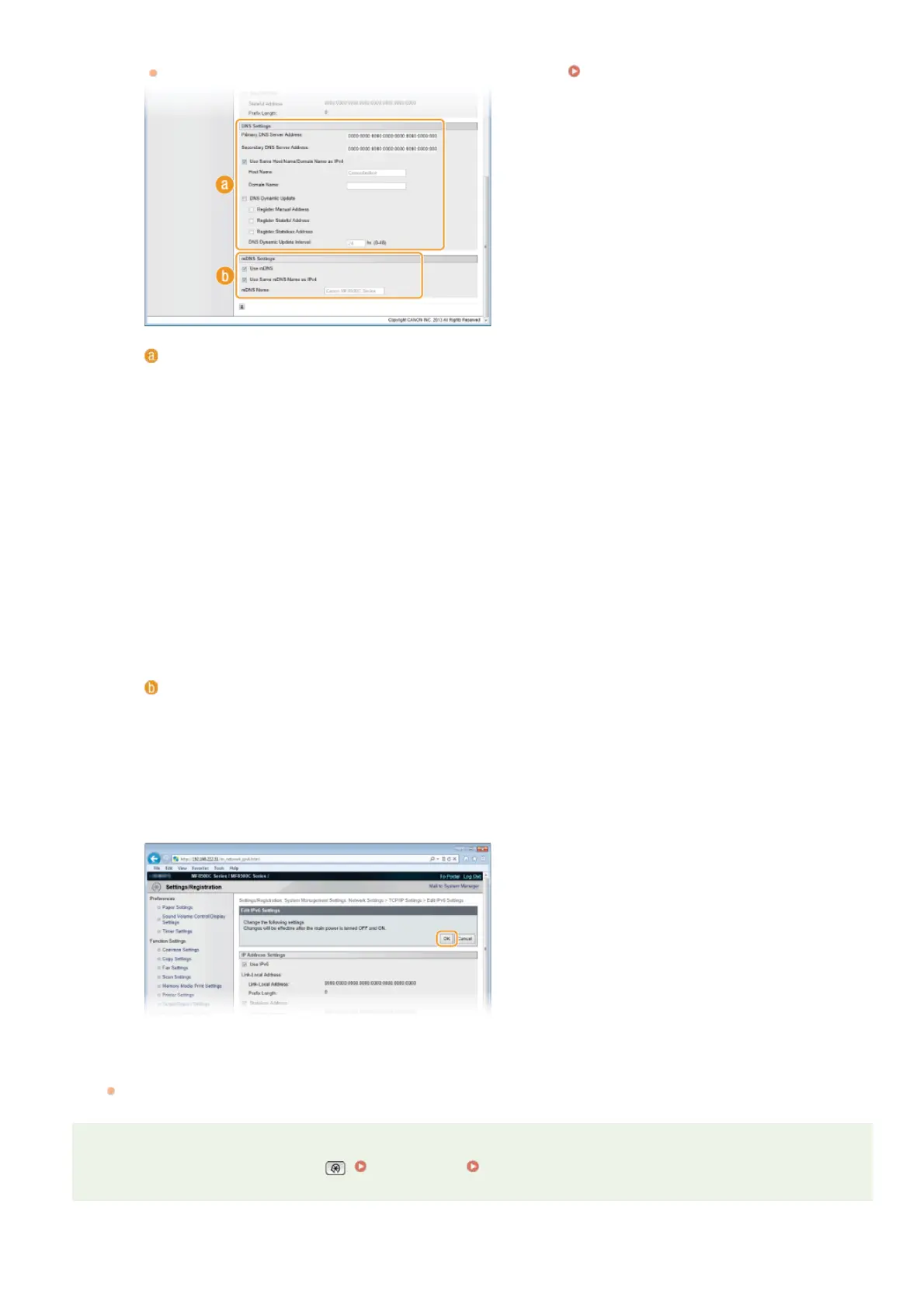
Configure IPv6 DNS settings.
The [Use IPv6] check box must be selected to configure the settings.
Setting IPv6 Addresses
[DNS Settings]
[Primary DNS Server Address]
Enter the IP address of a DNS server. Addresses that start with "ff" (or multicast address) cannot be entered.
[Secondary DNS Server Address]
Enter the IP address of a secondary DNS server, if any. Addresses that start with "ff" (or multicast address) cannot be
entered.
[Use Same Host Name/Domain Name as IPv4]
Select the check box to use the same host and domain names as in IPv4.
[Host Name]
Enter up to 47 alphanumeric characters for the host name of the machine that is to be registered to the DNS server.
[Domain Name]
Enter up to 47 alphanumeric characters for the name of the domain the machine belongs to, such as "example.com."
[DNS Dynamic Update]
Select the check box to dynamically update the DNS records whenever the machine’s IP address is changed. To specify
the type(s) of addresses you want to register to the DNS server, select the check box for [Register Manual Address],
[Register Stateful Address], or [Register Stateless Address]. To specify the interval between updates, enter the time in
hours in the [DNS Dynamic Update Interval] text box.
[mDNS Settings]
[Use mDNS]
Adopted by Bonjour, mDNS (multicast DNS) is a protocol for associating a host name with an IP address without using
DNS. Select the check box to enable mDNS.
[Use Same mDNS Name as IPv4]
Select the check box to use the same mDNS name as in IPv4. To set a different name, clear the check box and enter
the mDNS name in the [mDNS Name] text box.
3
Click [OK].
Restart the machine.
Turn OFF the machine, wait for at least 10 seconds, and turn it back ON.
NOTE
DNS settings can also be accessed from . IPv4 Settings IPv6 Settings
5
㻟㻣㻣㻌㻛㻌㻢㻣㻢











 To Next Page