NOTE:
Viewing details of a certificate
You can check the details of the certificate or verify the certificate by clicking the corresponding text link under [Key Name], or
the certificate icon.
Verifying Key Pairs and Digital Certificates
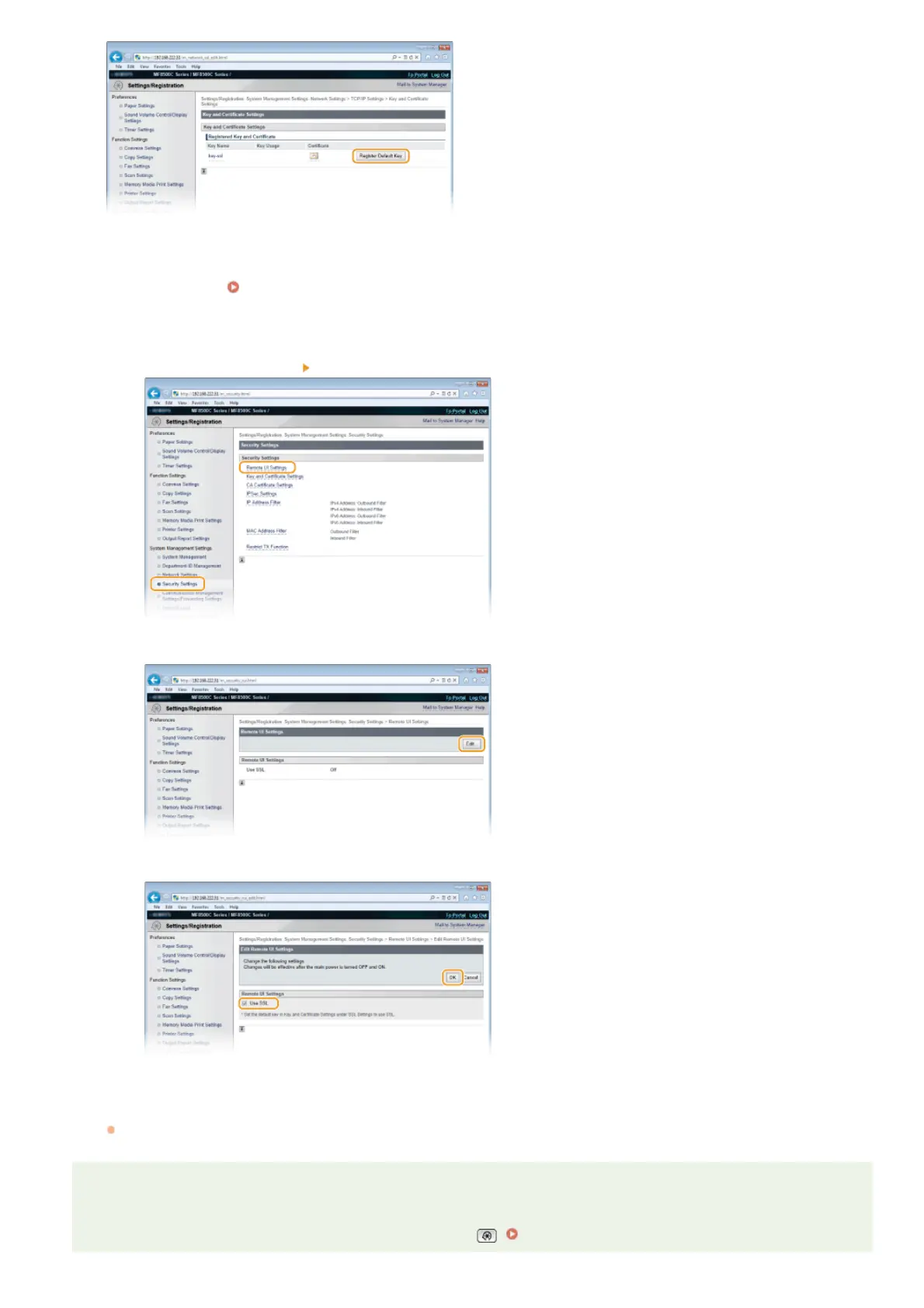
Enable SSL for the Remote UI.
1
Click [Security Settings] [Remote UI Settings].
2
Click [Edit...].
3
Select the [Use SSL] check box and click [OK].
Restart the machine.
Turn OFF the machine, wait for at least 10 seconds, and turn it back ON.
NOTE
Using the operation panel
You can enable or disable the SSL encrypted communication from . Use SSL
6
7
㻠㻟㻞㻌㻛㻌㻢㻣㻢











 To Next Page