When you have logged on in End-User Mode, only [System Management] will be displayed.
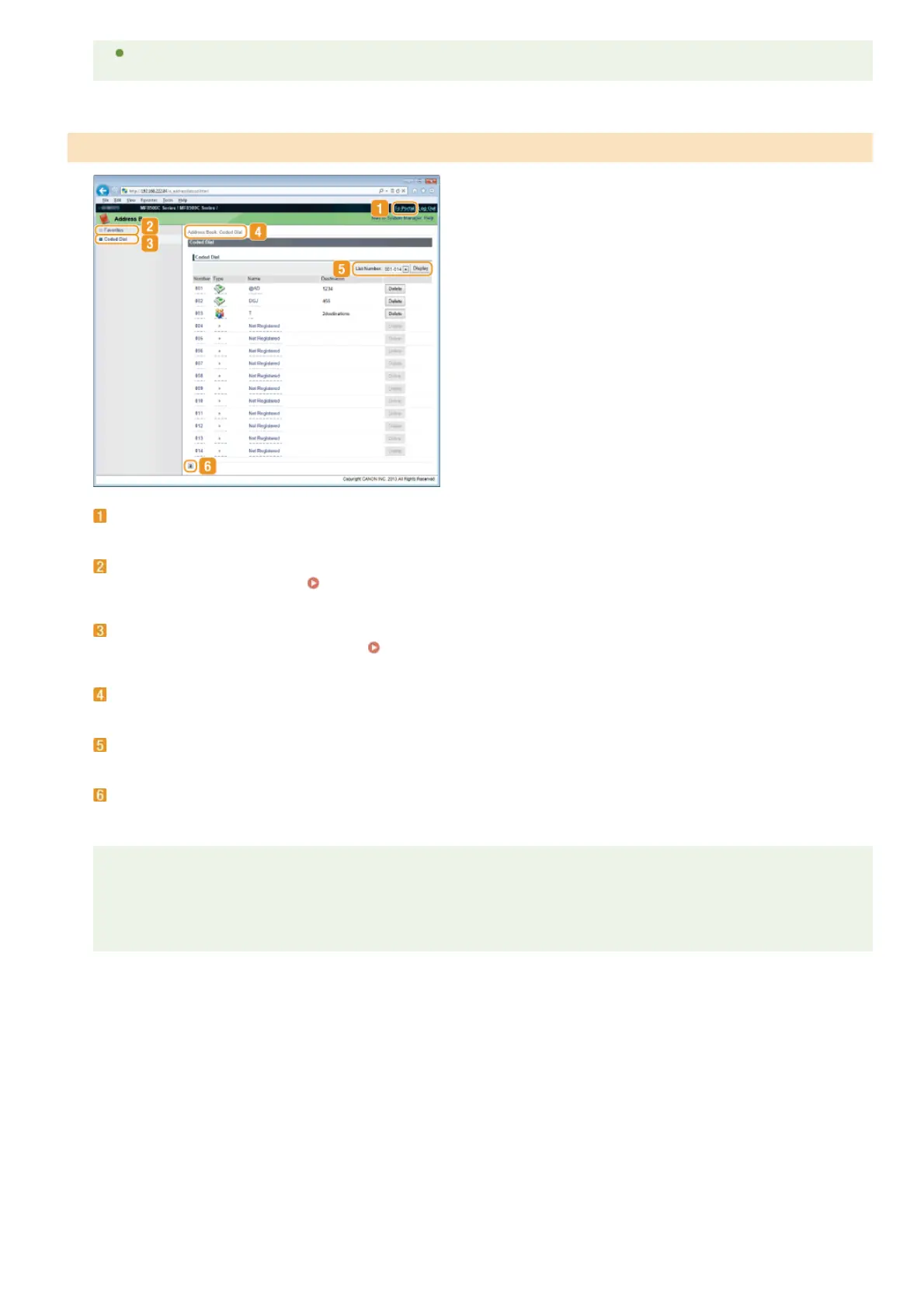
[To Portal]
Displays Portal Page (main page).
[Favorites]
Displays the list of the Favorites.
Registering in the Address Book (MF8580Cdw / MF8550Cdn / MF8540Cdn / MF8280Cw
Only)
[Coded Dial]
Displays the list of the coded dial numbers.
Registering in the Address Book (MF8580Cdw / MF8550Cdn / MF8540Cdn /
MF8280Cw Only)
Breadcrumb Trail
Indicates the series of pages you opened to display the currently displayed page. You can check what page is currently displayed.
List Number
Specifies the range of coded dial numbers displayed on the page. You cannot display List Number in Favorites.
Top Icon
Moves the scroll box up to the top of the page when the page is scrolled down.
NOTE
Registering/Editing the Address Book
You can register or edit the Address Book when you have logged on in System Manager Mode.
[Address Book] Page (MF8580Cdw / MF8550Cdn / MF8540Cdn / MF8280Cw Only)
㻠㻡㻤㻌㻛㻌㻢㻣㻢











 To Next Page