NOTE:
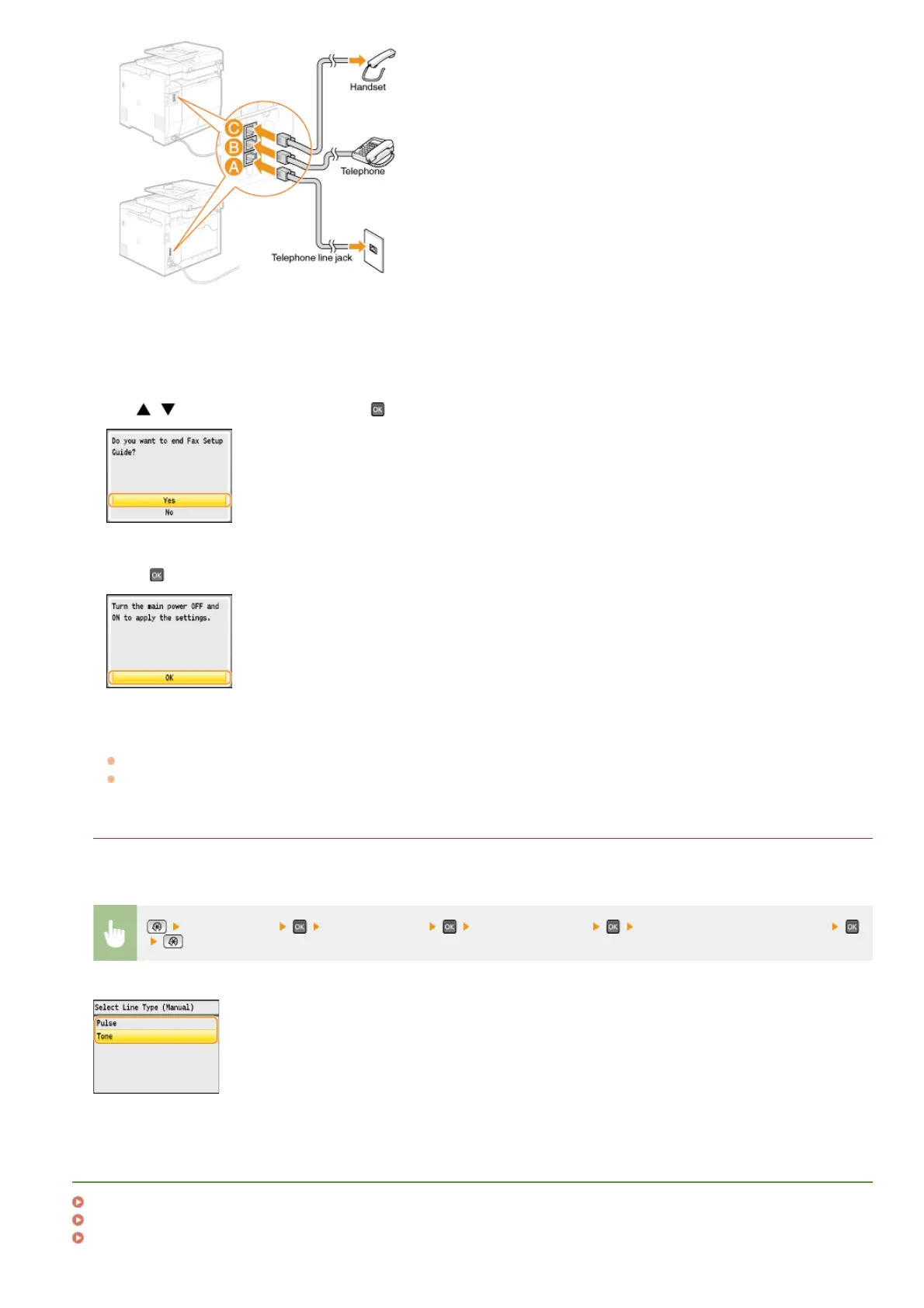
If you are connecting an external telephone with fax functions, set up the telephone to receive faxes manually.
Press <Next> after the telephone line has been connected.
Use / to select <Yes>, and press .
Press .
Restart the machine.
Turn OFF the machine, wait for at least 10 seconds, and turn it back ON.
When the machine is restarted, the telephone line type is automatically set.
If the machine does not automatically set the type of telephone line
Follow the procedure below to set the type of telephone line. If you are not sure of the type of phone line you are using, contact
your local telephone company. <Select Line Type> may not be available depending on the country where you are using the machine.
<Fax Settings> <Basic Settings> <Select Line Type> Select the type of telephone line
LINKS
Installation
Sending Faxes
Receiving Faxes
3
4
5
6
㻡㻜㻌㻛㻌㻢㻣㻢











 To Next Page