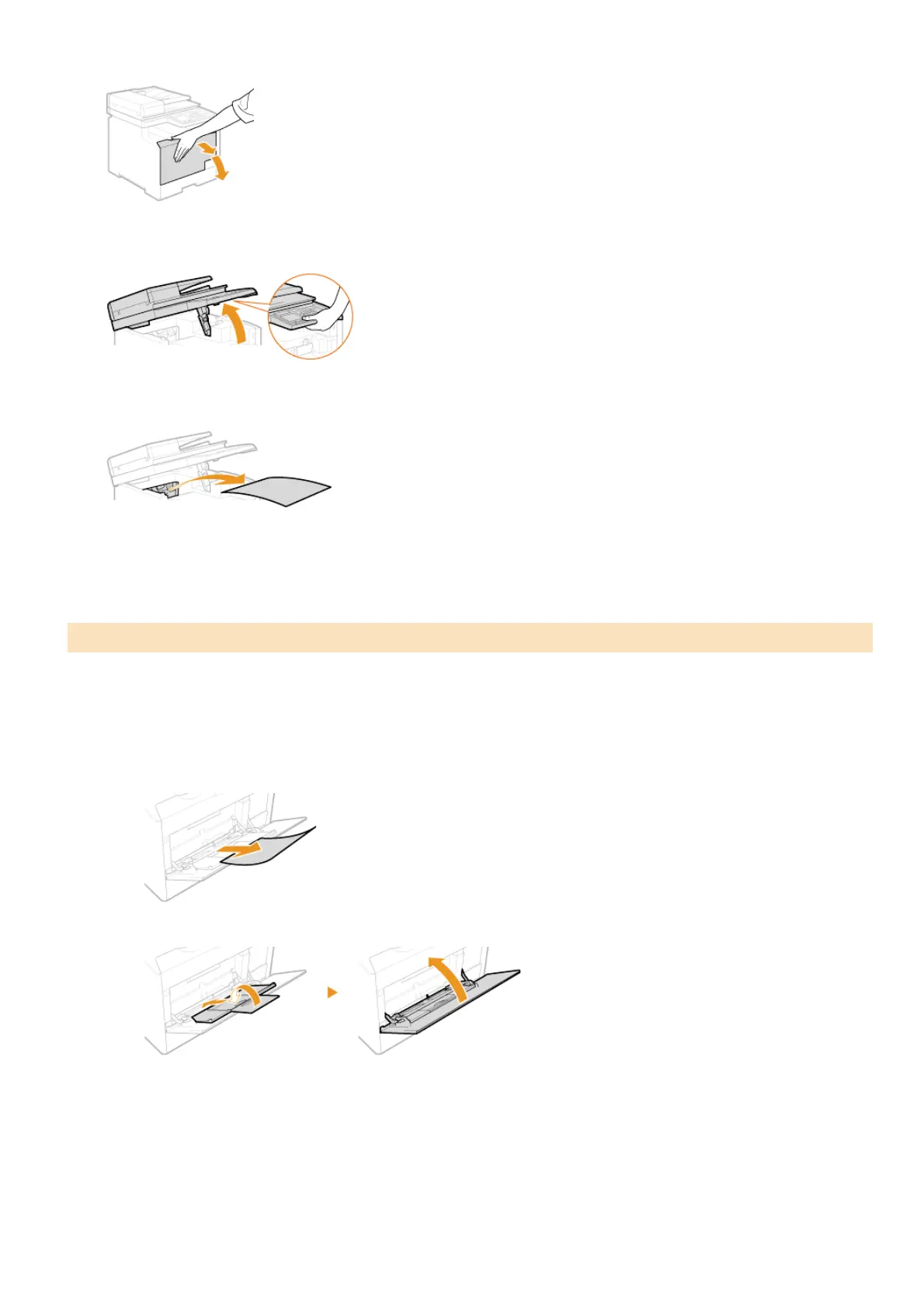
Open the front cover.
Lift the operation panel.
Gently pull out the paper.
Lower the operation panel and the front cover.
If there is paper loaded in the tray, remove it first. Do not forcibly remove jammed paper from the machine. If the jammed paper
cannot be removed easily, proceed to the next step.
Remove the jammed paper in the tray.
1
Gently pull out the paper.
2
Close the tray.
Remove the jammed paper inside the tray.
1
Pull out the paper drawer.
Paper Jams in the Manual Feed Slot (MF8580Cdw / MF8550Cdn / MF8540Cdn)
1
2
3
4
1
2
㻡㻠㻢㻌㻛㻌㻢㻣㻢











 To Next Page