0AWU-008
1
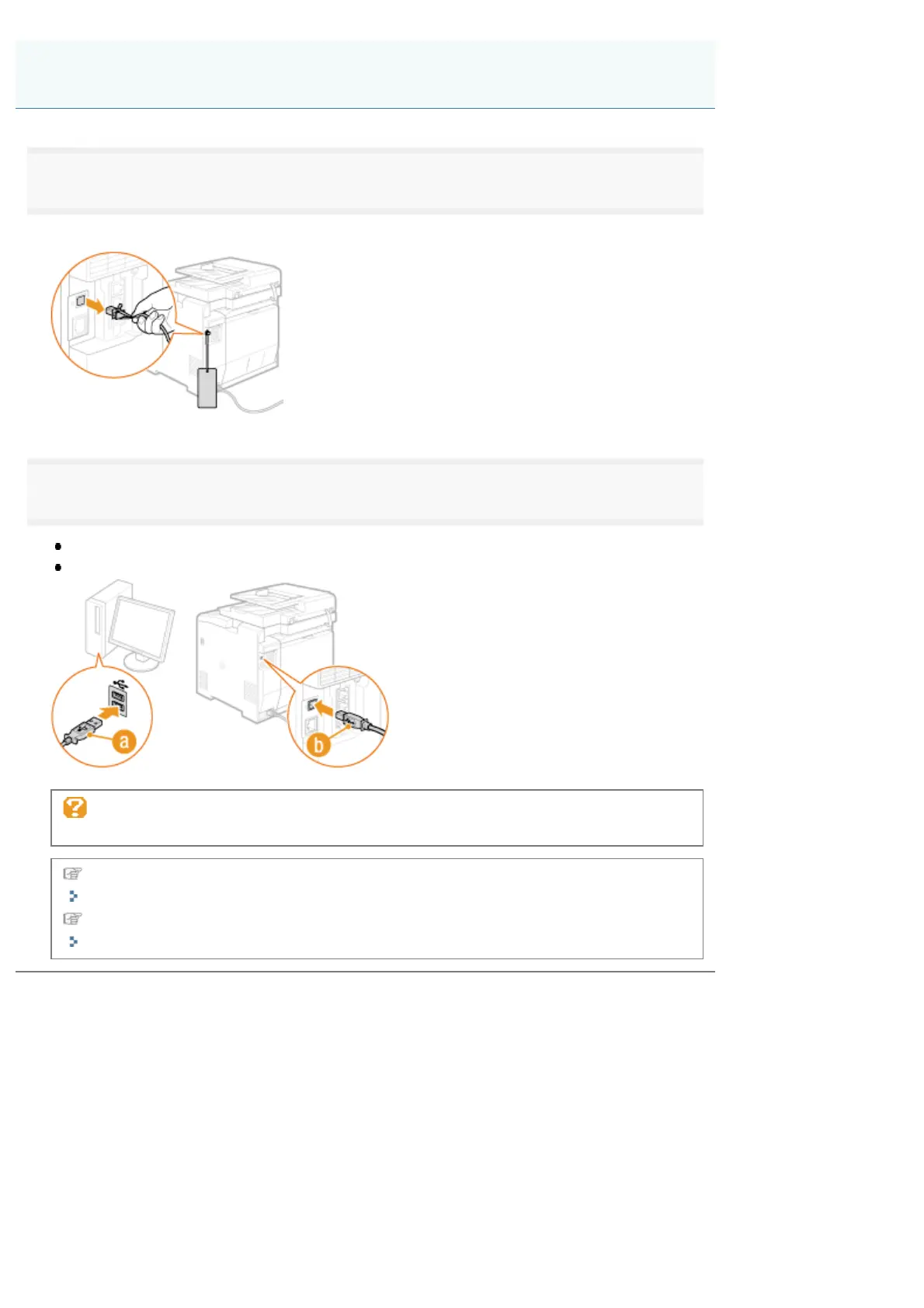
Remove the cap that covers the USB port on the back side of the machine.
Pull the string forward to remove the cap, as shown below.
2
Connect the USB cable.
Connect the flat end (a) to the USB port on the computer.
Connect the square end (b) to the USB port on the machine.
If a dialog box is displayed:
Follow the on-screen instructions and complete installation.
In the case of Windows, check the installation results.
"Checking the Installation Results (For Windows)"
In the case of Macintosh, registering the machine is required.
"Registering the Printer and Fax (For Macintosh)"
USB Cable Connection (Only when Connecting with USB)
㻟㻞㻌㻛㻌㻣㻠











 To Next Page