When [User Account Control] appears:
Click [Yes] or [Continue].
12
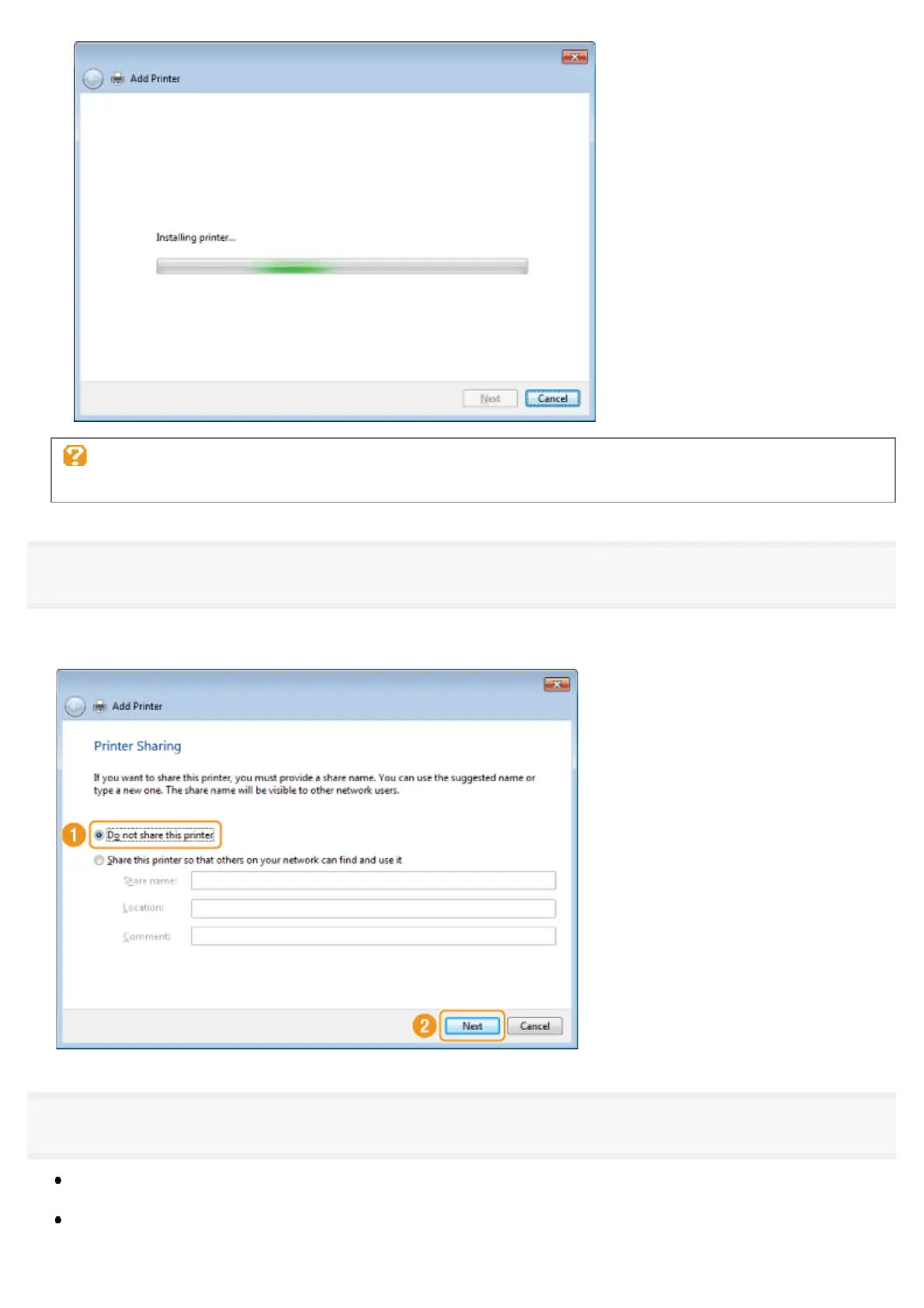
Select [Do not share this printer] and click [Next].
To set the machine as a shared printer, configure the related settings after you have performed the procedure provided in
"Setting WSD."
13
Click [Finish].
When [Set as the default printer] is displayed, specify whether to choose the machine as the default printer (Windows
7/8/Server 2008 R2/Server 2012).
Eject the CD-ROM when the following screen appears.
㻠㻥㻌㻛㻌㻣㻠











 To Next Page