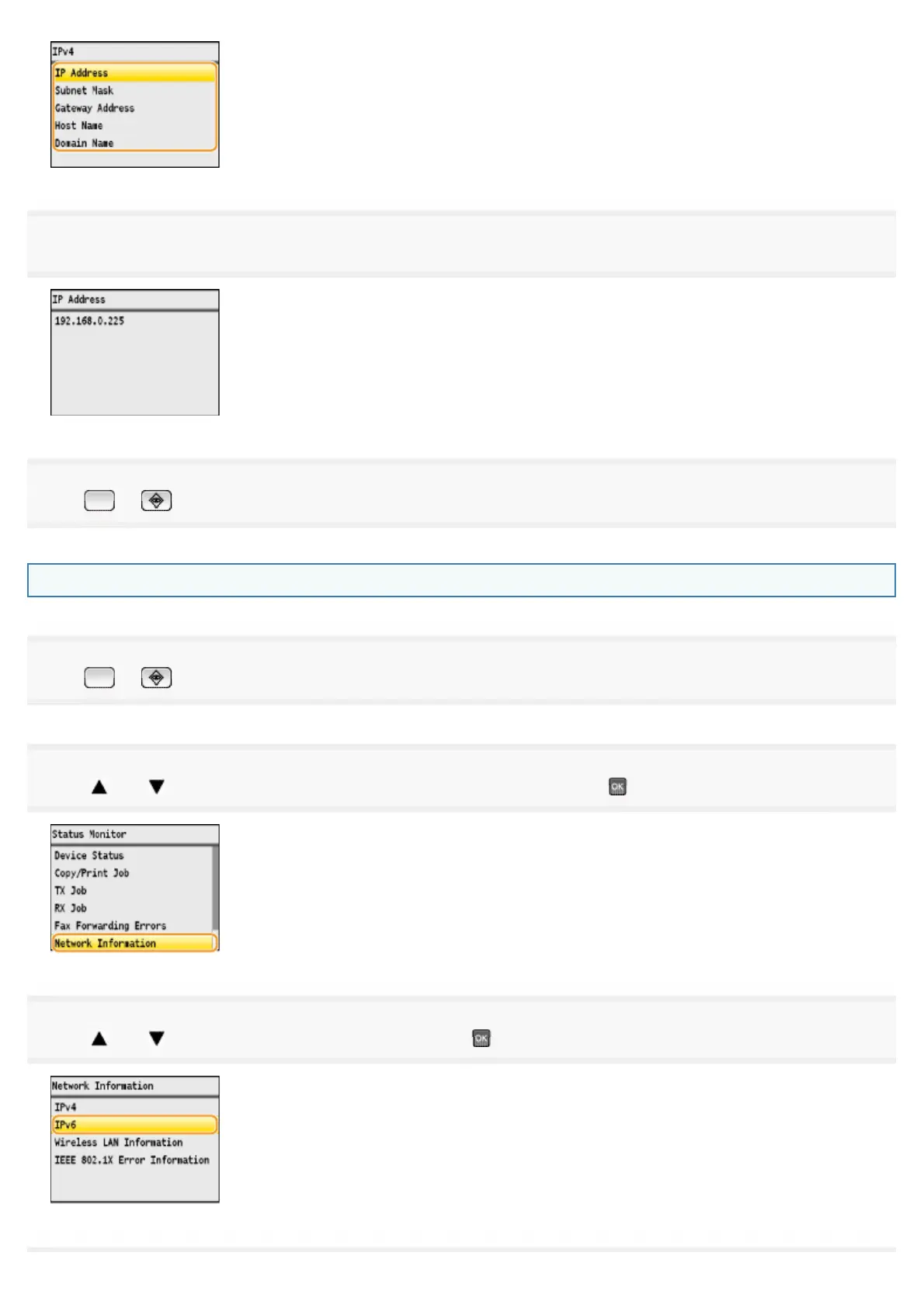
5
View the information.
6
Press or (Status Monitor) to close the screen.
Confirming IPv6 address settings
1
Press or (Status Monitor).
2
Press [ ] or [ ] to highlight <Network Information>, and then press .
3
Press [ ] or [ ] to highlight <IPv6>, and then press .
㻢㻥㻌㻛㻌㻣㻠











 To Next Page