Load the envelopes Monarch (MF8280Cw / MF8230Cn only), COM10, DL, or ISO-C5 in portrait orientation (with the long edges on either
side), with the non-glued side (front side) face up. You cannot print on the reverse side of envelopes.
NOTE
Monarch size envelopes cannot be loaded in the paper drawer on the MF8580Cdw / MF8550Cdn / MF8540Cdn. Load them into
the manual feed slot.
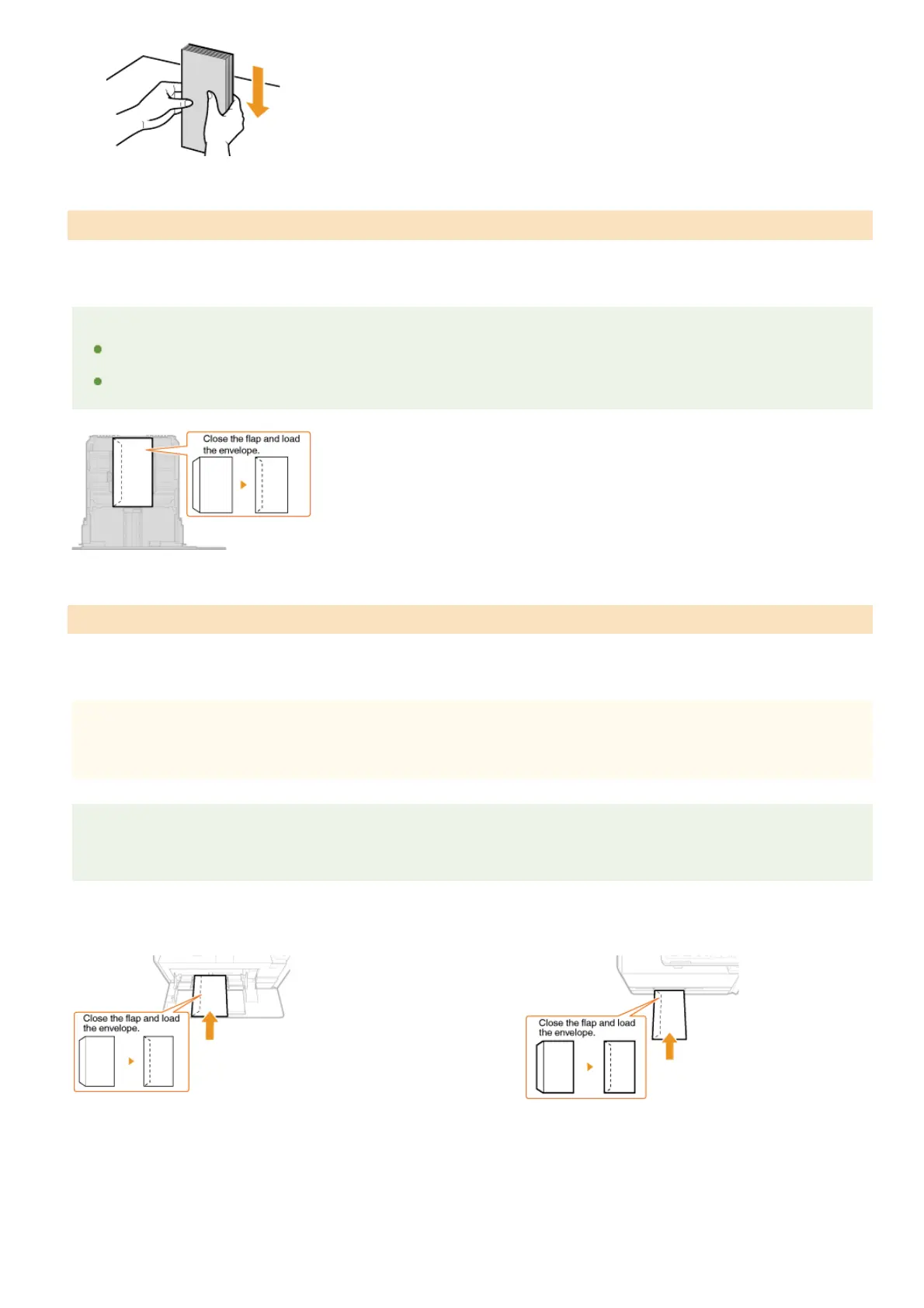
Load the envelopes so that the edge with the flap is toward the left side as shown in the illustration.
Load the envelopes Monarch, COM10, DL, or ISO-C5 in portrait orientation (with the short edge toward the machine), with the non-glued
side (front side) face up. You cannot print on the reverse side of envelopes.
IMPORTANT
Load only one envelope for the MF8280Cw / MF8230Cn each time you print.
NOTE
Load the envelopes so that the edge with the flap is toward the left side as shown in the illustration.
MF8580Cdw / MF8550Cdn / MF8540Cdn MF8280Cw / MF8230Cn
In the Paper Drawer
In the Manual Feed Slot
㻤㻝㻌㻛㻌㻢㻣㻢











 To Next Page