SMP Gateway User Manual • 143
Click OK to complete edition of cell 1A.
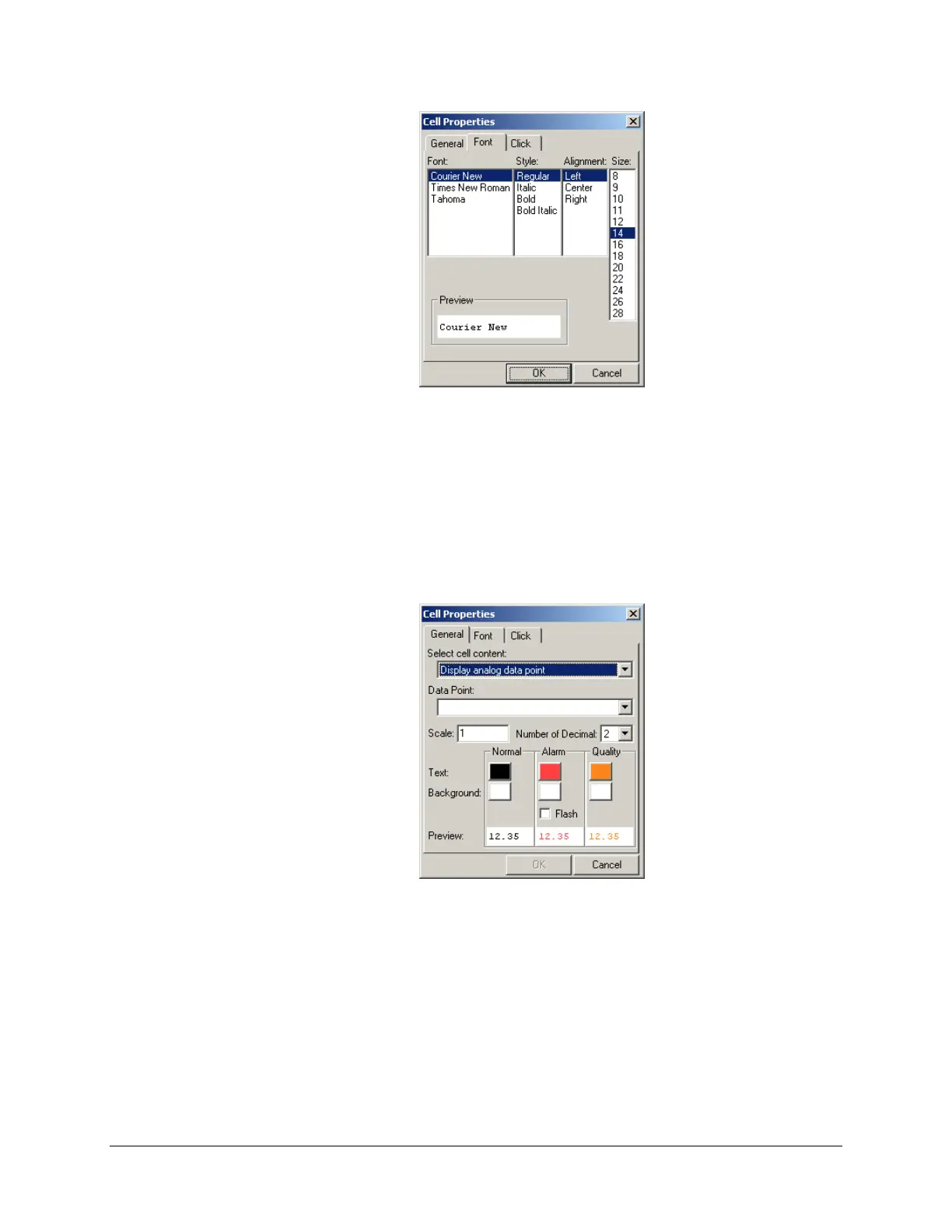
To display the real-time value of an analog input (_smp___clockMinute, in our example):
Select cell 2A and click the General Properties button.
Under Select cell content, select Display analog data point. The Cell Properties dialog box
changes to this:
Under Data Point, select the desired data point. For our example, select
_smp___clockMinute. You can also type the point’s name if you prefer.
Select the number of decimals you want to display after the point for the value displayed. You
can also apply a scale factor to the value before displaying it.
If you like, change the text and background colors.
If the data point is configured as an alarm input, you can specify different text and
background colors to use while the input is in alarm. You can also make the cell blinks (it



 To Next Page