SMP Gateway User Manual • 185
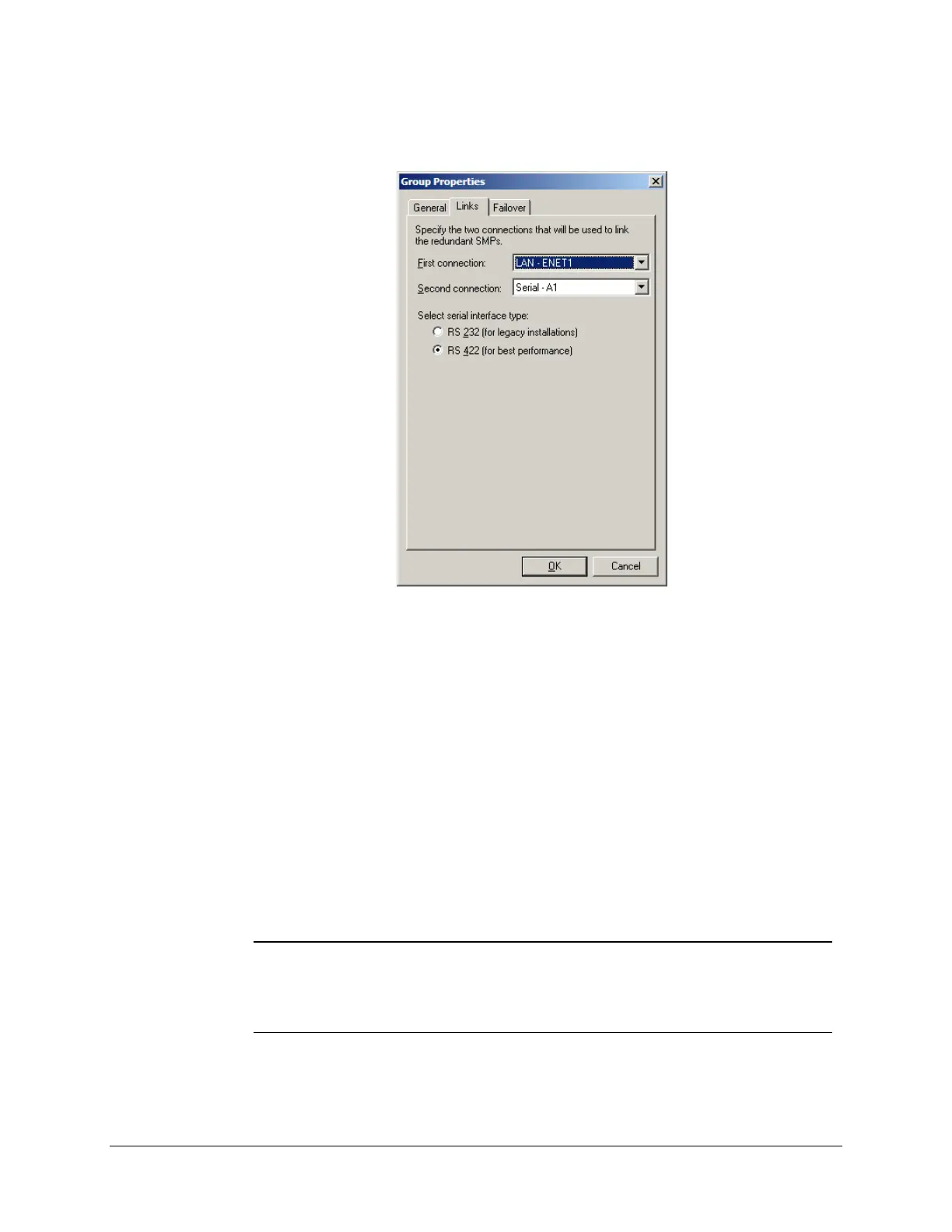
The Links tab is used to specify the 2 connections that will be used to link the redundant
SMP Gateways to each other.
These can be any combination of LAN or serial connections. The SMP 4-20 supports 1 LAN
connection, while the SMP 8-40 and the SMP 16 can support 2. The active SMP Gateway uses
these links to send regular heartbeat messages to the standby SMP Gateway. If the standby
gateway fails to receive the messages, it automatically assumes that it should become active. 2
distinct communications links are used, in order to minimize the chances of both SMP Gateways
becoming active due to a single faulty connection.
In the Links tab, you identify:
The type of first connection: LAN or serial.
The type of the second connection: LAN or serial.
The communication mode, either RS-232 or RS-422, if you are using one or more serial
connections between the 2 SMP Gateways.
Note: To link two SMP Gateways using RS-232, use a standard null modem cable;
using RS-422, use a standard null modem cable only if the SMP Gateways
are SMP 16. A special cable is required if the linked gateways are SMP 4-20
or SMP 8-40; see the SMP 4-20 SMP 8-40 Installation Guide, GUI-316-027
T, for details.
A failover will automatically happen if the active SMP Gateway faces a major problem, such as a
power failure, that prevents it from sending heartbeat messages.



 To Next Page