7. Other Field Service Ver. 1.0 Aug. 2005
78
bizhub 200/250/350
Maintenance
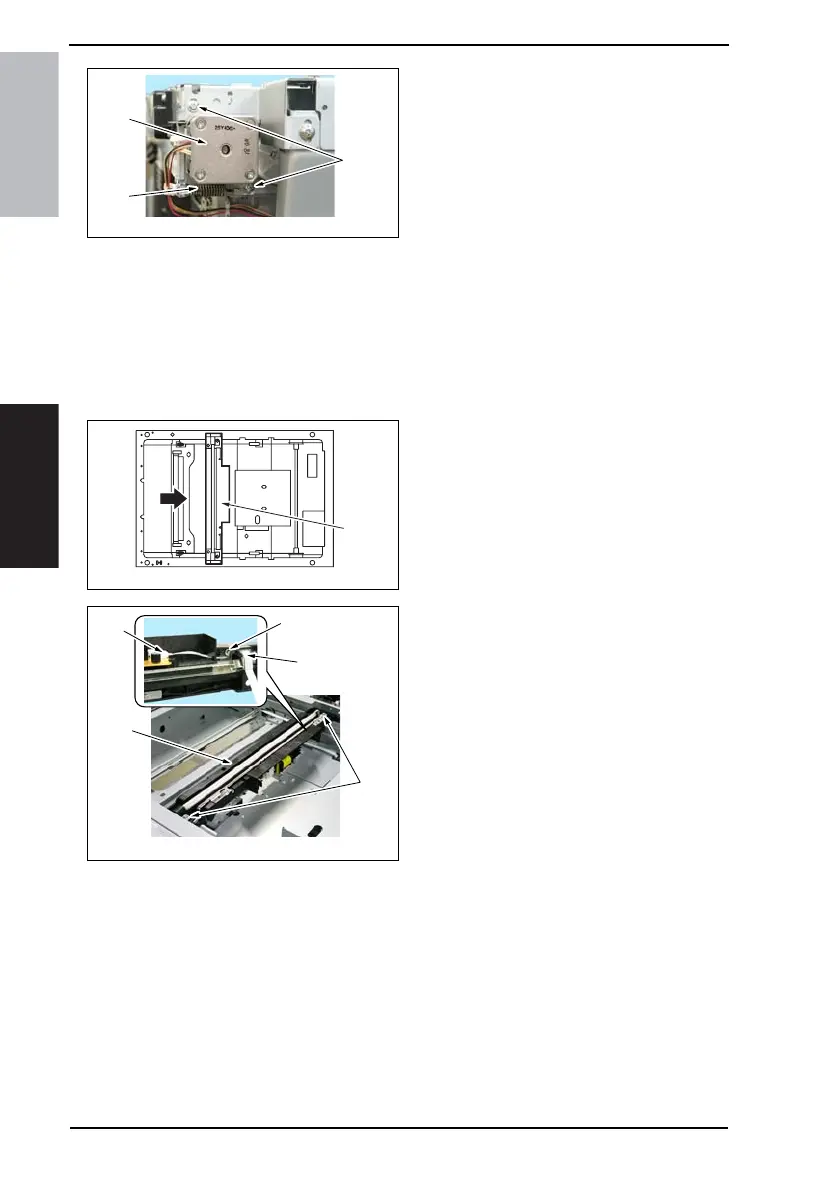
4. Remove the spring [3], two screws
[4] and the scanner motor [5].
7.3.31 Exposure Unit
1. Remove the IR Upper Left Cover.
☞ 49
2. Remove the Front Holding Bracket.
☞ 49
3. Remove the Original Glass.
☞ 49
4. Slide the Exposure Unit [1] to the
removal position.
5. Remove two screws [2].
6. Remove the screw [3] and the flat
cable [4].
7. Remove the flat cable [5] and the
Exposure Unit [6].
8. To reinstall, reverse the order of
removal.
NOTE
• If the Exposure Unit has been
removed, be sure to make the Scan-
ner positioning adjustment.
☞ 212
4040F2C690DA
[3]
[4]
[5]
4040F2C700DA
[1]
4040F2C701DA
[2]
[3]
[4]
[5]
[6]









 To Next Page