6. Mechanical adjustment Field Service Ver. 1.0 Aug. 2005
18
PC-102/PC-202
Adjustment / Setting
6.2 Registration (FD)
NOTE
Make this adjustment after any of the following procedures has been performed.
• When the PH Unit has been replaced.
• When the image on the copy is offset in the FD direction.
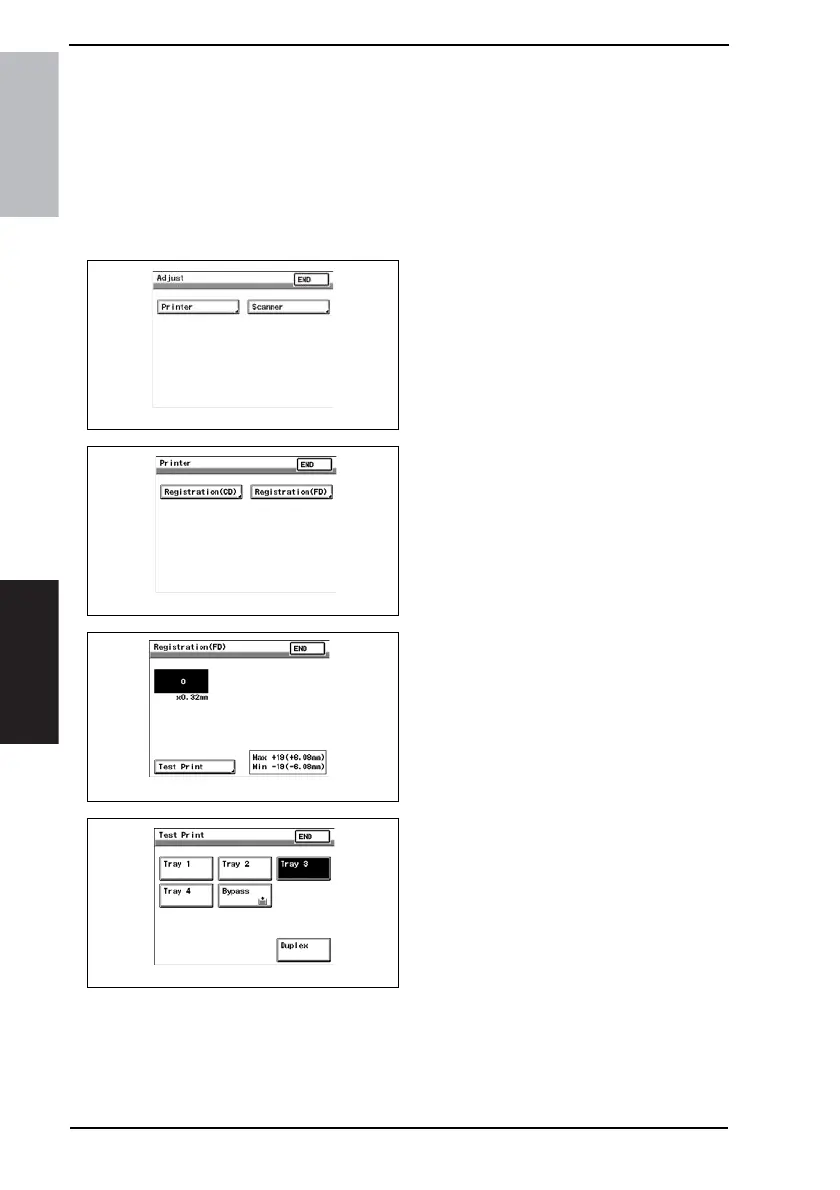
1. Display Tech. Rep. Mode.
☞ For details of how to display the Tech. Rep. Mode screen, see the Adjustment/Setting
of the main unit service manual.
2. Press the Stop key followed by the
Start key to display the Adjust Mode.
3. Touch the [Printer].
4. Touch the [Registration (FD)].
5. Touch the [Test Print].
6. Touch the [Tray 3] or [Tray 4].
7. Press the Start key.
4061F3C517DA
4061F3C518DA
4061F3C521DA
4061F3C520DA









 To Next Page