12. Counters Field Service Ver. 1.0 Aug. 2005
198
bizhub 200/250/350
Adjustment / Setting
12.3 Settings in the Counters
12.3.1 Total Counter
12.3.2 Large Size Counter
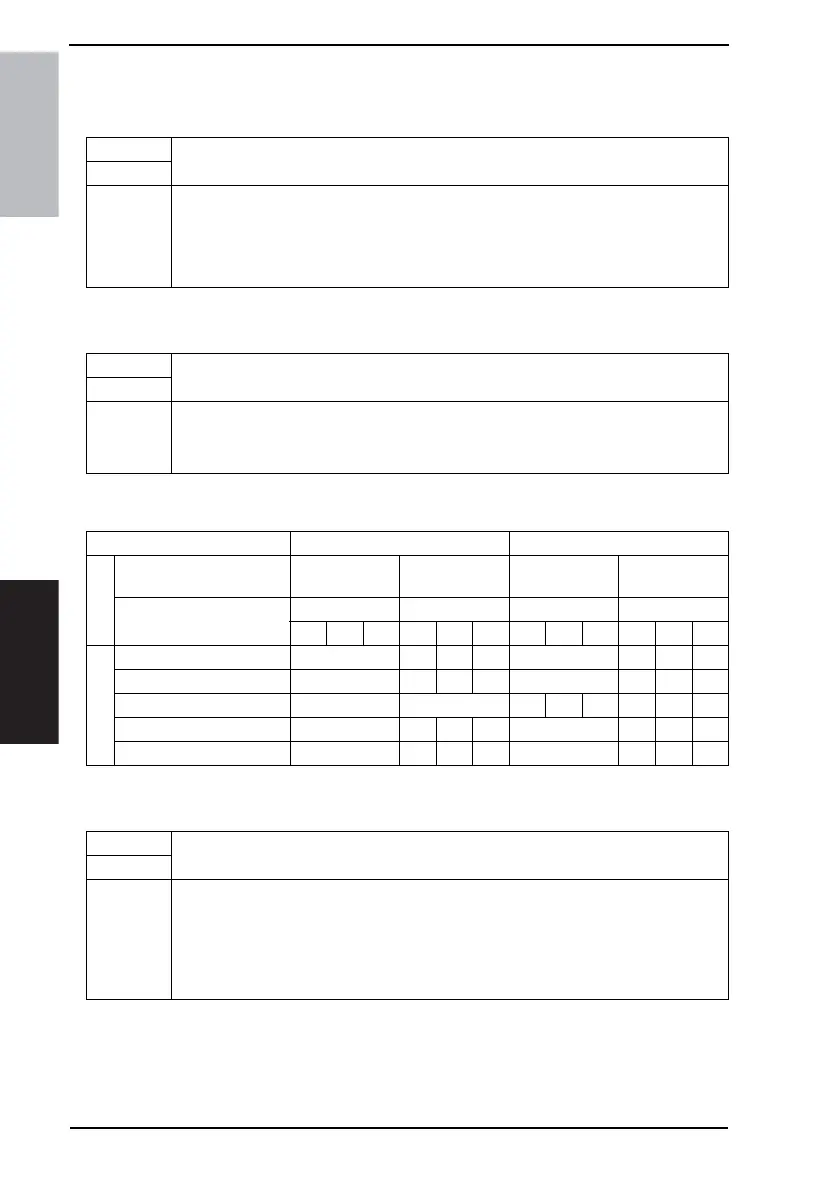
<Count Table for the Total Counter and Size Counter>
12.3.3 Copy Kit Counter
Functions
• To set the counting method for the Total Counter.
Use
Setting/
Procedure
• The default setting is “Mode 1”.
“Mode 1” Mode 2 Mode 3
• Mode 1: 1 count per copy cycle
• Mode 2, Mode 3: 2 counts according to the paper size and copy mode
Functions
• To set the counting method for the Size Counter.
Use
Setting/
Procedure
• The default setting is “A3/11x17”.
No Count A3/11x17
A3/B4/11x17/Legal A3/11x17/B4/11x14/Foolscape/Legal
Copy Mode For 1-sided copies For 2-sided copies
Setting
Large Size Counter
Non-standard
size
Standard size
Non-standard
size
Standard size
Total Counter
Mode Mode Mode Mode
123123123123
Count
Total Counter 1 1 2 2 2 2 4 4
Large Size Counter 0 1 1 2 0 2 2 0
2-Sided Total Counter 0 0 1 1 2 1 1 4
Total by Account 1 1 2 2 2 2 4 4
Large Size by Account 0 1 1 2 0 2 2 0
Functions
• To select whether to enable or disable the Copy Kit Counter.
Use
Setting/
Procedure
• The default setting is “Mode 1”.
“Mode 1” Mode 2 Mode 3
• Mode 1: The Copy Kit Counter is disabled.
• Mode 2: Copying continues even after the set value is reached.
• Mode 3: Copying is prohibited after the set value is reached.









 To Next Page