6. Utility/Counter Mode Field Service Ver. 1.0 Aug. 2005
12
FK-503
Adjustment / Setting
6. Utility/Counter Mode
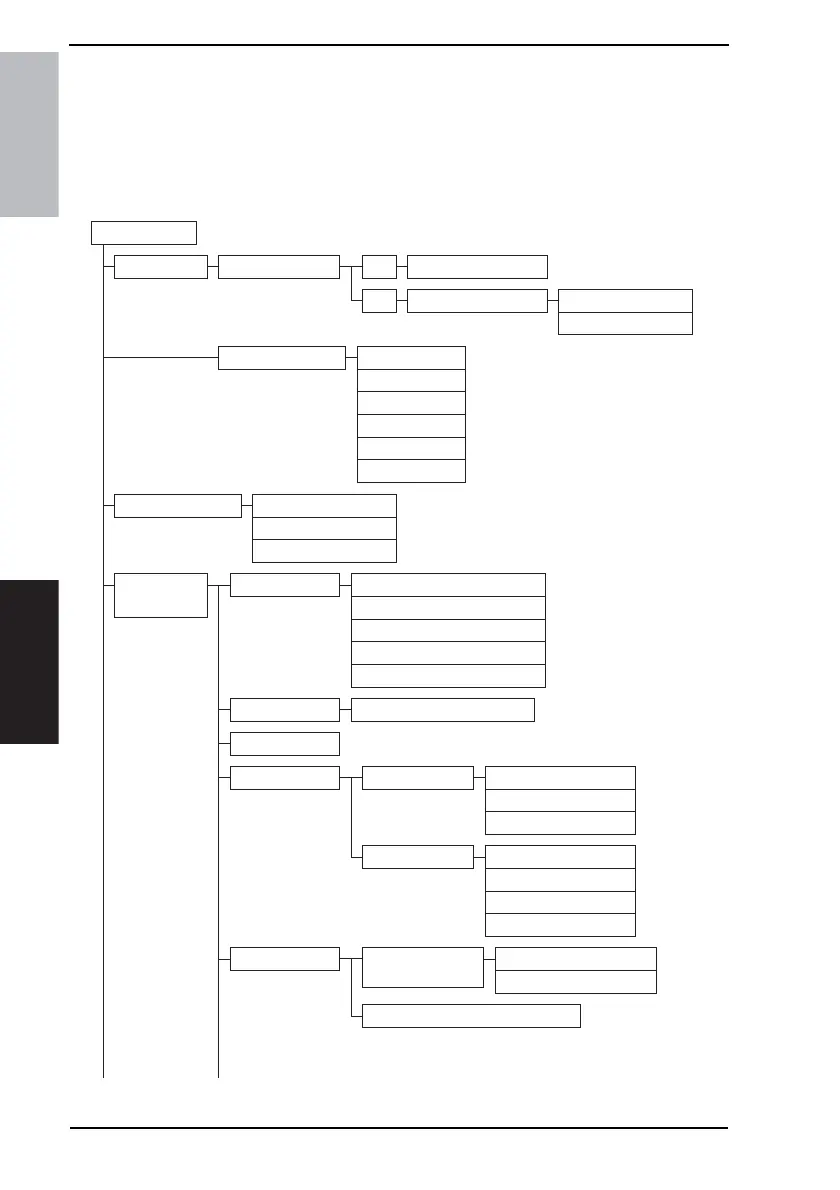
6.1 Utility/Counter Mode function tree
• The function tree is shown to comply with the format displayed on the screen.
NOTE
• The following function tree shows only the fax-related functions.
Utility/Counter
User Setting User's Choice
User Management Line Monitor Sound
Memory RX ON/OFF
POP3 RX
Admin.
Management
Initial Setting
Admin. Set
FAX
Output Tray Settings5/6
Default Screen Default LCD Screen
Default FAX Screen
6/6
One-Touch
Index
FAX Program
Domain Name
Bulletin
Conf. Box
Date & Time Setting
Language for Communication
Self-Telephone # information
TSI Registration
Self-ID
Restrict One-Touch Editing
FAX Regist.
TX Settings Quality/Mode Default Density
Default Density
Communication Mode
Comm. Menu TX
TSI
Rotation TX
2-Sided TX
Confidential RX User Box Delete
Memory Lock Time
Memory Lock Password
RX Settings Memory RX Time
Setting
4040F3E558DA









 To Next Page