7. Mechanical adjustment Field Service Ver. 1.0 Aug. 2005
24
DF-605
Adjustment / Setting
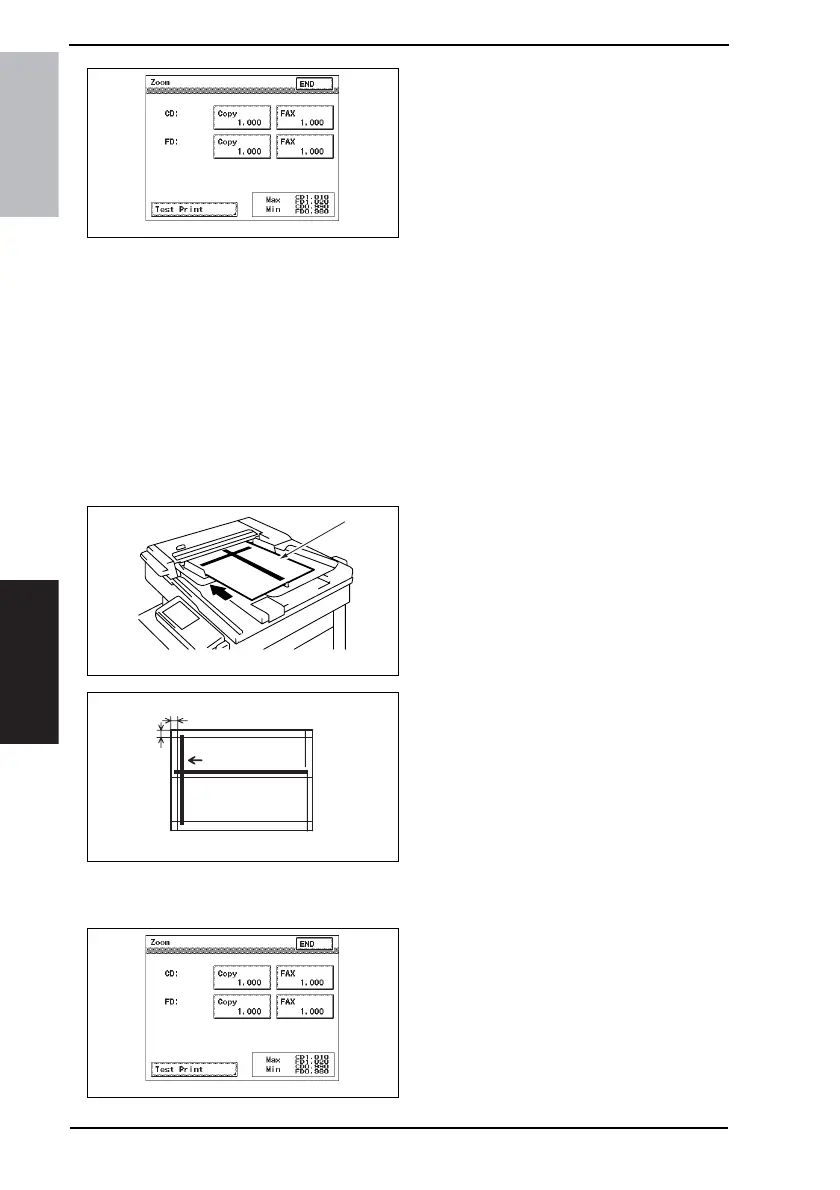
4. Touch the [Copy] of CD or FD.
5. Press the Clear key.
6. Enter the value from the 10-Key Pad.
• If the line is longer than the specifica-
tions, adjust toward the reduction side.
• If the line is shorter than the specifica-
tions, adjust toward the enlargement
side.
Adjustment Range:
CD: ×1.010 to ×0.990
FD: ×1.020 to ×0.980
7. Touch the [END].
8. Produce another test print and check
for width A.
7.3 Adjustment of the Scanning Start Position in the Main and
Sub-Scanning Directions
NOTE
• Make this adjustment after adjusting the scanning zoom ratio in the main and sub-
scanning directions.
1. Load the test chart [1] in the Reverse
Automatic Document Feeder and
make a full-size copy.
2. Make a full-size copy using the 2-
side original/2-side copy mode.
(Face down the test chart)
3. Check that the margins reproduced
on the copy meet the following speci-
fications.
• In full size copy mode
Specification:
Width A: 20 ± 3.0 mm
Width B: 20 ± 2.0 mm
• In 2-side original mode
Specification:
Width A: 20 ± 3.5 mm
4. If the length of the line reproduced
on the copy falls outside the speci-
fied range, select Tech. Rep. Mode
→ [Tech. Rep. Choice] → [Sheet-
through-ADF] → [Feed (CD)] or
[Feed (FD)].
4344F3E521DA
4344F3C501DA
[1]
4344F3C509DA
A
B
4344F3E521DA









 To Next Page