7. Test Mode Field Service Ver. 1.0 Aug. 2005
26
FS-508/PU-501/OT-601
Adjustment / Setting
7. Test Mode
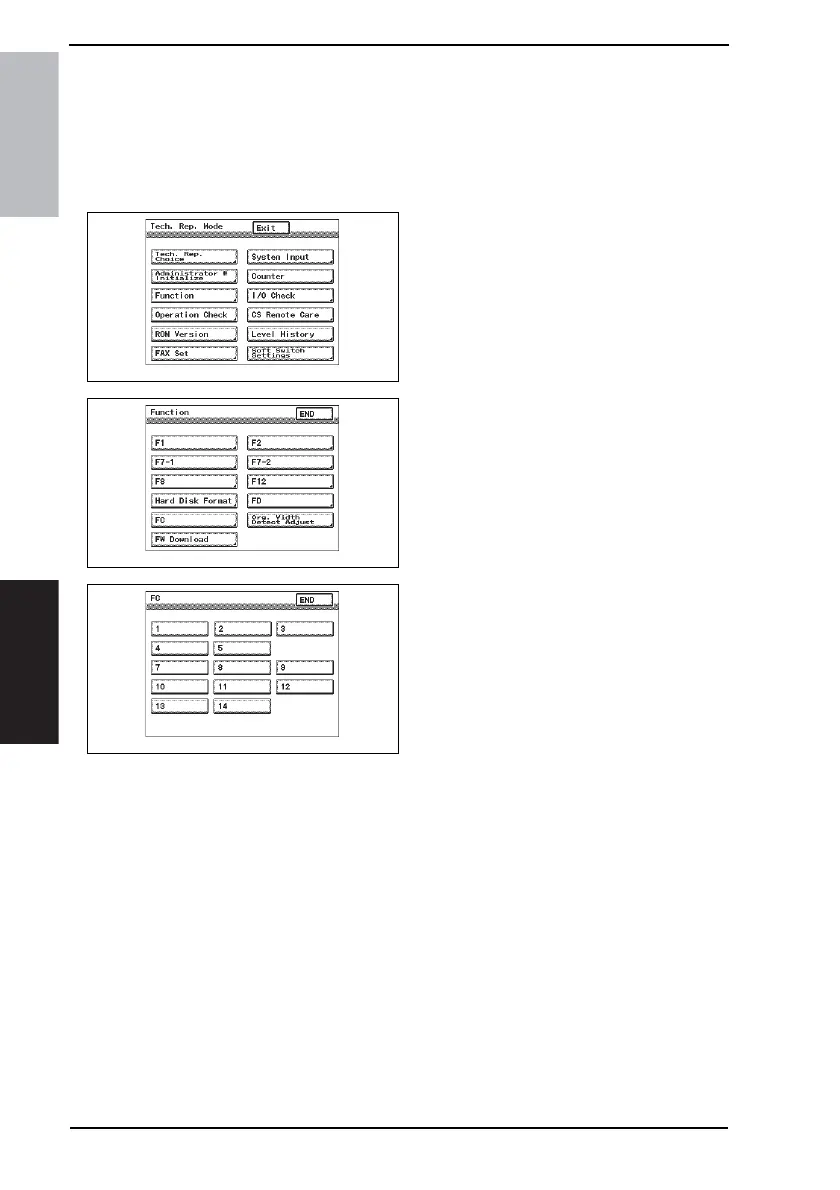
7.1 Entering Function Mode
1. Display the Tech. Rep. Mode screen.
☞ For details of how to display the Tech. Rep. Mode screen, see the Adjustment/Setting
of the main unit service manual.
2. Touch [Function].
3. Touch [FC].
4. Touch the button for the desired
function.
4349F2E541DA
4349F2E542DA
4349F3E520DA









 To Next Page