3. Other Field Service Ver. 1.0 Aug. 2005
10
PC-402
Maintenance
3.3 Disassembly/Assembly procedure
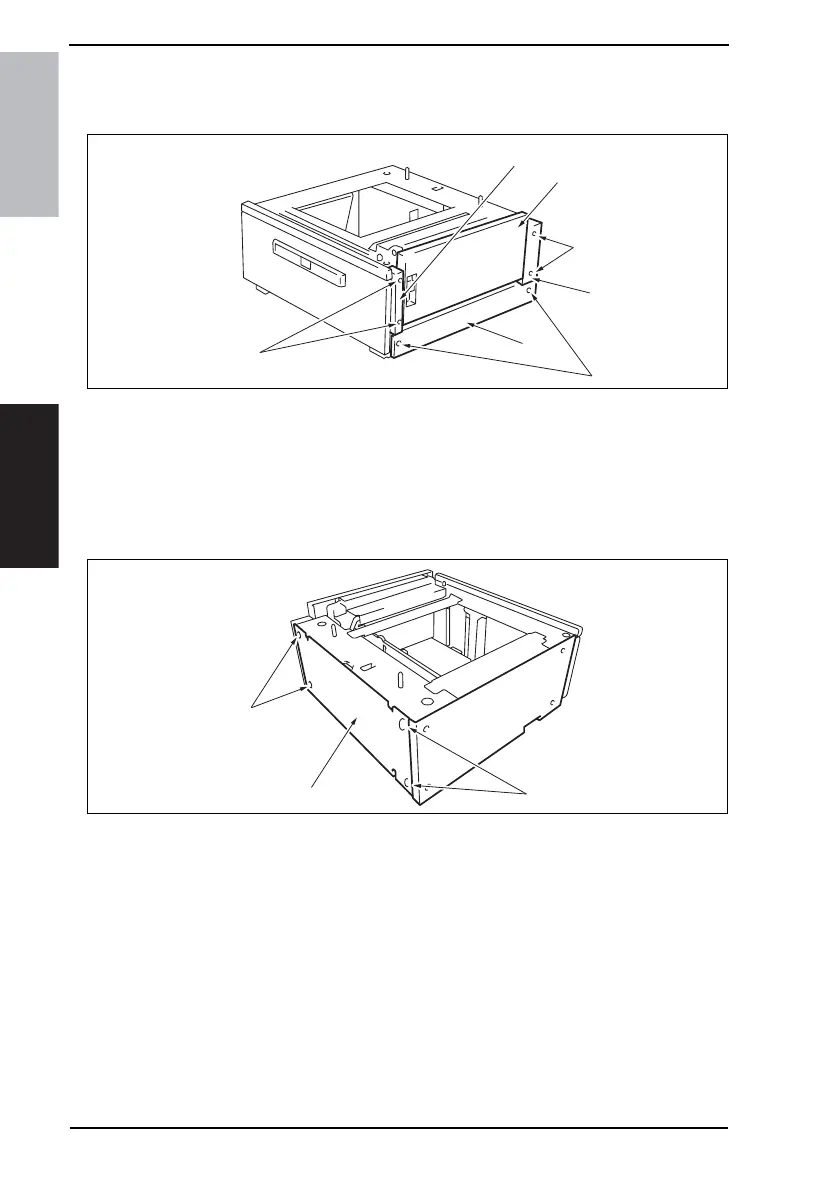
3.3.1 Right Door/Rear Right Cover/Lower Right Cover/Front Right Cover
1. Open the Right Door [1].
2. Remove the Right Door [1].
3. Remove two screws [2] and remove the Rear Right Cover [3].
4. Remove two screws [4] and remove the Lower Right Cover [5].
5. Remove two screws [6] and remove the Front Right Cover [7].
3.3.2 Rear Cover
1. Remove four screws [1] and remove the Rear Cover [2].
4348fs2520c0
[4]
[2]
[5]
[1]
[6]
[3]
[7]
4348fs2521c0
[1]
[2]
[1]









 To Next Page