11. Tech. Rep. Mode Field Service Ver. 1.0 Aug. 2005
148
bizhub 200/250/350
Adjustment / Setting
11. Tech. Rep. Mode
11.1 Tech. Rep. Mode function setting procedure
NOTE
• Ensure appropriate security for Service mode function setting procedures. They
should NEVER be shown to any unauthorized person not involved with service
jobs.
A. Procedure
1. Press the Utility/Counter key.
2. Touch [Check Detail].
3. Press the following keys in this order.
Stop → 0 → 0 → Stop → 0 → 1
4. Enter the 8-digit service code and touch [END]. (Default value: 00000000)
NOTE
• When [END] is touched after a wrong service code has been entered, the Basic
screen reappears.
• At the fourth access after entries of three wrong access codes, [END] is not avail-
able on the screen. It is therefore necessary to turn OFF and ON the Main Power
Switch.
• If you forget the service code, it becomes necessary to replace the RAMS Board
with a new one. Take necessary steps not to forget the service code.
• The RAMS Board is not available as a replacement part. If it requires replacement,
contact Office Printing Support Division by way of CSES.
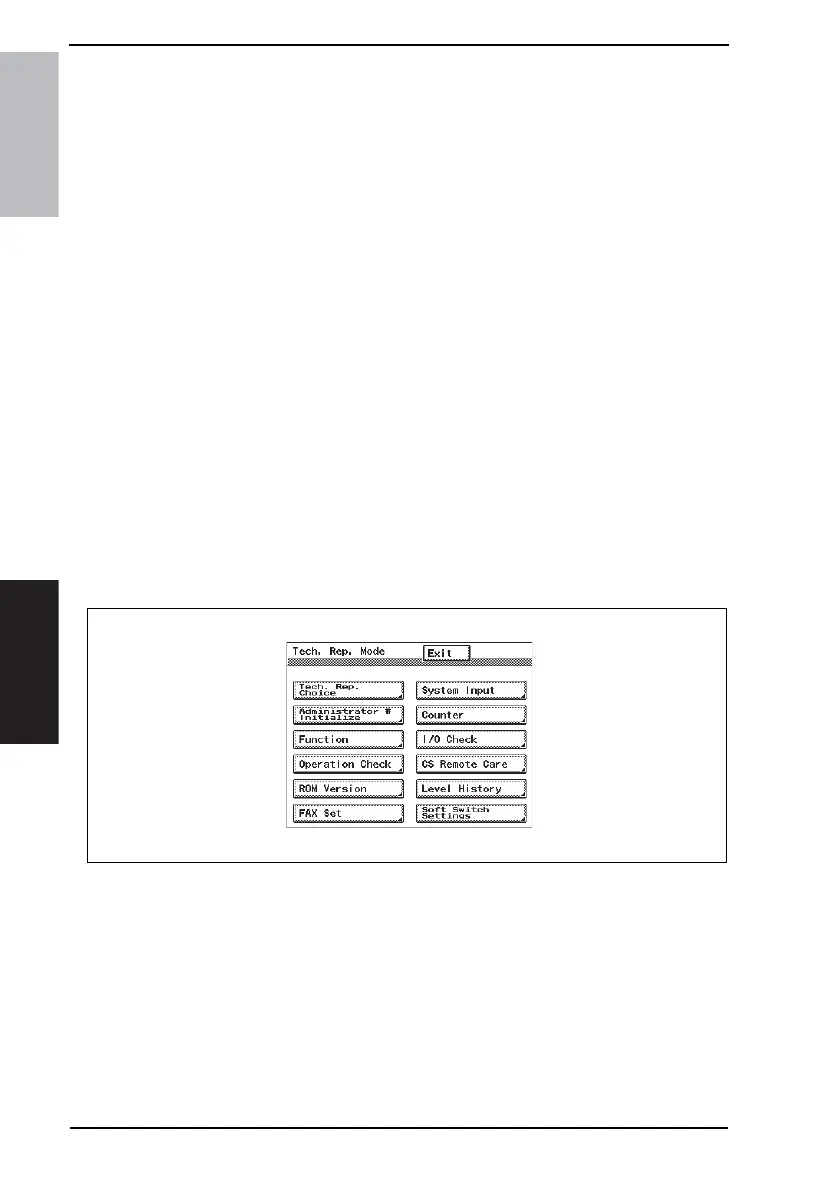
5. The Tech. Rep. Mode menu will appear.
NOTE
• To change the service code, see “Service Security Mode.”
☞ 200
B. Exiting
• Touch the [Exit] key.
C. Changing the Setting Value in Service Mode Functions
• Use the +/- key to enter or change the setting value.
• Use the 10-Key Pad to enter the setting value. (To change the setting value, first press
the Clear key before making an entry.)
4040F3E543DA









 To Next Page