Field Service Ver. 1.0 Aug. 2005 15. Initial Mode
209
bizhub 200/250/350Adjustment / Setting
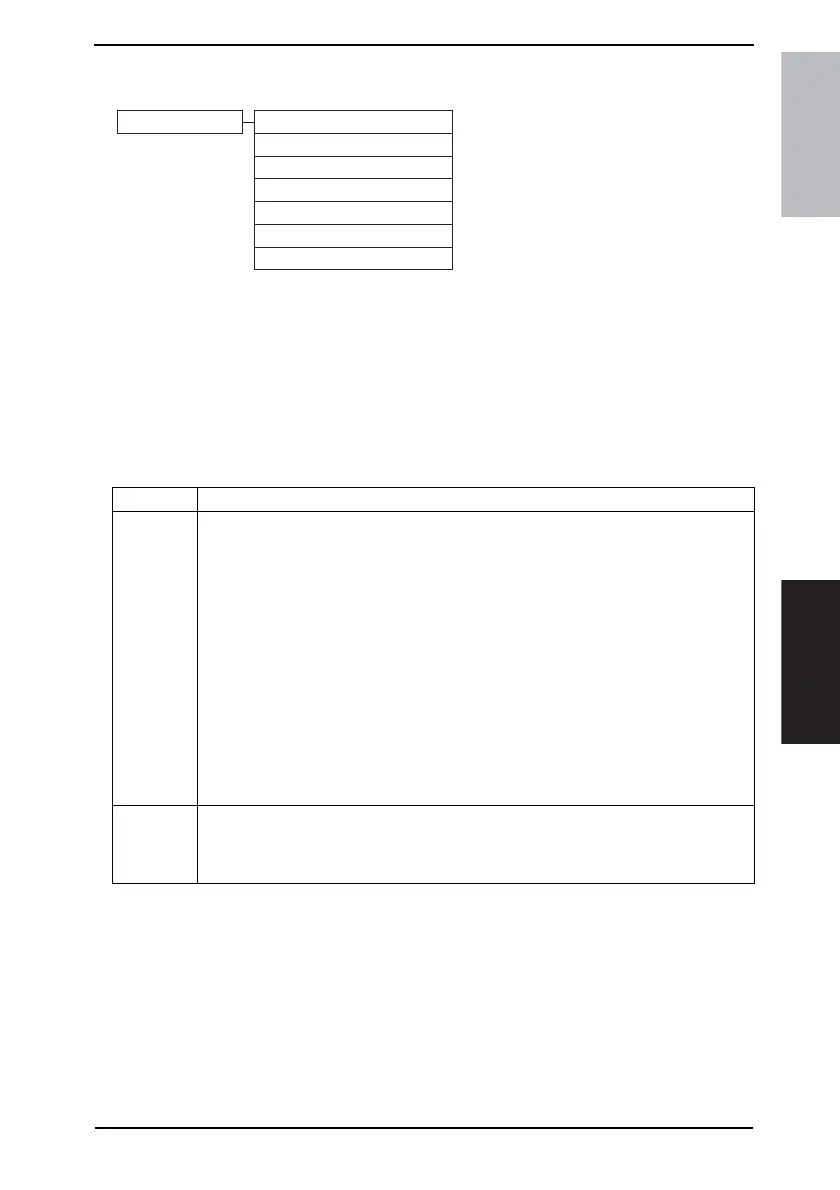
15.2 Initial Mode Function Tree
*1: For details, see FK-503 Service Manual.
15.3 Settings in the Initial Mode
NOTE
• Be sure to turn the main power switch OFF and ON after the Initial mode has been
completed.
15.3.1 Total Clear
4040F3E556DA
Initial Mode Total Clear
Touch Panel Adjustment
Marketing Area
Image Data Clear
Clear FAX Setting
Date/Time Setting
Trouble Reset
*1
Functions • To clear all data.
Use
The following settings are cleared.
• Fax-related setting information
• Bulletin board setting information
• Transmission/reception log information
• Image data
• Network setting information
• Destination information
• Soft switch information
• Management-by-account setting information
• User authentication setting information
• Account/user counter
• Remote maintenance setting information
• FW download setting information
• Copy setting information (zoom ratio, paper size, erase width, paper source detailed
information, copy job program, bypass free size registration, etc.)
• CSRC setting information
Setting/
Procedure
1. Touch [Total Clear] from the Initial mode screen.
2. Select [Yes] and touch [Enter] to start the clearing sequence.
3. When the message indicating completion of the clearing sequence appears, touch
[OK].









 To Next Page