21. Image quality problem Field Service Ver. 1.0 Aug. 2005
254
bizhub 200/250/350
Troubleshooting
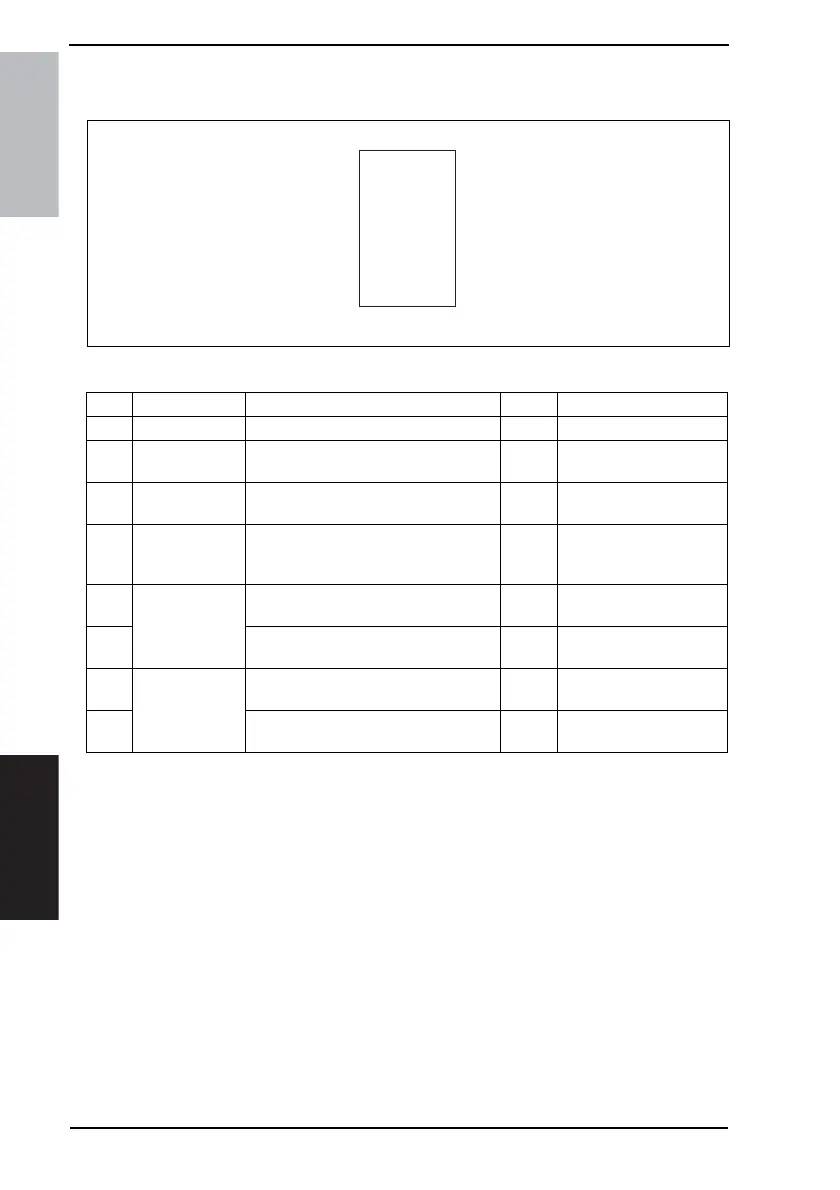
21.3.2 Scanner System: Low image density or rough image
A. Typical Faulty Images
B. Troubleshooting Procedure
ABCDE
ABCDE
ABCDE
ABCDE
ABCDE
4036fs4036c0
Step Section Check Item Result Action
1 Shading Sheet Shading sheet is dirty. YES Clean.
2 Mirrors/Lens/
Original Glass
Mirrors, lens and/or Original Glass are
dirty.
YES Clean.
3 Exposure Lamp Exposure Lamp is dirty. YES Clean.
Change Exposure Lamp.
4 PWBs and Con-
nection Cables
Connectors are securely connected with
no bent pins and no breaks in the con-
nection cables.
NO Reconnect.
Replace the connection
cable.
5 MFBS Board Connectors on the MFBS Board are
connected properly.
NO Reconnect.
6 The problem has been eliminated after
performing step 5.
NO Change MFBS Board.
7 CCD Unit Connectors on the CCD Unit Board are
connected properly.
NO Reconnect.
8 The problem has been eliminated after
performing step 7.
NO Change CCD Unit.









 To Next Page