11. Soft Switch List Field Service Ver. 1.0 Aug. 2005
60
FK-503
Adjustment / Setting
NOTE
• The features with (*) are settable by users. This applies only to system with multi-
port option. *: Screen setting
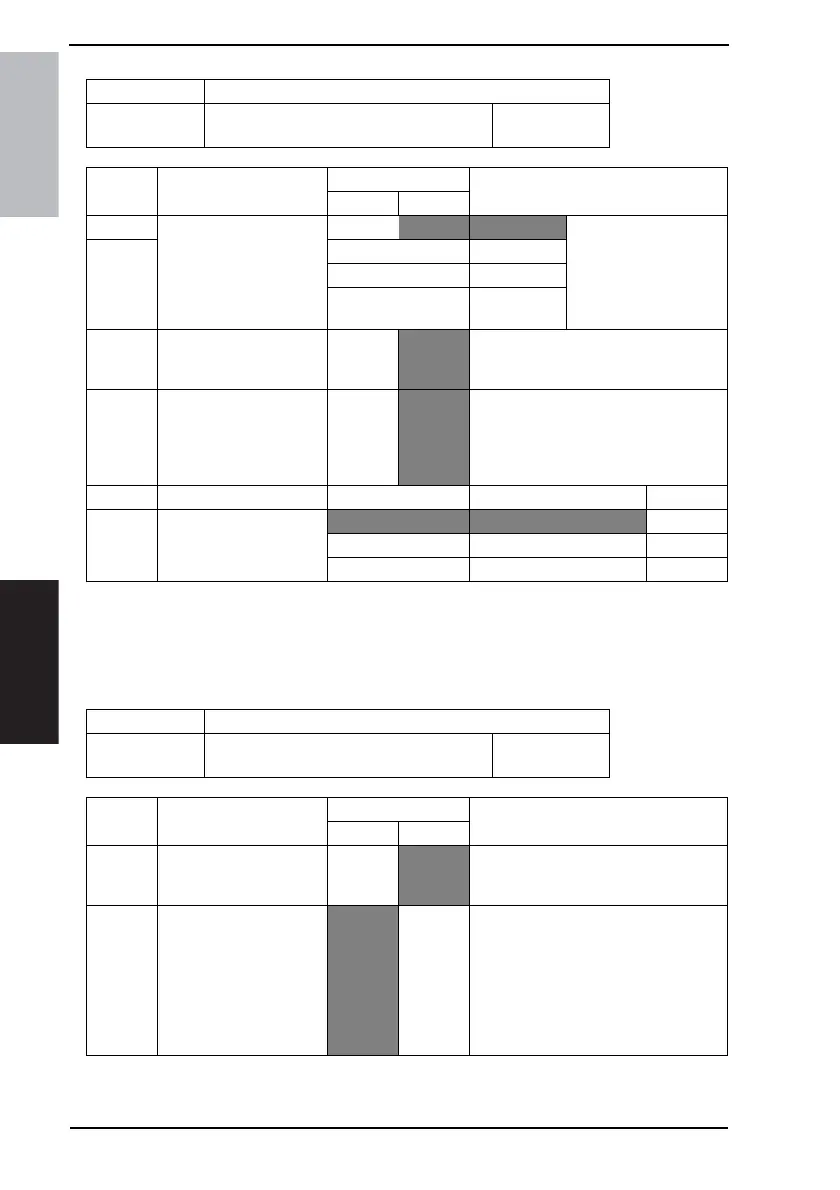
MODE Factory setting bit
011
Bit: 7654 3210
0101 0001
HEX:31
Bit Feature
Logic
Description
01
7 Select dial line speed (DP
speed). (PSTN2) *
Bit 7-6:
00 10 pps • This is valid only when
“Switch PB/DP
(MODE 011 Bit5)”
sets DP.
• 16 pps is unavailable
to users.
6 01 20pps
10 16 pps
11 Not available
5 Select a line type (tone or
pulse) for calling. (Switch
PB/DP). (PSTN2) *
DP
PB •DP : pulse
• PB : tone
4 Select standard phone
line connected with the
system (Extension / Exter-
nal line connection).
(PSTN2) *
Exten-
sion con-
nection
External
line con-
nection
1 Display illustrations. Bit 1-0: 00 Not display
0
01 Display (Animation)
10 Display (Still picture)
11 Not available
MODE Factory setting bit
012
Bit: 7654 3210
0100 0000
HEX:40
Bit Feature
Logic
Description
01
6 Select function of # key on
one-touch screen.
Full dial-
ing num-
ber
One-
touch
number
0 Accumulated sheets:
Change the number of
accumulated sheets.
Can be
changed.
Changes
not
allowed.
• Change items “Facsimile Print”, “Copy
Print”, “Report Print”, “Send Facsim-
ile”, “PC Print”, and “Send E-mail” on
the “Number of sheets” tab.
• The accumulated sheets can be
changed in the maintenance mode
even if this bit is set to “Changes not
allowed”.









 To Next Page