Field Service Ver. 1.0 Aug. 2005 11. Soft Switch List
137
FK-503Adjustment / Setting
NOTE
• The features with (*) are settable by users. *: Screen setting
NOTE
• The features with (*) are settable by users. *: Screen setting
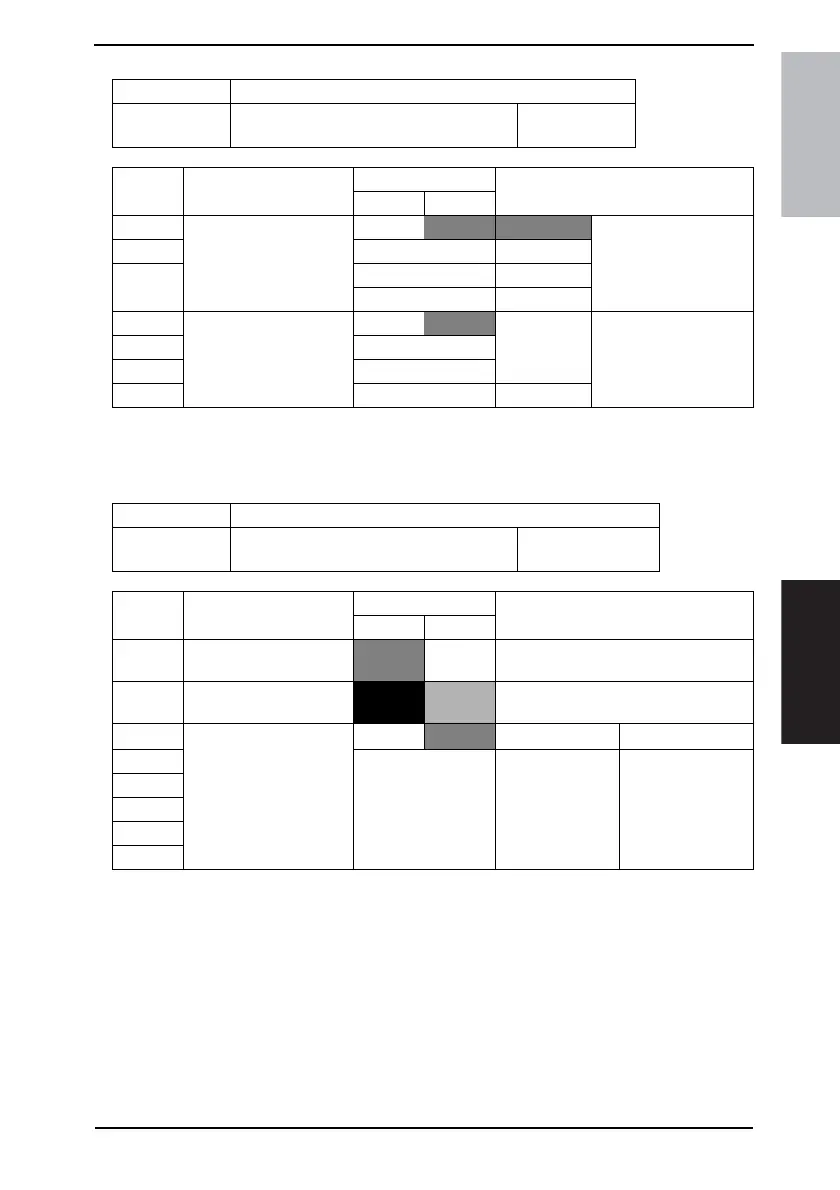
MODE Factory setting bit
425
Bit: 7654 3210
0000 0000
HEX:00
Bit Feature
Logic
Description
01
6 Select FLS size. (Copy) * Bit 6-4:
000 210×330 Specify size of FLS used
with in the machine.
5 001 203×330
4 010 216×330
011 220×330
3 Adjust image quality
mode. (Copy)
Bit 3-0:
0000 Specifies the density of
image at printing.
When any of Bit 3 to 0 is
1, [*] key is displayed.
2|
1 1000
0 Others Not available
MODE Factory setting bit
426
Bit: 7654 3210
0000 0000
HEX:50 (For U.S.)
HEX:00 (For Europe)
Bit Feature
Logic
Description
01
7 Movement finisher bin
Not avail-
able
Available
6 Set mixed AMS sheets
without printing *
No Yes
5 Bit 5-0:
010000
4 Others Not available
3
2
1
0









 To Next Page